20
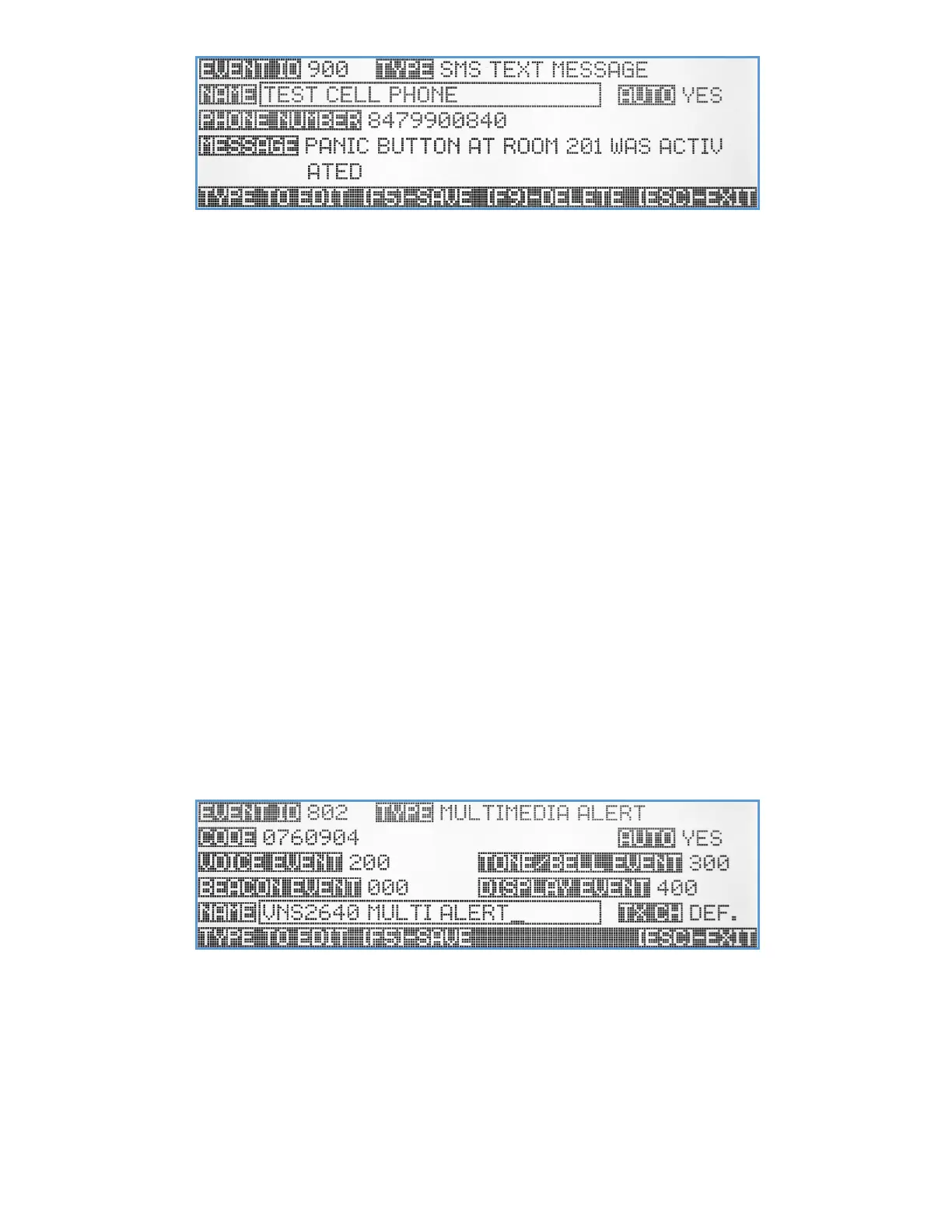
Name – A descriptive title/name for the event that will help identify it from other events. Type in the description and hit
[Enter] to move to next field.
Auto – Enable/disable the event activation style. If enabled, the event will be initiated instantly, (when activated)
without any additional user confirmation. If the Auto mode is disabled, the user will be able to add/edit and
confirm the text message before it will be sent.
Phone Number – The dial out phone number. Use the keyboard numeric keys to enter the phone number.
Message – Pre-programmed text message can be entered here, for Auto message transmission, or as a template that
the user can change just before sending the message out. Type in the text message for this event. Hit the [Del]
key to clear the text field and the [Enter] key when done typing.
Use the Left/Right arrow keys to navigate between the fields. Use [F5] to save any changes, [F9] to delete the event (if
editing an existing event) and hit the [ESC] key to exit the screen back to the previous menu.
Multimedia Alert Event
One of the unique features of the VS4820 base station is the ability initiate voice, text, and visual alert within one instant
radio transmission. A Multimedia Alert event provide the user with the ability to create one event that can trigger up to
4 different event types: PA speaker, beacon light and LED message board. Visiplex offers a variety of products that
comes with multimedia alert capabilities such as: VNS2640 wireless PA Speaker with LED message board and beacon
lights, VNS2620 wireless speaker with beacon lights, VNS16xx LED message boards with PA speaker option, and others.
Multimedia event can also be used to activate a mix of different media wireless devices, for example: A VNS2610
wireless PA speaker, VNS2720 beacon light and VNS1620 can all be activated simultaneously using one multimedia event
(as long as they all sharing the activation code). Before creating a multimedia event, the user must first create up to four
different types of events that will be used.
Code – A unique 7-digit activation code that can activate a single or group of wireless devices. Usually, Visiplex products
include up to 8 user-programmable activation codes, make sure that all the devices you are planning to activate
with this event, has this activation code programmed. Use the keyboard numeric keys to enter/edit the
activation code.
Auto – Enable/disable the event activation style. If enabled, the event will be initiated instantly, (when activated)
without any additional user confirmation. If the Auto mode is disabled, the user will need to confirm the event
before any data is being transmitted.



 To Next Page