8
Main Paging Screen
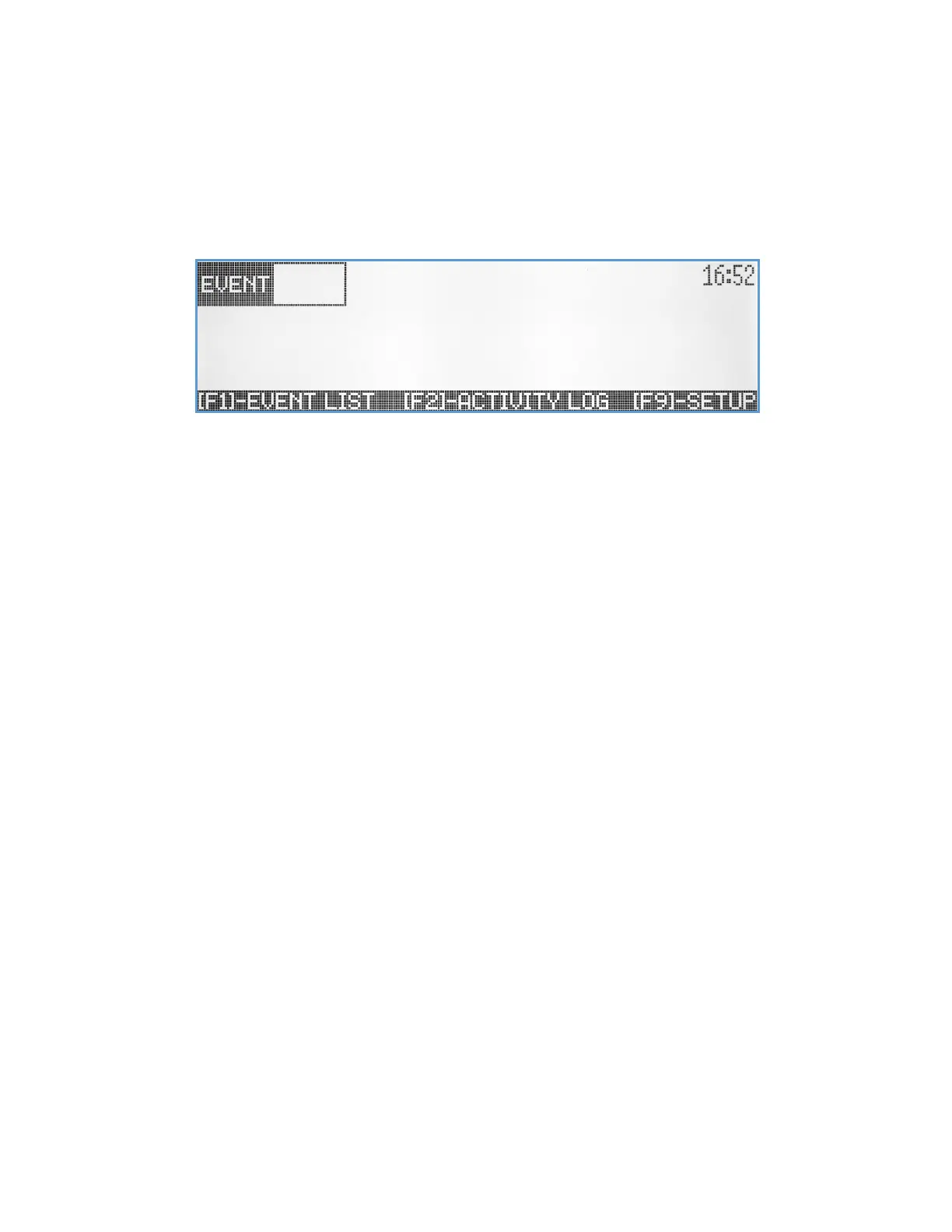
This VS4820 Main Paging screen is designed to help users to instantly trigger pre-programmed events, make live voice
announcements, answer incoming call from wireless intercom stations and monitor panic buttons activity. From this
screen a user can activate special system functions using key combinations and function buttons. To activate/send an
event, the user simply enters the 3 digits ID number of the selected event into the EVENT field at the left top of the
screen. The Status Line at the bottom of the screen, is showing the most common functions that are available to the
user: [F1] to select an event from a list of all active events, [F2] to display the latest system activity and [F9] to access the
System Setup Menu.
Here is a list of all functions that are available to the user from the Main Paging screen:
[F1] – Event List, shows a list of all available events for user selection and activation (see Event Selection Screen).
[F2] – Activity Log, display the latest events and system paging activities (see Activity Report Screen)
[F7] – Volume Down, lower the speaker level.
[F8] – Volume Up, Raise the speaker volume.
[F9] – Select System Setup Menu (requires administrator password).
[F12] – Clears the VS4820 Call indicator and all active wireless panic buttons calls.
[Fn]+[F1] – Sends the current Time Mode to wireless LED message board (see System Setup Menu - Message Board
Setup).
[Fn]+[F2] – Sends the current Marquee Message Mode to wireless LED message boards (see System Setup Menu -
Message Board Setup).
[Fn]+[F3] – Sends FM radio activation to wireless PA speakers (see System Setup Menu – FM Radio Configuration).
[Fn]+[F4] – Sends FM radio de-activation to wireless PA speakers (see System Setup Menu – FM Radio Configuration).
[Fn]+[F5] – Display the System Status screen (see System Status Screen).
[Fn]+[F9] – Mute the VS4820 speaker
[Fn]+[F10] – Sync the VS4820 base station time to wireless cell time (if SMS Modem option is installed).
[Fn]+[F11] – Initiate periodic time sync signal transmissions to clocks and LED message boards.
[Fn]+[F12] – Pause time sync signal transmissions to clocks and LED message boards.
Event Selection Screen
Use the Up/Down arrow keys and [PgUp]/[PgDn] keys to select specific event from the list and simply activate the event
by hitting the [Enter] key. Events marked with ■ status are events that been programmed to require additional user



 To Next Page