12
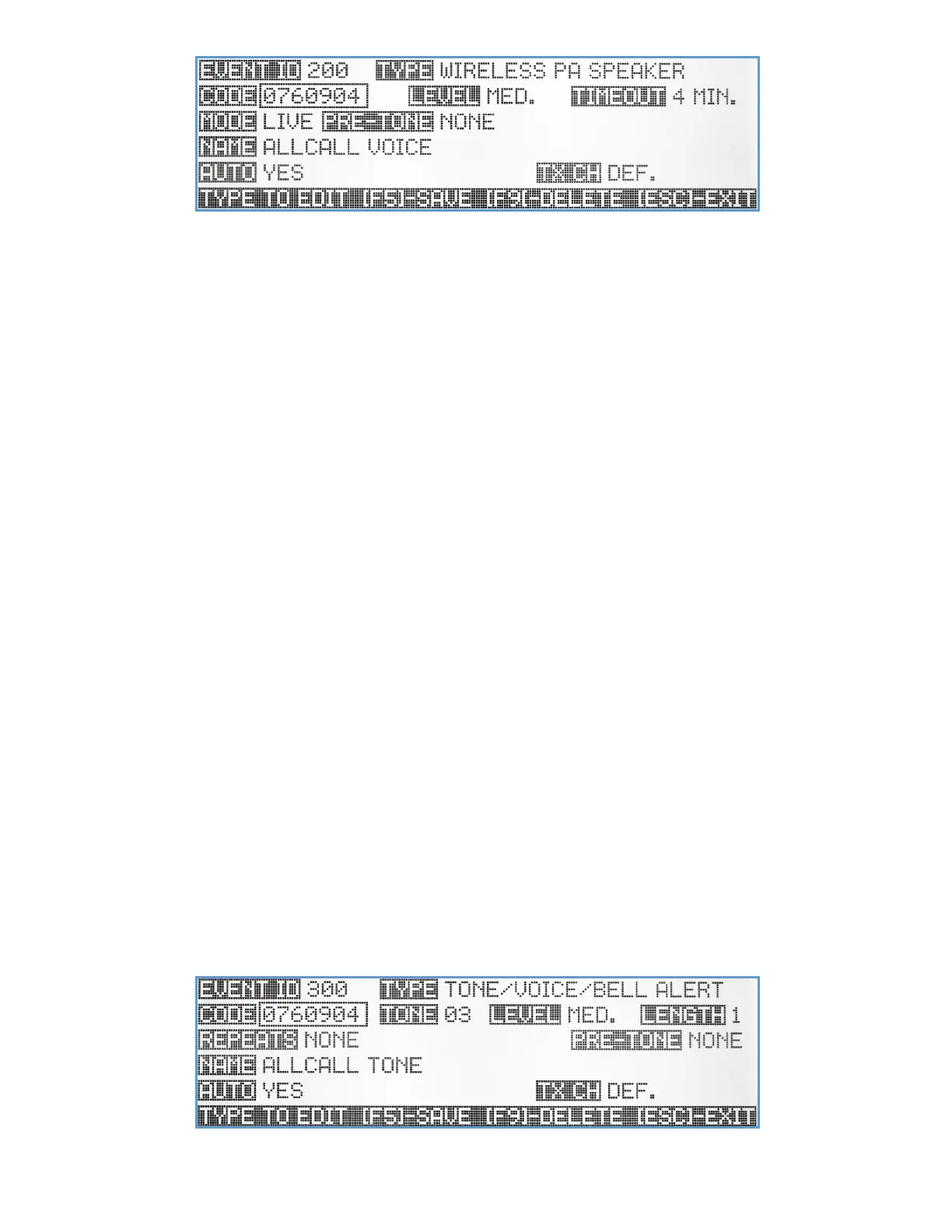
Code – A unique 7-digit activation code that can activate a single or group of wireless PA speakers. Usually, Visiplex
products include up to 8 user-programmable activation codes, that provide individual speaker activation or as
part of up to 7 groups/zones. Use the keyboard numeric keys to enter/edit the activation code.
Level – Setup the PA speaker audio level for this event. Use the Up/Down arrow keys to select one of four audio levels:
Low, Medium, High or Maximum level.
Timeout – Select the maximum duration that the PA speaker will stay open after activation, before timing out and
closing (unless the VS4820 base station ends the PA session first). Use the Up/Down arrow keys to select the
preferred timeout value.
Mode – Select the PA activation mode between Live audio or playback of one of pre-programmed voice messages stored
on the unit. Use Up/Down arrow keys to select the mode or pre-programmed (01-99) voice message.
Pre-Tone – Each of Visiplex products that comes with PA voice capabilities, include built-in alert tones, that can be used
to get the public attention, before the actual PA message announcement starts. To use this option, use the
Up/Down arrow keys to select the alert ID, and if needed the number of times the alert will repeats
Name – A descriptive title/name for the event that will help identify it from other events. Type in the description and hit
[Enter] to move to next field.
Auto – Enable/disable the event activation style. If enabled, the event will be initiated instantly, (when activated)
without any additional user input or confirmation. If the Auto mode is disabled, the user will be able to
temporarily change the PA message audio level and confirm the activation, before any data is being transmitted.
TX Channel – Select the transmitter RF channel for this event, if other than the default channel, in cases where the
VS4820 base station operates on more than one frequency.
Use the Left/Right arrow keys to navigate between the fields. Use [F5] to save any changes, [F9] to delete the event (if
editing an existing event) and hit the [ESC] key to exit the screen back to the previous menu.
Tone/Voice/Bell Alert Event
The Tone/Voice/Bell Alert event type was designed to initiate the playback of pre-recorded tone & voice alerts to
Visiplex products that are equipped with that feature such as the VNS26xx wireless PA speakers, VNS16xx LED message
boards and the VNS24xx 2-way intercom stations. This is the preferred event type to associate with a break bell schedule
to initiate a bell tone alert at specific times and days.



 To Next Page