11
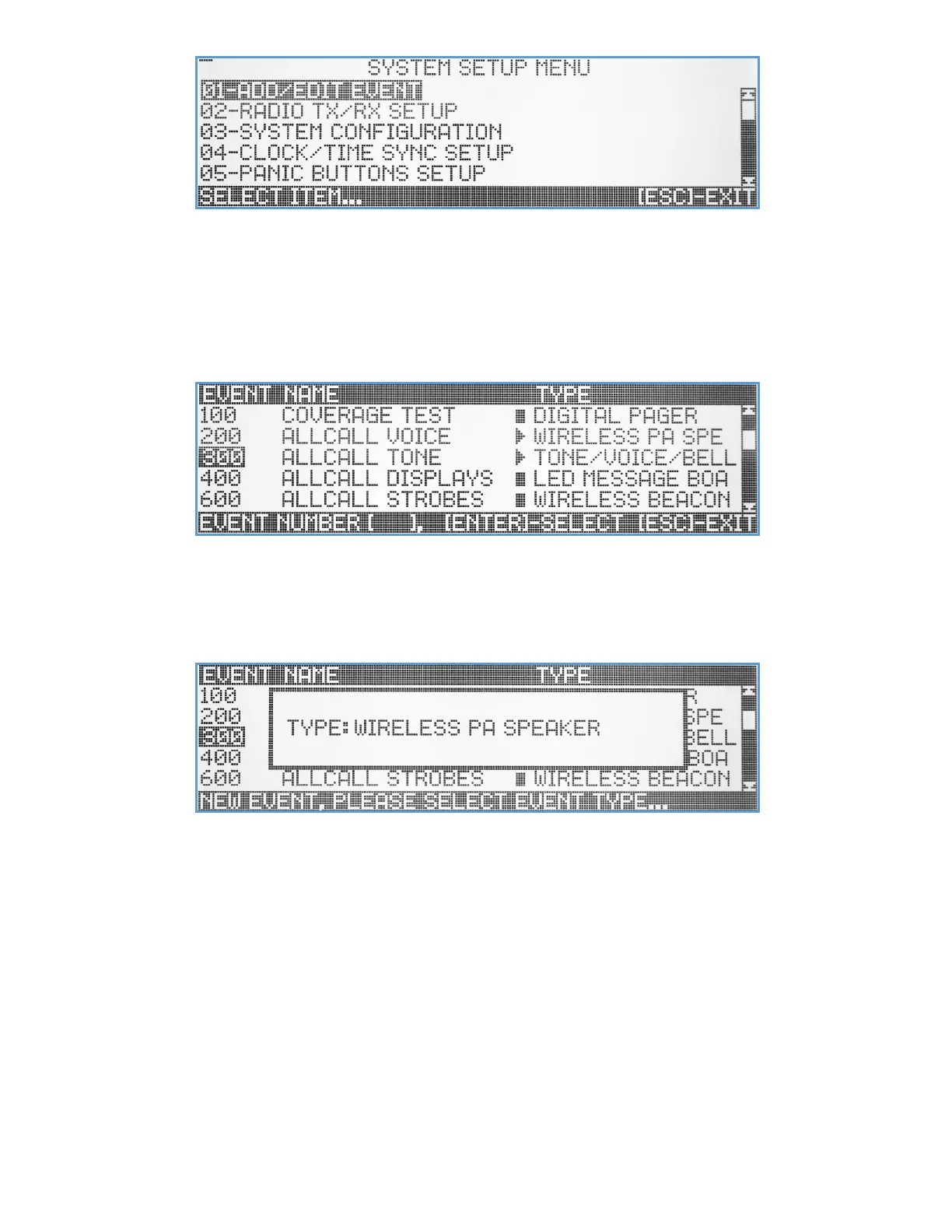
This menu lets the user configure all the parameters and functions of the VS4820, create and edit events, manage
databases, and more. Selecting a submenu item from the list can be done by scrolling using the Up/Down arrow keys
and hitting the [Enter] key, or by entering a 2-digit number that associate with the selected submenu.
Add/Edit Event
The Add/Edit Event submenu lets the user create new or edit existing system events. When selected, a list of existing
events will be displayed on the screen.
To edit an existing event, the user can use the up/down arrow, [PgUp], [PgDn] & [Enter] keys to select or enter the 3-
digit event ID number, results with the selected event information being displayed on the screen.
To create a new event, an unused 3-digit ID number should be entered. If the entered ID has not been used before, a
popup window will appear on the screen to let the user to select the type of event.
Using the Up/Down arrow keys, the user can choose the type of event and press [Enter] to select it, resulting with the
event editing screen being displayed with default parameters values.
Wireless PA Speaker Event
The Wireless PA Speaker event type was designed to initiate live voice announcements or playback of pre-recorded
voice messages from the VS4820 data storage. This event type activates and controls any Visiplex product that is
equipped with the ability to receive live voice transmissions and drive PA speakers, such as the VNS26xx wireless PA
speakers, VNS16xx LED message boards and the VNS24xx 2-way intercom stations.



 To Next Page