28
Activation Delay – The On Event activation can be delayed up to 90 seconds if needed. Enter values from 00-90 in this
field (00 – no delay is the default value).
Activation Plan – The VS4820 comes with a user programmable Activation Plan, that set up daily active hours for every
weekday. The user can program up to 9 different activation plans and assign each alarm on the system to be
monitored during the assigned activation plan hours only. Assigning Activation Plan 0 to alarm, will make it
monitored by the system all the time (24/7).
Use the Left/Right arrow keys to navigate between the fields. Use [F5] to save any changes or hit the [ESC] key to exit
the screen back to the previous menu.
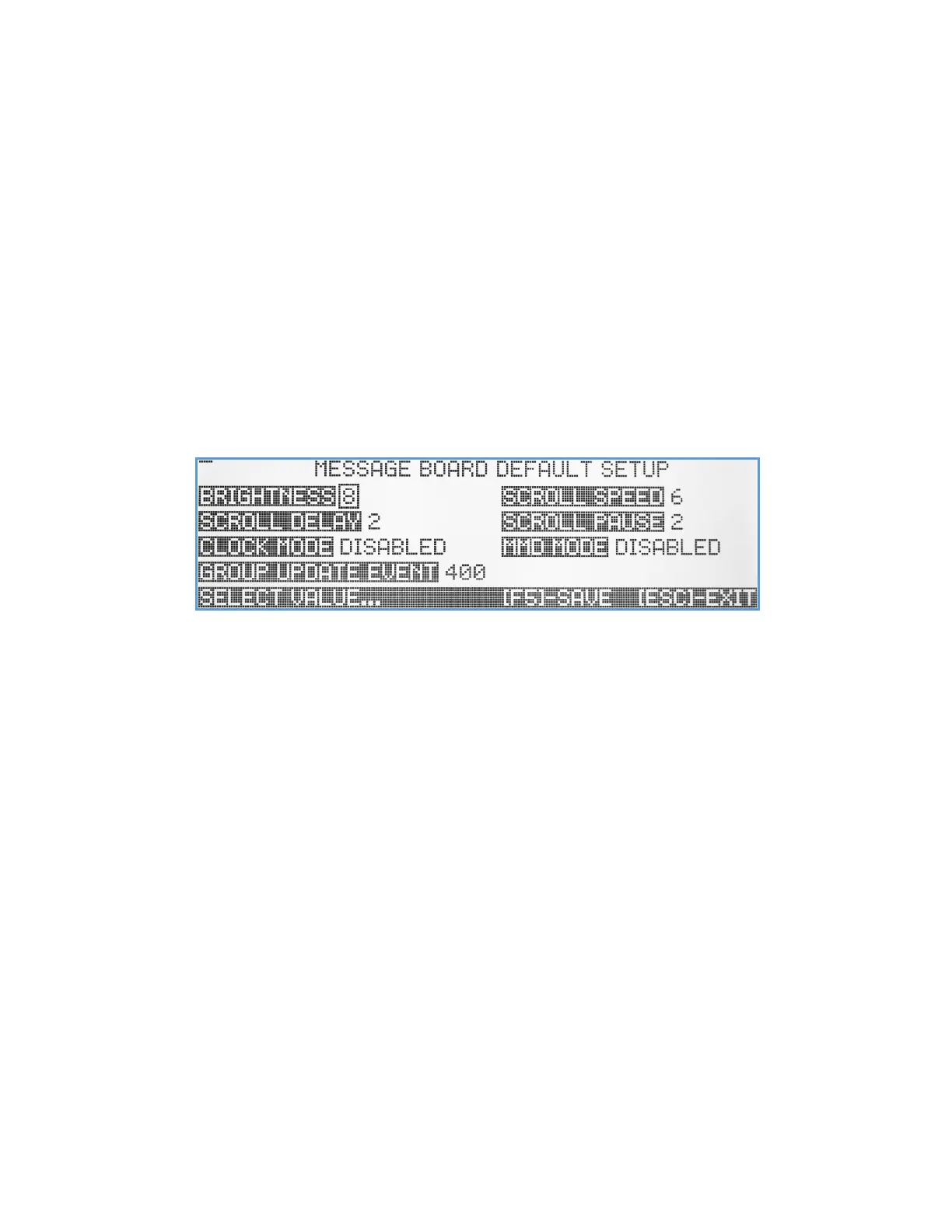
Message Board Default Setup
This menu is designed to help the user customize and get the most of the Visiplex VNS16xx LED message board series
and the VNS2640 wireless PA speaker with integrated LED message board. When a new LED Message Board event is
created, the default parameters from this menu will be part of it, in addition to the other parameters that can be setup
in the event menu itself. This menu also enables the user to program the time display and marquee (a message that runs
on the message board screen when the screen is cleared, like a welcome or status message) text message modes.
Brightness - Use Up/Down arrow keys to set the default message board event brightness level where valid levels are 1-
9.
Scroll Speed – Use Up/Down arrow keys to set the speed of that the text is scrolling on the screen. Valid numbers are 1-
9.
Scroll Delay – Use Up/Down arrow keys to select the time that first line of a text message will pause before beginning to
scroll. Valid values are 0-9 seconds. It is a useful feature when using text with voice/tone alerts, providing the
viewer extra time after hearing the initial tone alert to look up to the message board before the text starts
scrolling.
Scroll Pause – Use Up/Down arrow keys to select the idle screen time between the end of text line scrolling and the start
of a new scroll line. Valid values are 0-9 seconds.
Clock Mode – Use Up/Down arrow keys to enable/select the message board time display mode. Up to 19 different time
and date modes/formats are available, providing the user with the ability to choose the time/date display
format, font size, etc. The value of this field can also be set by entering a 2-digit number from 00 to 19 (00 -
disable clock display on message boards).
MMD Mode – Use Up/Down arrow keys to enable/select the marquee message display mode. Up to 9 different display
modes/formats are available, providing the user with the ability to choose the text display format, font size, etc.
The value of this field can also be set by entering a one-digit number from 0 to 9 (0 - disable marquee message
display on message boards).



 To Next Page