33
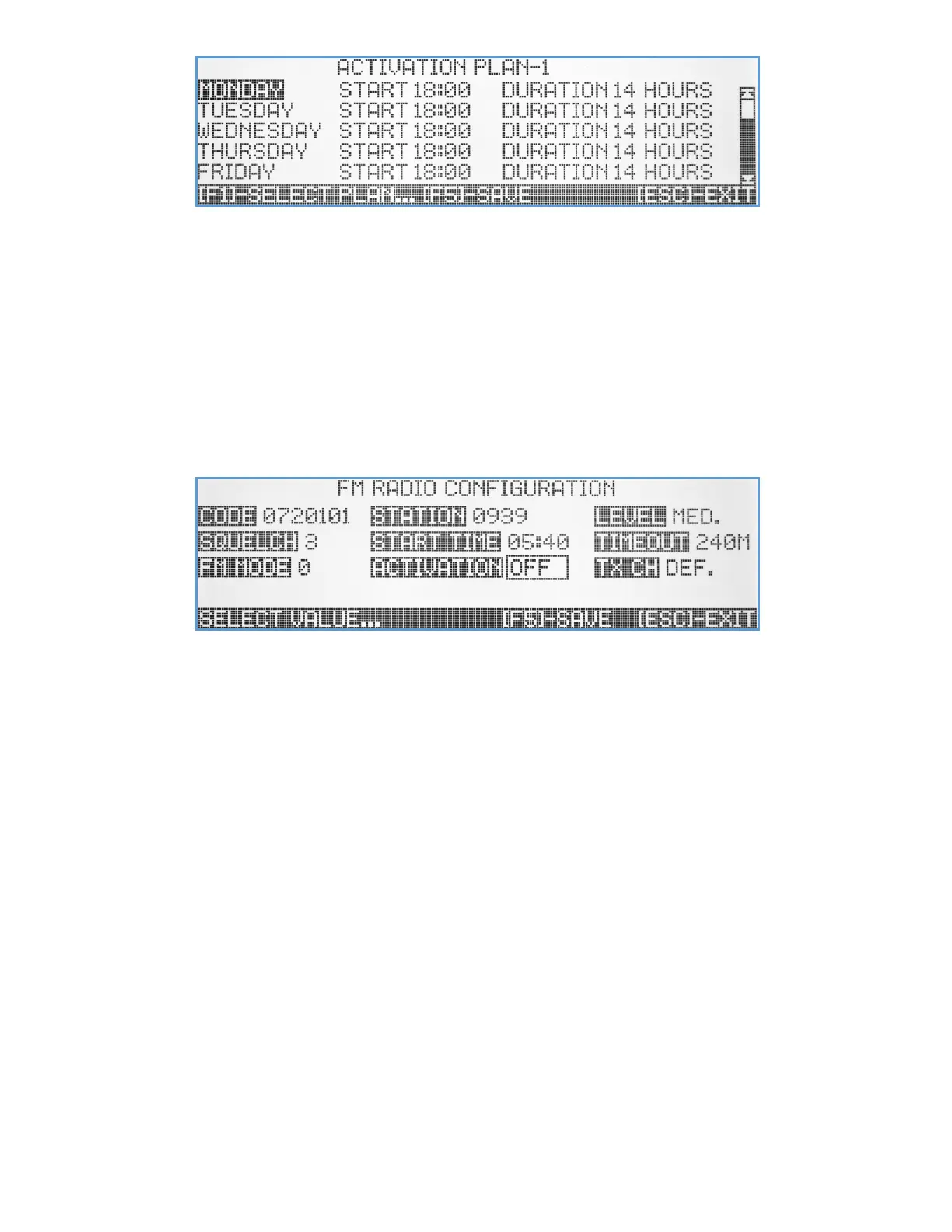
Using the [F1] key, the user can select the Activation Plan schedule to view or edit. To change the active hours for a
specific day of the week, use the Up/Down arrow key to select the day and [Enter] to edit. Use the Right/Left arrow key
to navigate between the fields. Hit the [F5] key to save any changes or [Esc] to exit to previous screen.
FM Radio Configuration
Many of Visiplex products that come with speakers for PA voice paging uses, offers the option of a built-in FM radio
receiver for audio reception from commercial or private radio stations. These products can be programmed to playback
received FM audio, when the PA speaker is idle, as a background music or for other purposes.
When selecting this submenu option, the FM Radio Configuration screen will be displayed.
Code – A unique 7-digit activation code that can activate a single or group of wireless devices. Usually, Visiplex products
include up to 8 user-programmable activation codes. Make sure that all the devices you are planning to
activate the FM radio on have this activation code programmed. Use the keyboard numeric keys to enter/edit
the activation code.
Station – Select the FM radio station that the wireless PA speakers will tune to. Enter a 4-digit number for the preferred
station frequency (0939 for 93.9 MHz, 1085 for 108.5 MHz, etc.).
Level – Set the PA speaker level when playing FM radio audio. Use the Up/Down arrow keys to select one of four audio
levels: Low, Medium, High, or Maximum level.
Squelch – Set the FM radio station squelch level, to mute the audio when the received radio station signal is too weak
and contains noise. Use the Up/Down arrow keys to select the preferred squelch level (1-9].
Start Time – Set up the time of day to start the playback of the FM radio audio. When enabled, the VS4820 will send FM
radio activation signal to all speakers at that time, daily. Enter the preferred time in 24 hours format.
Timeout – Set the duration of time that the FM radio playback will be enabled. After this time elapsed, each PA speaker
unit mute the FM station audio and playback will be stopped until another activation command is received.
FM Mode – Setup the FM station reception mode, to enhance the audio quality when needed. Use the Up/Down arrow
keys to select a value between 0-9 (default is 0).
Activation – Set up the VS4820 FM radio activation mode. If set to Off, FM radio activations from the VS4820 can be
sent from the Main Paging Screen manually, using [Fn]+[F3] to activate and [Fn]+[F4] to deactivate the FM



 To Next Page