19
Name – A descriptive title/name for the event that will help identify it from other events. Type in the description and hit
[Enter] to move to next field.
Auto – Enable/disable the event activation style. If enabled, the event will be initiated instantly, (when activated)
without any additional user confirmation (must have text entry in the Message field). If the Auto mode is
disabled, the user will be able to add/edit and confirm the message before any data is being transmitted.
Message – Pre-programmed message can be entered here, for Auto message transmission, or as a template that the
user can change just before sending the message out. Due to pagers limitations, the maximum alphanumeric
message is 60 characters, and a numeric message is limited to 16 digits.
Use the Left/Right arrow keys to navigate between the fields. Use [F5] to save any changes, [F9] to delete the event (if
editing an existing event) and hit the [ESC] key to exit the screen back to the previous menu.
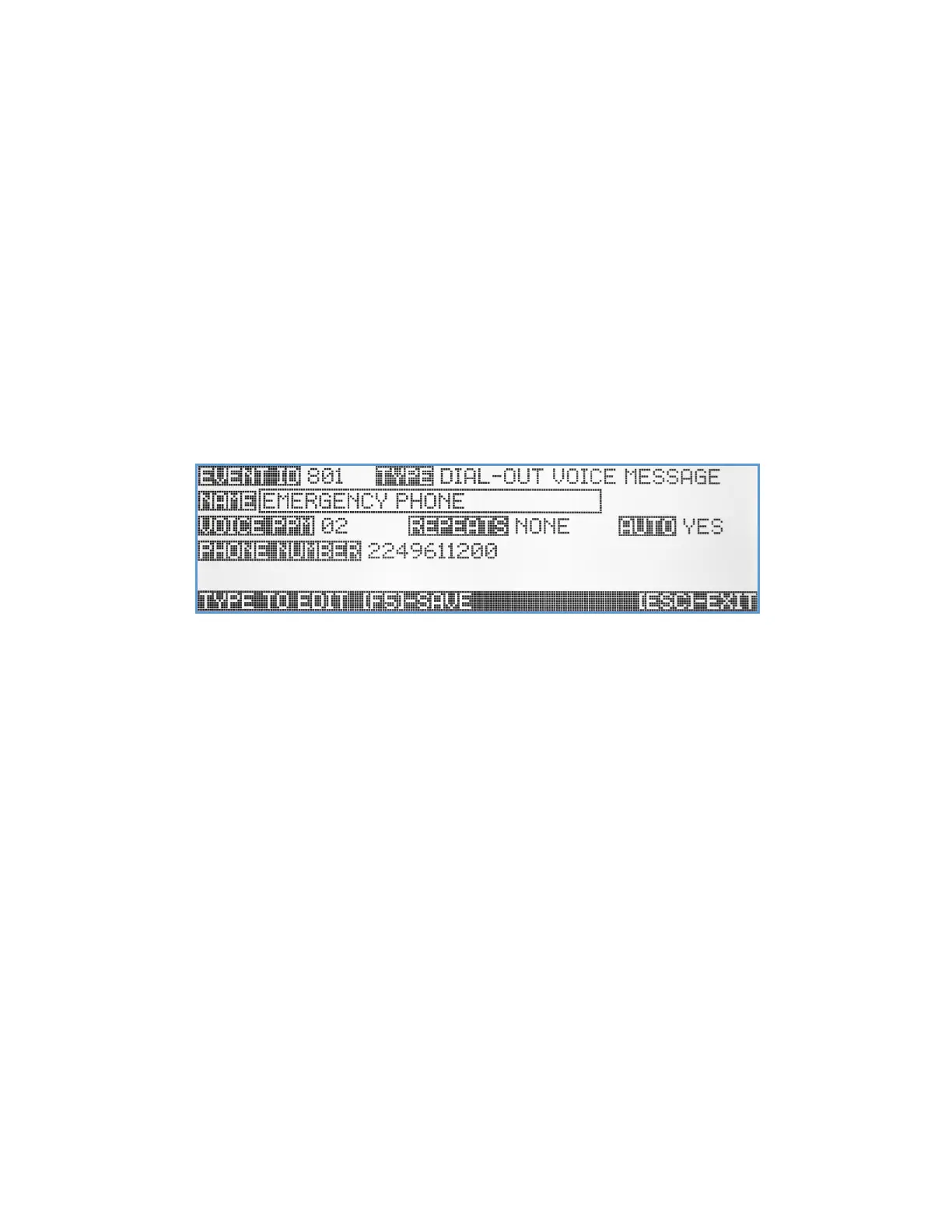
Dial Out Voice Message Event
When equipped with the Telephone Line Interface option, the VS4820 base station can call a specific phone line and
playback a pre-recorded voice message. This Dial Out Voice Message event type will help with setting up the phone
number to call and other user programmable parameters.
Name – A descriptive title/name for the event that will help identify it from other events. Type in the description and hit
[Enter] to move to next field.
Voice PPM – Select a pre-recorded voice message stored on the VS4820. Use Up/Down arrow keys to select a pre-
programmed (01-99) voice message.
Repeats – Set up the number of times the pre-recorded message will repeat before disconnecting the call.
Auto – Enable/disable the event activation style. If enabled, the event will be initiated instantly, (when activated)
without any additional user confirmation. If the Auto mode is disabled, the user will need to confirm the event
before any call will be placed.
Phone Number – The dial out phone number. Use the keyboard numeric keys to enter the phone number.
Use the Left/Right arrow keys to navigate between the fields. Use [F5] to save any changes, [F9] to delete the event (if
editing an existing event) and hit the [ESC] key to exit the screen back to the previous menu.
SMS text Message Event
When equipped with the LTE SMS Modem option, the VS4820 base station can send text messages to cell phone
subscribers. This SMS Text Message event type will help with setting up the cellphone number to text and other user
programmable parameters.



 To Next Page