34
playback. When the activation mode is set to Auto, the VS4820 will automatically send FM activation command
daily, at the assigned start time.
TX Channel – Select the transmitter RF channel for this event, if other than the default channel, in cases where the
VS4820 base station operates on more than one frequency.
Use the Left/Right arrow keys to navigate between the fields. Use [F5] to save any changes and hit the [ESC] key to exit
the screen back to the previous menu.
SMS LTE Modem Setup
The built-in LTE modem option enables the VS4820 to send SMS text messages or receive text messages from
subscribers, to remotely activate pre-programmed events. To simplify the process of setting up the modem, Visiplex
ships the VS4820 (when ordered with SMS modem option), with the SIM card already installed, a mobile account and
number are already set and fully tested, so customers will be able to use the SMS feature when the unit is out of the
box. The customer will receive from Visiplex an account number and access code, enabling taking over the SMS account
and deal with the mobile carrier from that point on.
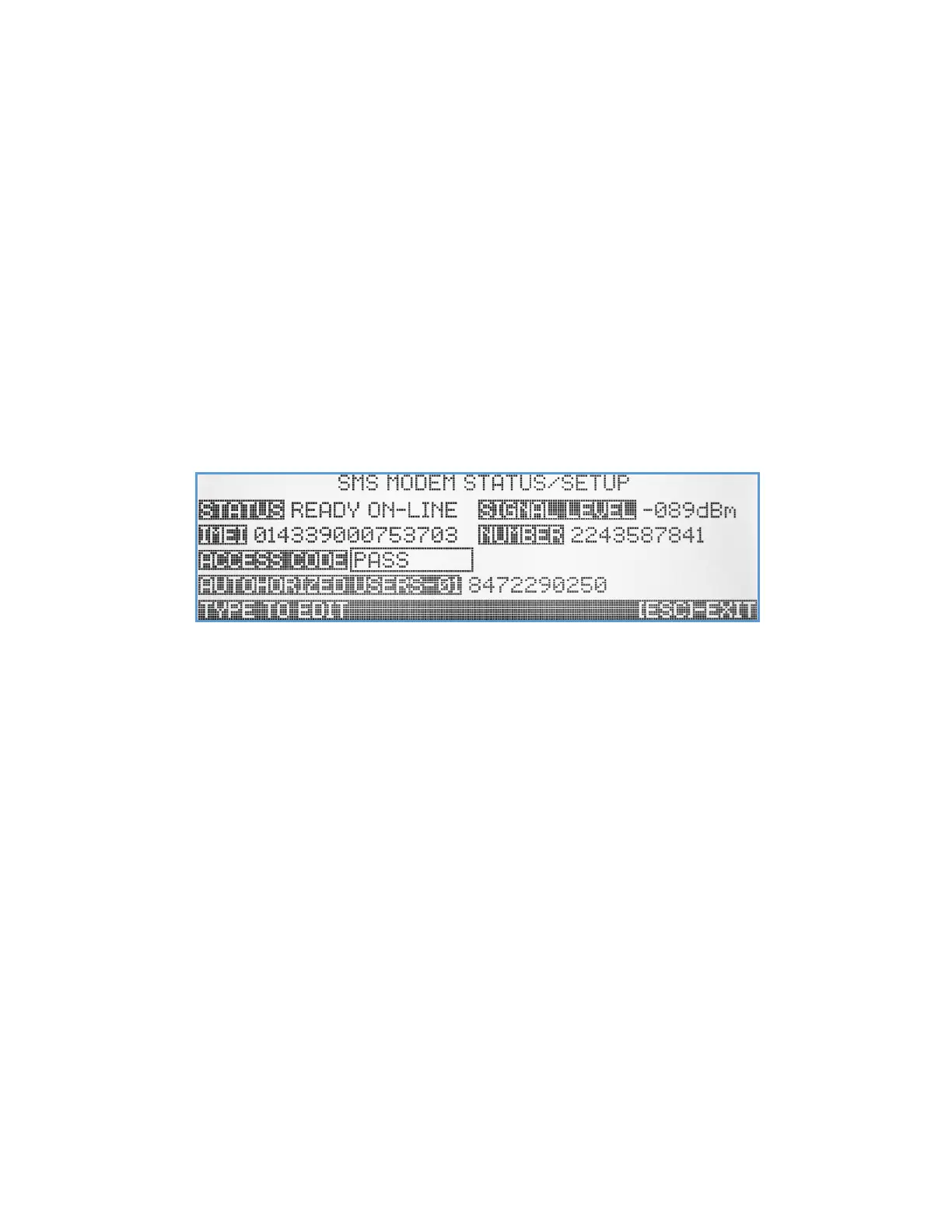
When selecting this submenu item (and LTE modem option is installed), the SMS Modem Status screen will display.
Status – Displays the LTE modem status. If modem is installed and function correctly this field will show Ready On-Line.
Any other status reading indicates that the modem is not ready or there is a connection problem.
Signal Level – Displays the received signal strength with the local mobile cell tower. Make sure the LTE antenna on the
back of the VS4820 is installed correctly to ensure good signal reception.
IMEI – Shows the Internal mobile identification number for the LTE modem. Used for diagnostic purposes.
Number – Shows the assigned mobile number to the LTE modem. Used for diagnostic purposes and being given to users
who like to remotely activate system events by texting to the VS4820, using the Visiplex app.
Access Code – A user programmable access code that should be provided by administrator to users that are authorized
to remotely activate system events using the Visiplex app. This access code is required to be entered during the
Visiplex app setup.
Authorized Users – A VS4820 administrator can authorize up to 20 mobile numbers to remotely activate system events
using the Visiplex app. Only Visiplex app communications from authorized mobile numbers that are on the list
will be accepted, all others will be ignored for security purposes. Administrators can add users or revoke access
to existing users by adding/removing their mobile number from the list. Use the Up/Down arrow keys to select
authorized user slot (01-20), enter 10-digit mobile number to selected slot or [Del] to remove a number.
Use [F1] to refresh the modem status information, hit [F5] to save any changes made or [Esc] to exit to previous screen.



 To Previous Page