21
Voice Event – A 3-digit id of a Wireless PA Speaker event that has already been programmed. The speaker will be
activated with all the parameters as programmed in that event, except the multimedia event activation code. If
PA speaker activation is not to be part of this multimedia event, enter ‘000’ to disable it.
Tone/Bell Event – A 3-digit id of a Tone/Voice/Bell Alert event that has already been programmed. The speaker will be
activated with all the parameters as programmed in that event, except the multimedia event activation code. If
tone/bell activation is not to be part of this multimedia event, enter ‘000’ to disable it.
Beacon Event – A 3-digit id of a Wireless Beacon Light event that has already been programmed. The beacon light will be
activated with all the parameters as programmed in that event, except the multimedia event activation code. If
beacon light activation is not to be part of this multimedia event, enter ‘000’ to disable it.
Display Event – A 3-digit id of a LED Message Board event that has already been programmed. The display will be
activated with all the parameters as programmed in that event, except the multimedia event activation code. If
message board activation is not to be part of this multimedia event, enter ‘000’ to disable it.
Name – A descriptive title/name for the event that will help identify it from other events. Type in the description and hit
[Enter] to move to next field.
TX Channel – Select the transmitter RF channel for this event, if other than the default channel, in cases where the
VS4820 base station operates on more than one frequency.
Use the Left/Right arrow keys to navigate between the fields. Use [F5] to save any changes, [F9] to delete the event (if
editing an existing event) and hit the [ESC] key to exit the screen back to the previous menu.
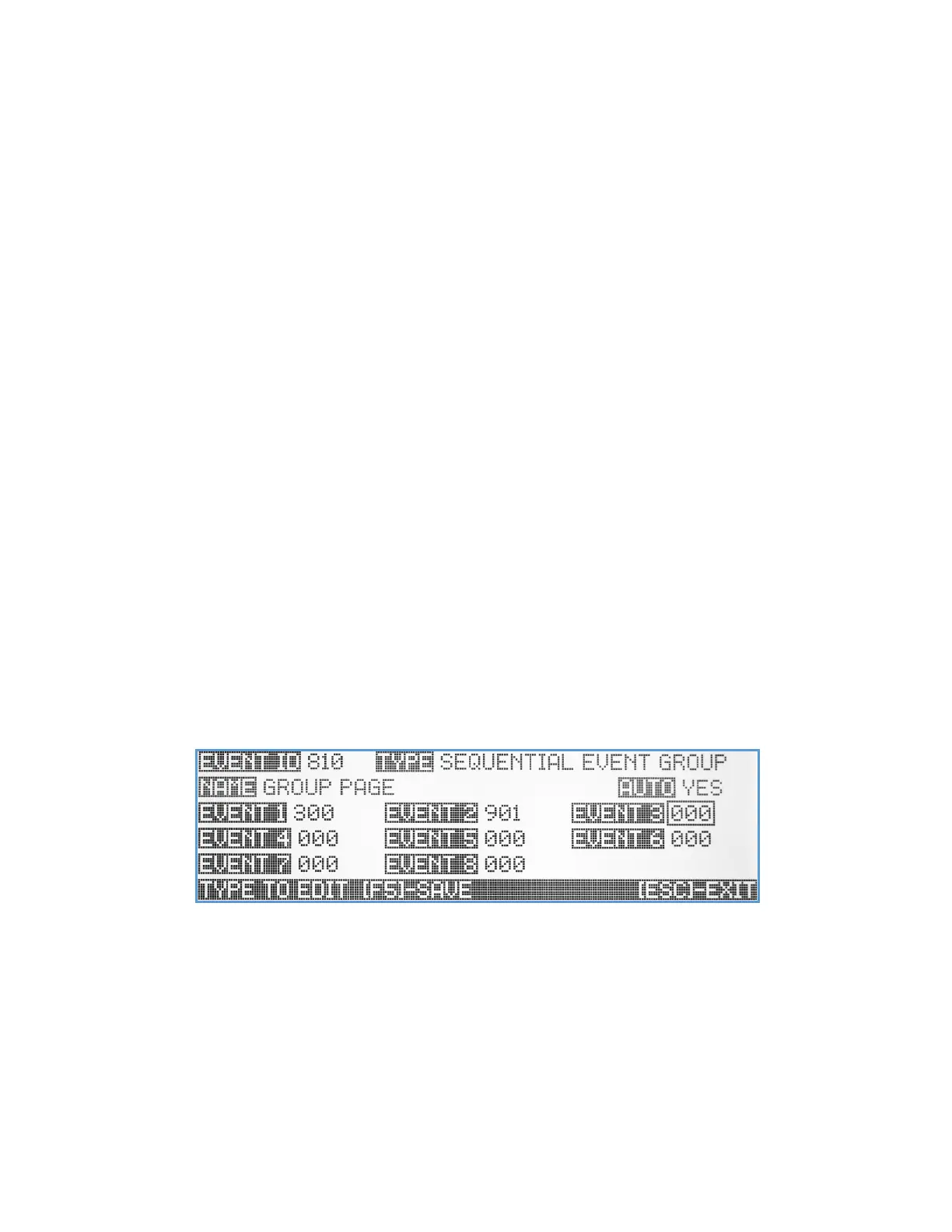
Sequential Event Group
This type of event is a group of up to 8 previously programmed events, that will be activated in a sequential order one
after the other. For example, it can activate a playback of a weather alert message on the PA system, while sending SMS
text message to staff member cellphone. While creating this group, it is important to make sure that all the selected
events are programmed in Auto mode, to prevent the sequence from hanging up, while waiting for user input or
confirmation. If a live voice to PA speaker is needed to be part of the group, make sure it is the last one on the list, so all
the other events will be sent before the user will start the live voice announcement.
Name – A descriptive title/name for the event that will help identify it from other events. Type in the description and hit
[Enter] to move to next field.
Auto – Enable/disable the event activation style. If enabled, the event will be initiated instantly, (when activated)
without any additional user confirmation. If the Auto mode is disabled, the user will need to confirm the event
before any data is being transmitted.
Event 1 – Event 8 – A 3-digit id of a pre-programmed event. Each event will be activated with all the parameters as
programmed. If one of the event fields is not being used, enter ‘000’ to disable it.



 To Next Page