32
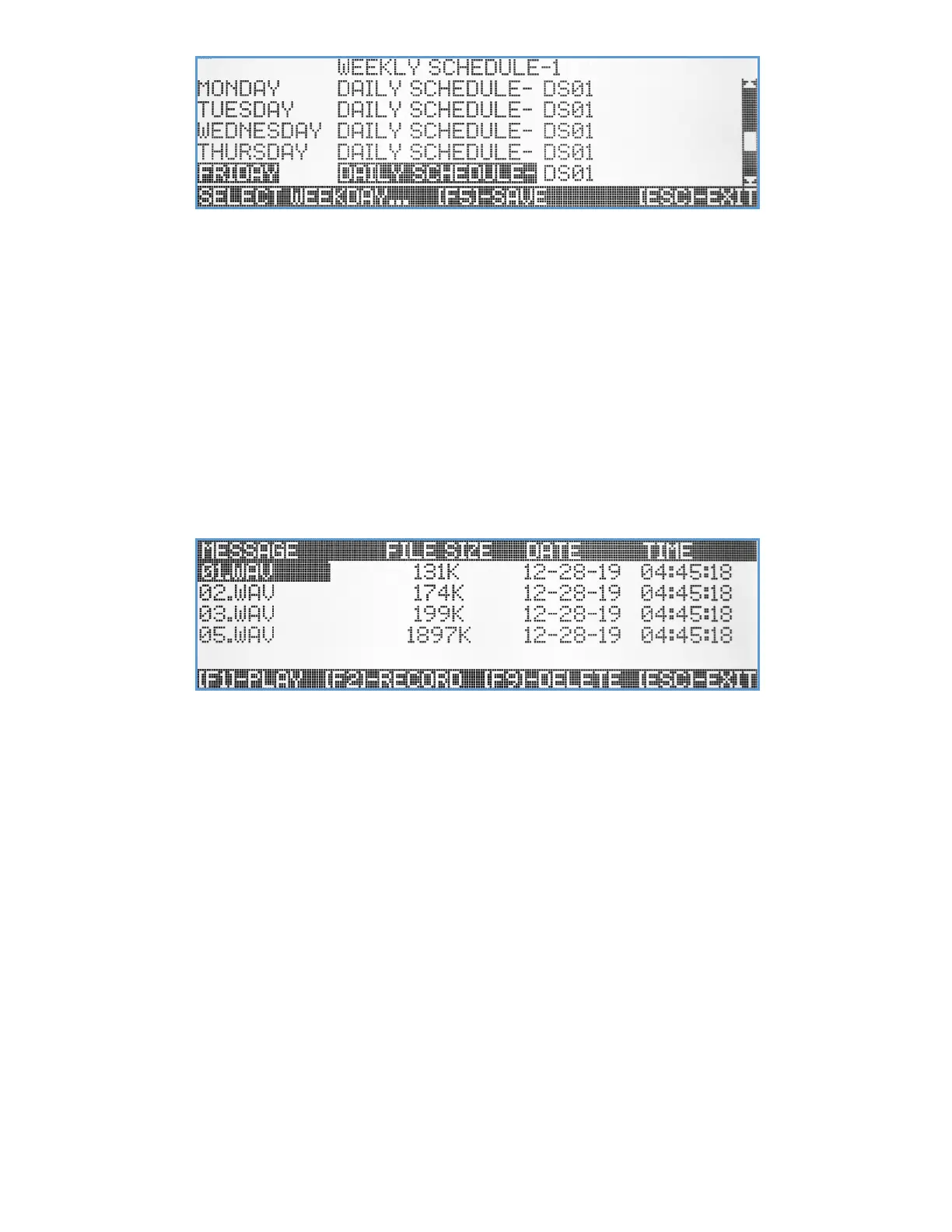
The user can use the Up/Down arrow keys to select any of the weekdays and hit [Enter] to edit. Using the
Up/Down arrow keys a specific pre-programmed Daily Schedule template, can be assigned to that weekday.
Use the Left/Right arrow keys to navigate between the fields. Use [F5] to save any changes or hit the [ESC] key to exit
the screen back to the previous menu.
Pre-Programmed Voice Messages
The VS4820 comes with ability to store up to 99 pre-recorded voice messages that can be used by PA Speaker, Dial out
and 2-Way Radio events, to playback a pre-programmed voice message from the VS4820 data memory. Using the
Visiplex VPS software, users can upload their own voice messages into the VS4820. The voice files should be in WAV
format, sampling rate of up to 22KHz BPS, 8 Bits and with a file size that is smaller than 10 Mbytes.
Selecting this submenu option will display a list of all existing voice files.
The user can hit [F1] to playback a selected file, [F9] to delete a file and [F2] to record a voice file from a microphone or
AUX audio input. All voice files names are based on a 2-digit ID from 01-99. When uploading or recording a new voice
file, make sure that the selected file ID is not already exist.
Activation Plans
The VS4820 comes with a user programmable Activation Plan schedule that sets up the daily active hours for every
weekday. The user can program up to 9 different activation plans and assign each alarm on the system (hard-wired or
wireless panic buttons) to be monitored only during the assigned activation plan hours. For example, the user could set
up an Activation Plan that is active after working hours (6:00 PM – 8:00 AM) every weekday and for 24 hours during the
weekend. If any VS4820 alarm is assigned to this plan, the VS4820 will ignore any alarms triggered Monday-Friday,
between 8:01 AM to 5:59 PM. Assigning Activation Plan 0 to VS4820 alarm, will make it monitored by the system all the
time (24/7).
Selecting the Activation Plans submenu option will display the start time and the length of the active period for each day
of the week, for a selected Activation Plan.



 To Next Page