29
Group Update Event – This field allows the user to select a specific LED Message Board event in the system event
database (valid values 000-999) that could be used to wirelessly update all LED Message boards on site. This
event should be programmed with the common code to access all message boards, so when activated, it will
update all message boards with the new parameters and display modes. For example, if the time mode/format
in this menu will be changed, and the user would like to update all the message boards with the newly selected
time mode, using the key combination of [FN]+[F1] from the VS4820 Main Screen will use the Group Update
Event to wirelessly update all LED message boards. If this specific event message field is programmed with a text
message, selecting [FN]+[F2] from the Main Screen will wirelessly update the marquee message on all LED
message boards.
After making changes to this menu, use the F5 key to save them. Hit Esc to exit.
Database Management
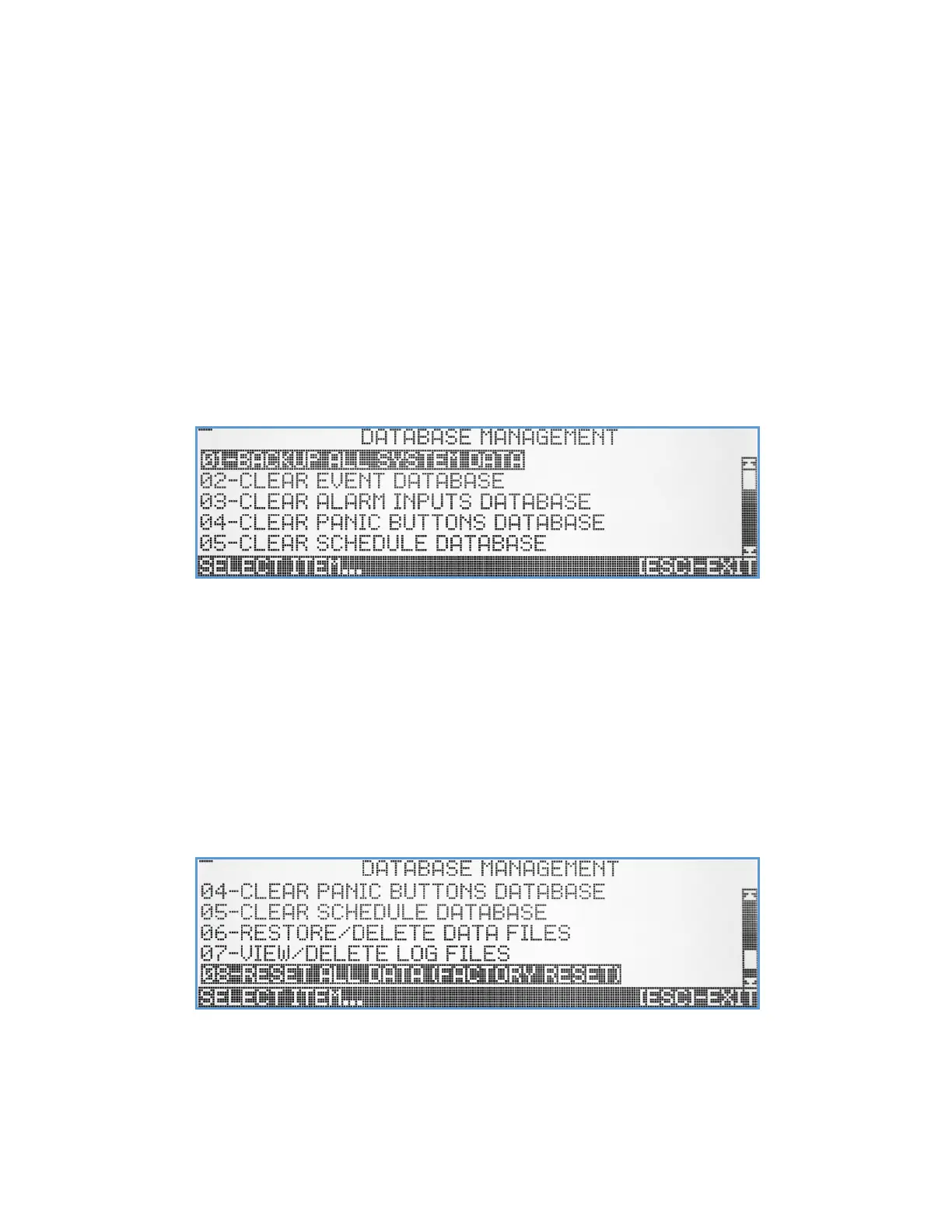
The Database Management submenu provides the user with the ability to backup, restore or delete system databases,
system configuration, and activity log files. Selecting this submenu will bring up the Database Management screen.
Backup All System Data – Selecting this option will back up all VS4820 data, creating 3 files (event database, system
configuration and event schedule database) with date stamp. The backup process creates one set of files per
day. If the backup option is selected more than once a day, the previous files for that day will be overwritten.
For example, if a backup was made at 11 PM and another one two hours later, there will be two sets of backup
files, each set stamped with its actual backup time/date.
Clear Event Database – Clears all previously programmed events from memory.
Clear Alarm Inputs Database – Clears all alarms inputs setup/programming from memory.
Clear Panic Buttons Database – Clears all panic buttons setup/programming from memory.
Clear Schedule Database – Clears all schedule entries from memory.
Restore/Delete Data Files – This menu option provides the user with the ability to delete old backup data files or restore
them to the VS4820 memory (to undo recent changes for example). When selecting this option, the screen will
display a list of all previously backed up files. The user can navigate the list using the Up/Down arrow &
PgUp/PgDn keys. Hit the [F9] key to delete a selected file on the list. Use the [F1] key to restore a selected data
file.



 To Next Page