23
System Configuration
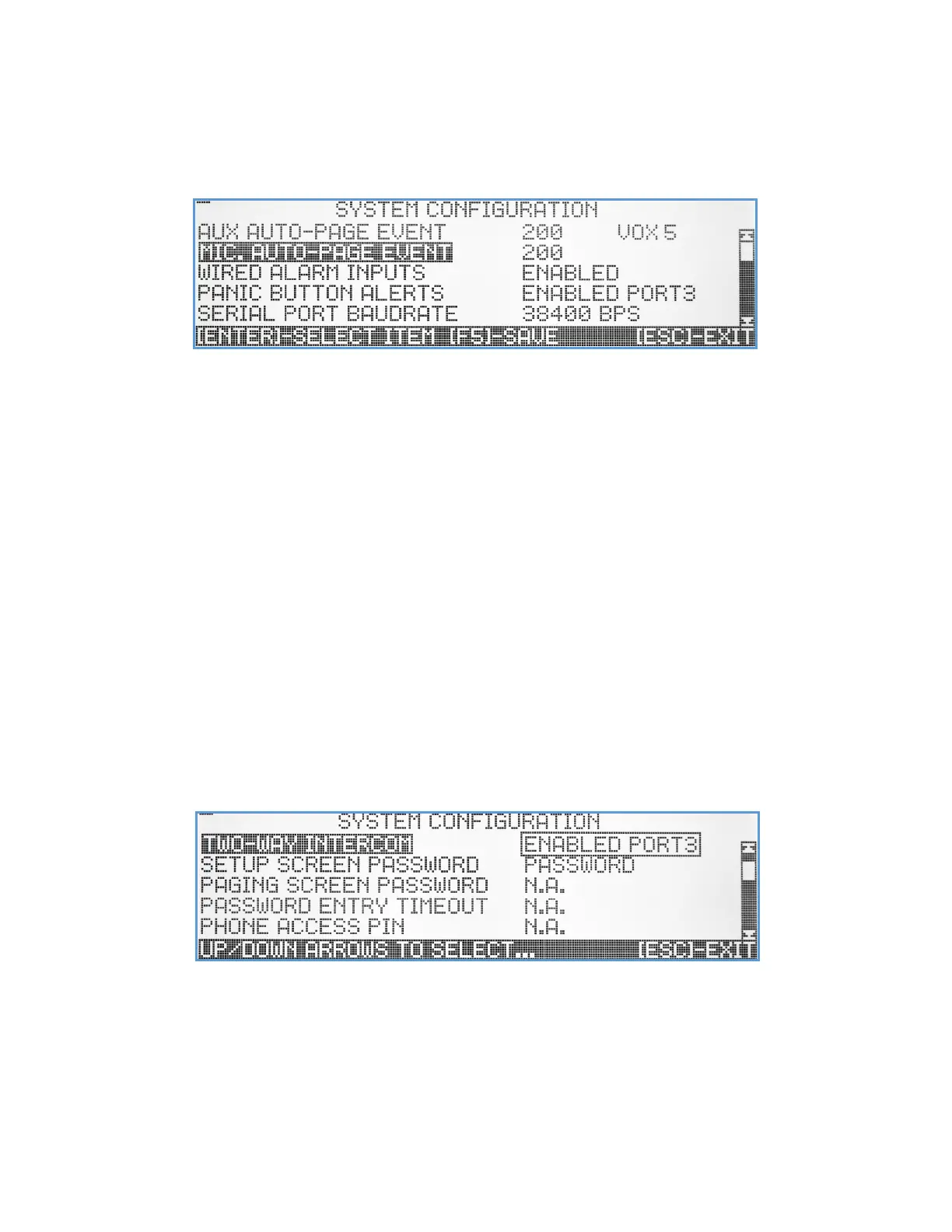
The System Configuration submenu lets the user configure the functionality of the VS4820 base station, enable/disable
features, select default audio levels, microphone source, etc. Use the Up/Down arrow keys to navigate between the
menu items and hit [Esc] to exit to the previous menu. Note: Make sure to save any changes using the [F5] key.
.
AUX Auto Page Event – The VS4820 can use the AUX audio input to initiate a pre-defined event. This feature can be
used for example, to wirelessly expand existing wired PA system, by activating PA Speaker event when audio is
detected on the AUX input. Use the Left/Right arrow keys to move and fill the event ID and the VOX level (0-9)
to set the audio detection sensitivity. Enter ‘000’ as the event id to disable this feature (default mode).
MIC Auto Page Event – The Vs4820 can initiate a PA speaker (or any other) event, every time the handset or
microphone PTT button is pressed. This feature provides a simple, quick way to start a live voice PA
announcement without any keyboard input. Use the Right arrow to move and fill the event 3-digits ID number,
or ‘000’ to disable this feature (default mode).
Wired Alarm Inputs – Global alarm inputs control. When Enabled, the hard-wired alarm inputs are enabled and follow
the programming setup for each alarm input in the Alarm Input Setup menu. Select Disabled to disable all
alarm inputs.
Panic Button Alerts – The VS4820 can receive calls from Visiplex wireless panic buttons. This menu item can disable or
enable this feature using the preferred call reception port. Use the Up/Down arrow keys to select Enabled Port
1 (using external receiver attached to the Serial port), Enabled Port 2 (using external transmitter receiver),
Enabled Port 3 (using the internal transmitter receiver) or Disabled (default value).
Serial Port Baudrate – This menu item selects the preferred RS-232 communication speed on the VS4820 Serial port.
Use the Up/Down arrow keys to select (default 38400 BPS)
Two-Way Intercom - The VS4820 can receive and initiate 2-way intercom calls to/from wireless intercom stations. This
menu item can disable or enable this feature using the preferred communication port. Use the Up/Down arrow
keys to select Enabled Port 2 (using external transmitter receiver), Enabled Port 3 (using the internal
transmitter receiver) or Disabled (default value). Note: if this menu item is set to Disabled, all 2-way intercom
events will not function, and stations will not be able to register.



 To Next Page