30
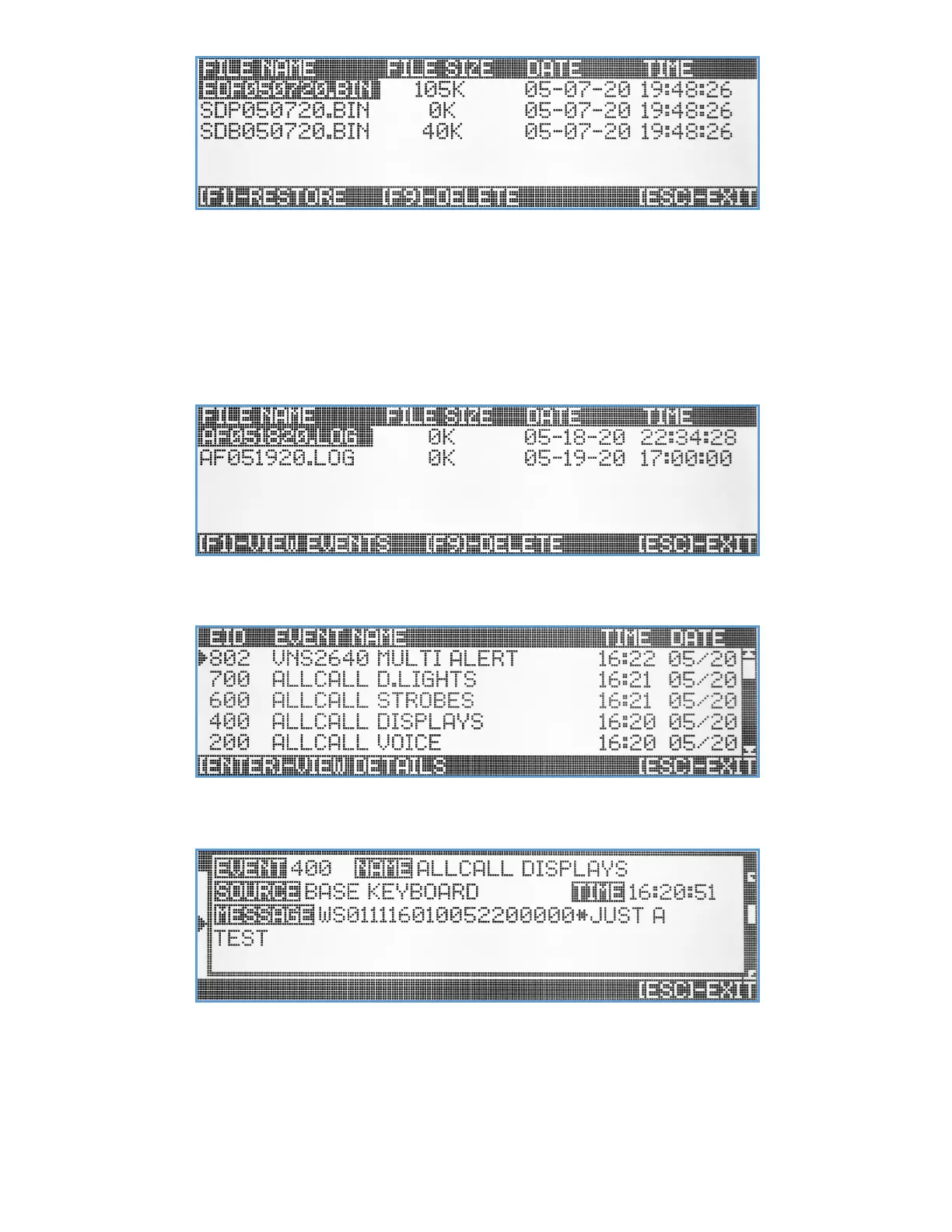
When restoring data files, it is important to identify each file and understand what type of data will be restored
(overwritten), as this process is irreversible. A safe way to restore data files is to make a fresh backup of all
system data before. The data files that their name starts with ‘EDF’ will restore all events, panic buttons, alarm
inputs programming. The data files that their name start with ‘SDP’ will restore all VS4820 configuration and
setup parameters. The files that their name start with ‘SDB’ will restore the schedule event programming.
View/Delete Log Files – This menu option provides the user with the ability to delete old daily activity log files or view
their content. When selecting this option, the screen will display a list of all existing activity log files.
The user can navigate the list using the Up/Down arrow & PgUp/PgDn keys. Hit the [F9] key to delete a selected
log file on the list. Use the [F1] key to view the log file content and a list of all VS4820 activity for that day.
The user can navigate the list using the Up/Down arrow & PgUp/PgDn keys, select a specific event and hit the
[Enter] key to view the details of that event.
Hit the [Esc] key to exit the view to the previous screen/menu.
Reset All Data (Factory Reset) – This menu option is irreversible and selecting it will clear all user data in the unit
memory, returning the unit to the default factory setup and configuration.



 To Next Page