Quantum EVO H.264 installation and user manual
PAN/TILT/ZOOM/FOCUS
PRESET/LEARN
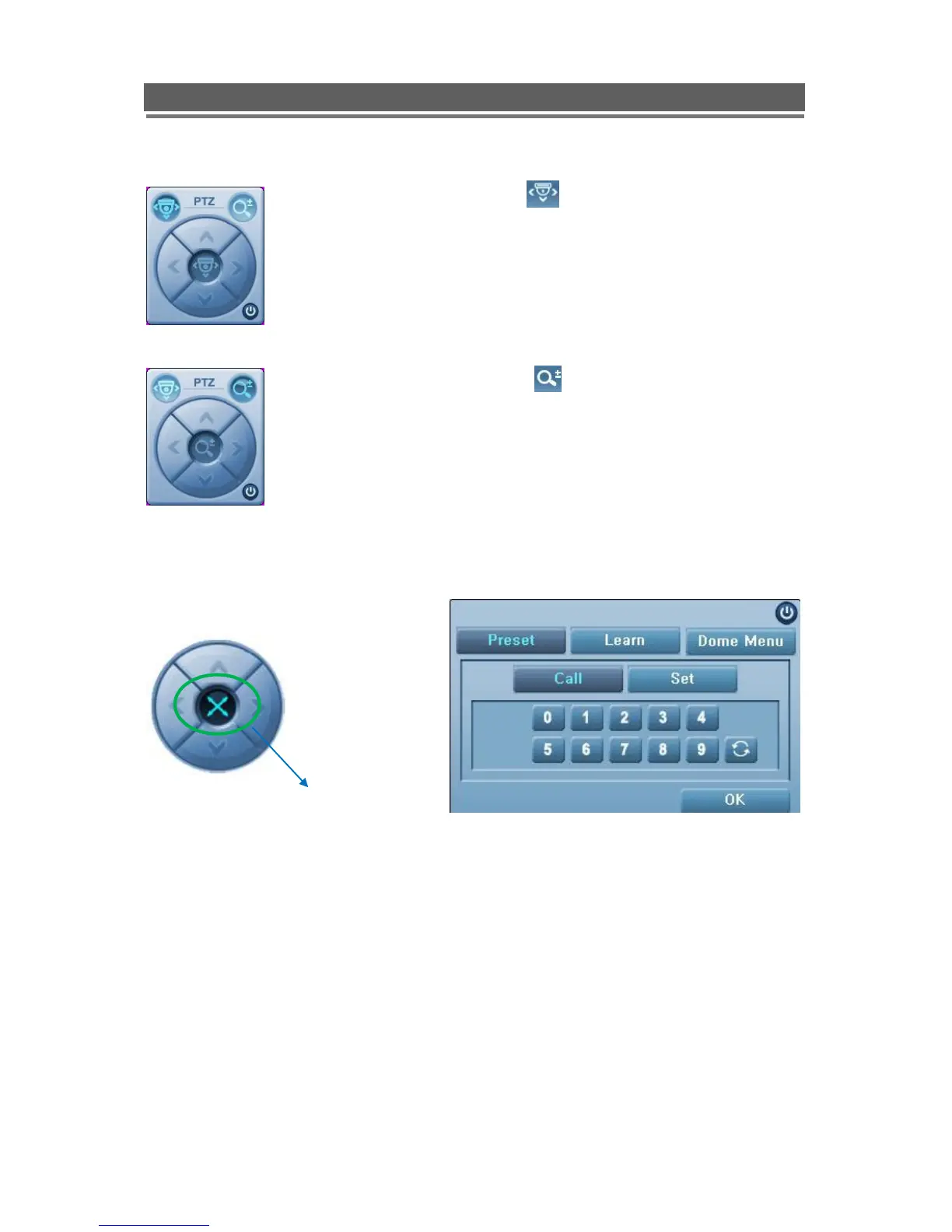
When PAN/TILT button is
clicked the Pan/Tilt control appears,
this allows Left, Right, Up and Down
Control of PTZ cameras
When Zoom/Focus button is
clicked, the control changes to Zoom
in on the up arrow, Zoom out on the
down arrow. Focus near on the left
button and focus far on the right
arrow.
The presets button can be activated by clicking on the centre of the control icon, the
preset symbol will appear and the Preset selection box will appear.
To save a preset, move the camera to the desired position then click “Set” followed by
the desired number.
To recall the preset, click “Call” followed by the desired number.



 To Next Page