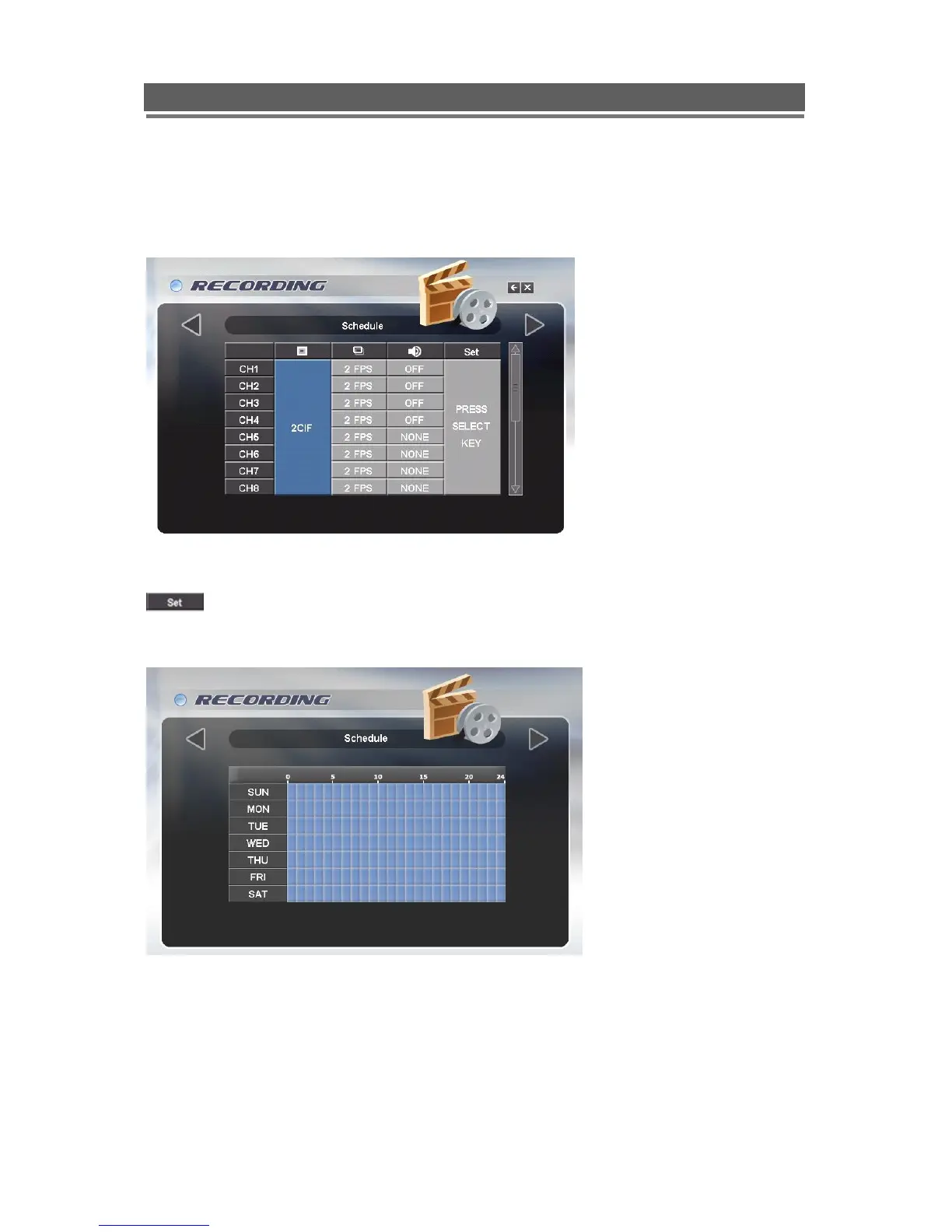
Schedule
The schedule allows the Quantum DVR to be set to only record at particular times of the day.
The timing setting, resolution and audio are global for all channels. However Images per
second can be configured per channel.
Set the Quality, FPs rate and Audio channel s as previous NORMAL record section.
To set the timetable select the large SET box on the right of the menu page,
the following page will appear. It allows each hour within the week to be set
to be either Active (Orange) or Inactive (Grey)
Use the Up / Down / Left / Right buttons to navigate around the schedule and the Select
button to toggle between on (Orange) and Off (Black).
Alternatively use the mouse to toggle between On and Off.



 To Next Page