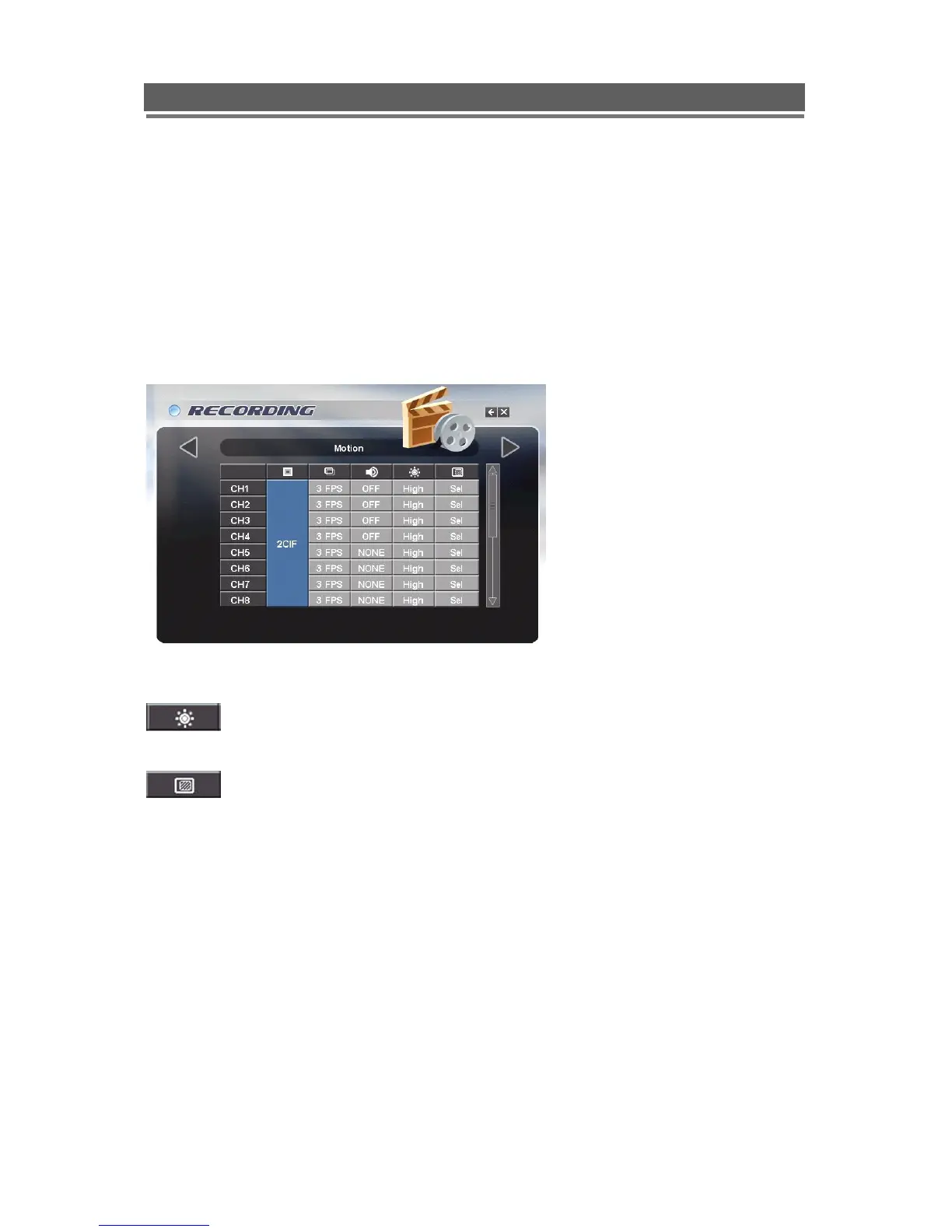
Motion
When operating in Motion detection mode the EVO will only record the cameras that motion
is being detected on, the record rate for that camera will be at the rate set by the operator in
the table below If motion is detected on multiple cameras, all motion cameras will be
recorded.
The record rate for Camera inputs not showing motion can be set in the Non Motion FPS
section of the Global record menu.
The DVR will display either a single camera if motion is only detected on one camera or a
sequence of cameras if motion is detected on multiple cameras.
Set the Quality, FPs rate and Audio channel s as previous NORMAL record section.
The sensitivity per channel can be set to Low, med or High, this should be
tailored each individual camera position.
Clicking on the associated icon will display a motion detection grid
The detection area is divided into a grid of 10x8 cells. Default is all cells in active mode (Pink).
Use the Left right up down to move cursor and the Select key to toggle between active and
inactive.
The mouse can also be used to select cells and toggle them on and off.
The motion detection is not recommended for external cameras.



 To Next Page