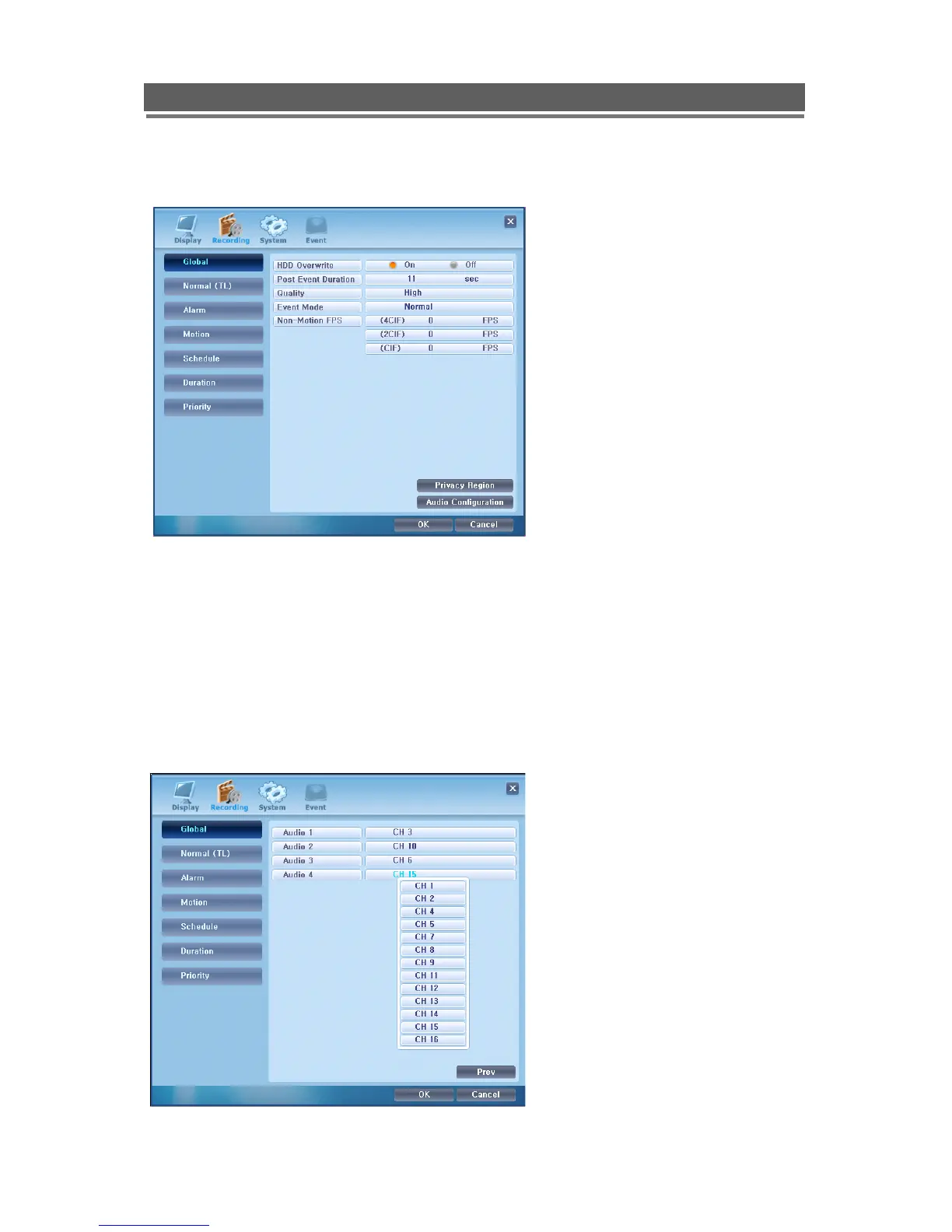
Recording
Global
Privacy regions
Click on the Privacy Regions button to access the set up of individual privacy regions on
each camera view
Audio Configuration
Click on the Audio Configuration button to access the set up which cameras inputs are
associated with which Audio inputs.
1. HDD Overwrite – Sets the HDD to
either overwrite or stop when full
2. Post Event Duration – Sets the period
of time after which an event ends that
the DVR carries on recording in the
Event mode settings
3. Quality – This set the quality level to
either Low, Med of High
4. Event Mode – This is can be set to
Exclusive to only record cameras in
Events states, or Normal where the
Event camera are recorded at the
Event rates and other cameras ae
recorded at the rate set below in th
Non-Event FPS
5. Non-Event FPS – This is the record
rate and quality setting that camera
that are not in Event mode will be
recorded at



 To Next Page