Smart
This function is used to keep a check on the health of the Hard disk. The parameters which
can be monitored are:
1. Read/Write errors on the drive
2. Drive temperature.
To set enable these features, click on “Set”, three options will be presented:
Smart – Turn to on to enable feature
Temperature – Using the on screen keyboard set the temperature at which the warning is to
be reported. (recommended setting 45)
Message Box - The message box can be turned on or off to give a visible warning.
Alternatively and E-mail; can be sent if any problems occur (see the Event
menu set-up section on page 51-53)
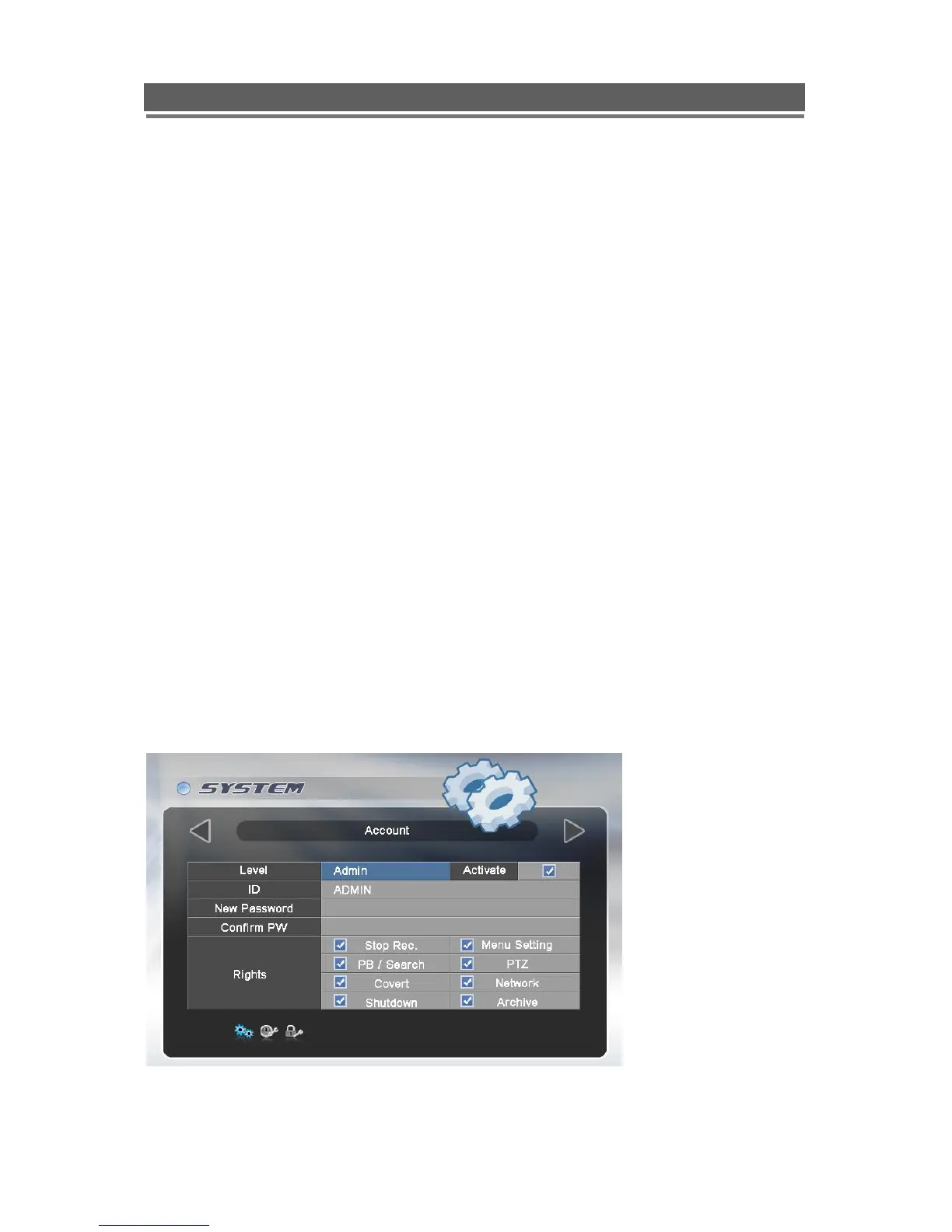
Account
The DVR can have the following different levels of operators, each with different users rights
and passwords:
Admin level – Operators logged in at this level has full rights
Manager level – Operators logged in that this level as default have access to all
except: Stopping Recording and Shutting down the DVR.
Users 1-4 - Operators logged in at this level Only have the ability to Search and
play, Control PTZ cameras and get access via the network.
Each users rights, can be individually tailored to their own requirements, the amending of
these rights can only be done by an Administrator level log on.



 To Next Page