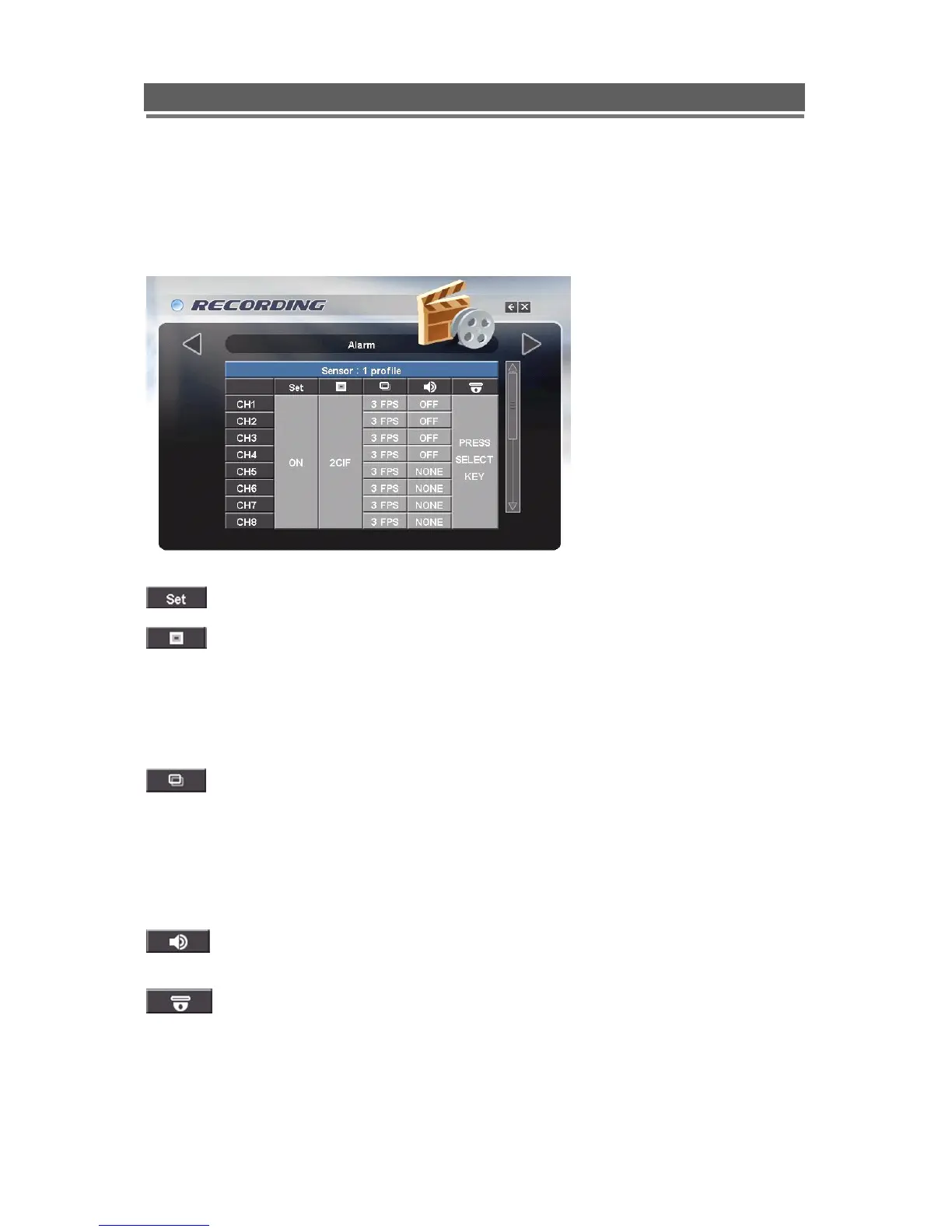
Alarm
There are four alarm sensor inputs on the rear of the Quantum EVO, an activation on any of
these inputs can have a specific recording profile and control the actions of up to 4 PTZ
cameras.
To enable the alarm/sensor input set this to ON
The record quality can be set globally to CIF, 2CIF or D1
Note:
1. If set to CIF, then 100 FPS are available globally across all cameras.
2. If set to 2CIF then 50 FPS are available globally across all cameras
3. If set to D1 then 25 FPS are available globally across all cameras.
The record rate can be set individually per camera.
Note:
1. If a camera is to be related to an individual sensor input, it is recommended that this camera
is give a higher record rate and other cameras are dropped to a lower record rate.
1. Any camera input set to zero (0 FPS) will not be recorded while that sensor is active.
2. Any camera given a record rate other than zero will be considered in alarm mode and will be
shown in the event log search, and a alarm icon will be displayed on screen.
The 4 Audio inputs can be set to record during the alarm event. See Audio
configuration, in Global menu, to allocate cameras to audio channels.
Selecting this column will bring up a separate menu page to allow the configuration
of “Preset On Alarm” actions. See below:



 To Next Page