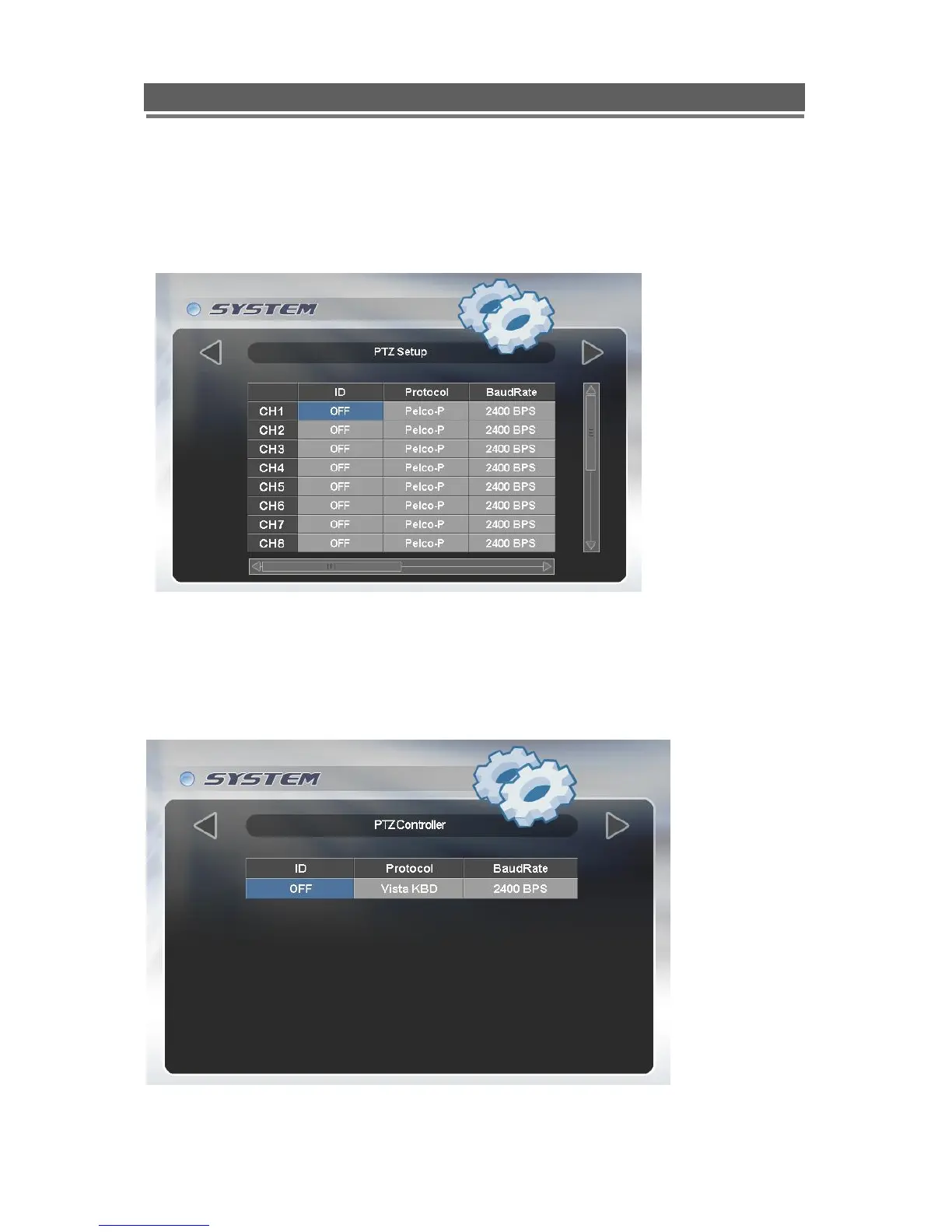
PTZ Setup
The Quantum EVO can control PTZ cameras via a RS485 connection on the rear of the
DVR. The cameras can have individually selectable Protocols with a choice of: Vista PD,
Pelco P or Pelco D. The Baud rate can also be selected.
PTZ Controller
The Quantum DVR needs to be setup to accept the VKBD3im or VKBD4 keyboard, as a
default this will be set to the correct Protocol and Baud rate, the ID RS485 Address may
need to be adjusted dependant on the number of PTZ cameras on the system. The
Keyboard ID should not be the same as any of the domes on the system.



 To Next Page