Telemetry connections and User Instructions
Remote Keyboard Connections
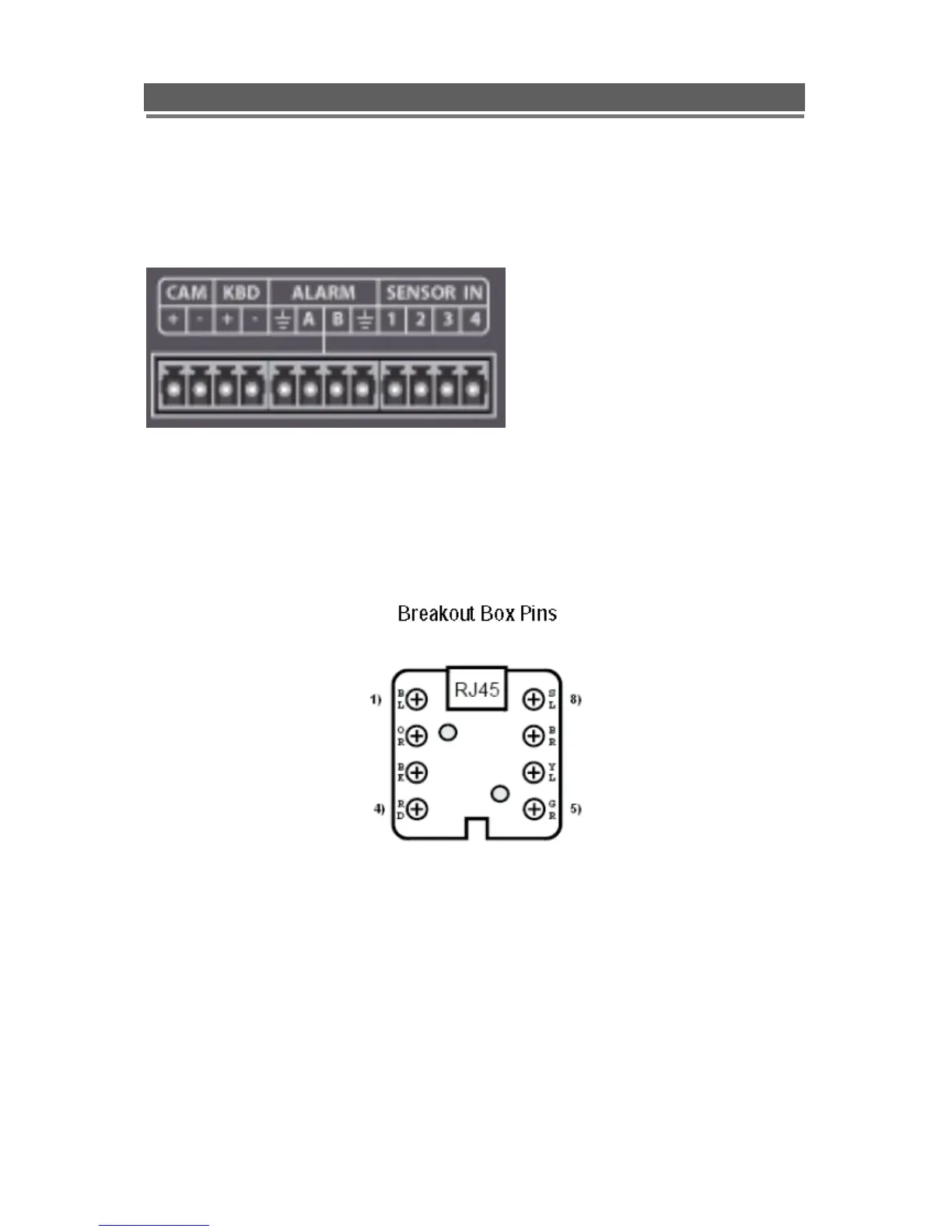
The connection of the VKBD4 keyboard to the Quantum EVO DVR, is made via the
removable connectors on the rear of the DVR:
Use the KBD +/- connections, on a standard cat5 lead these are the Green/White for +ve and
Green for -ve
If using the break out box and one of the RJ45 Leads supplied with the VKBD4 keyboard.
Connect pin 3 of the break out box the Kbd(+VE)
Connect pin 6 of the break out box to the Kbd(-VE)
Connect the break out box to the keyboard using the RJ45 patch lead.
More detail can be found in the VKBD4 manual



 To Next Page