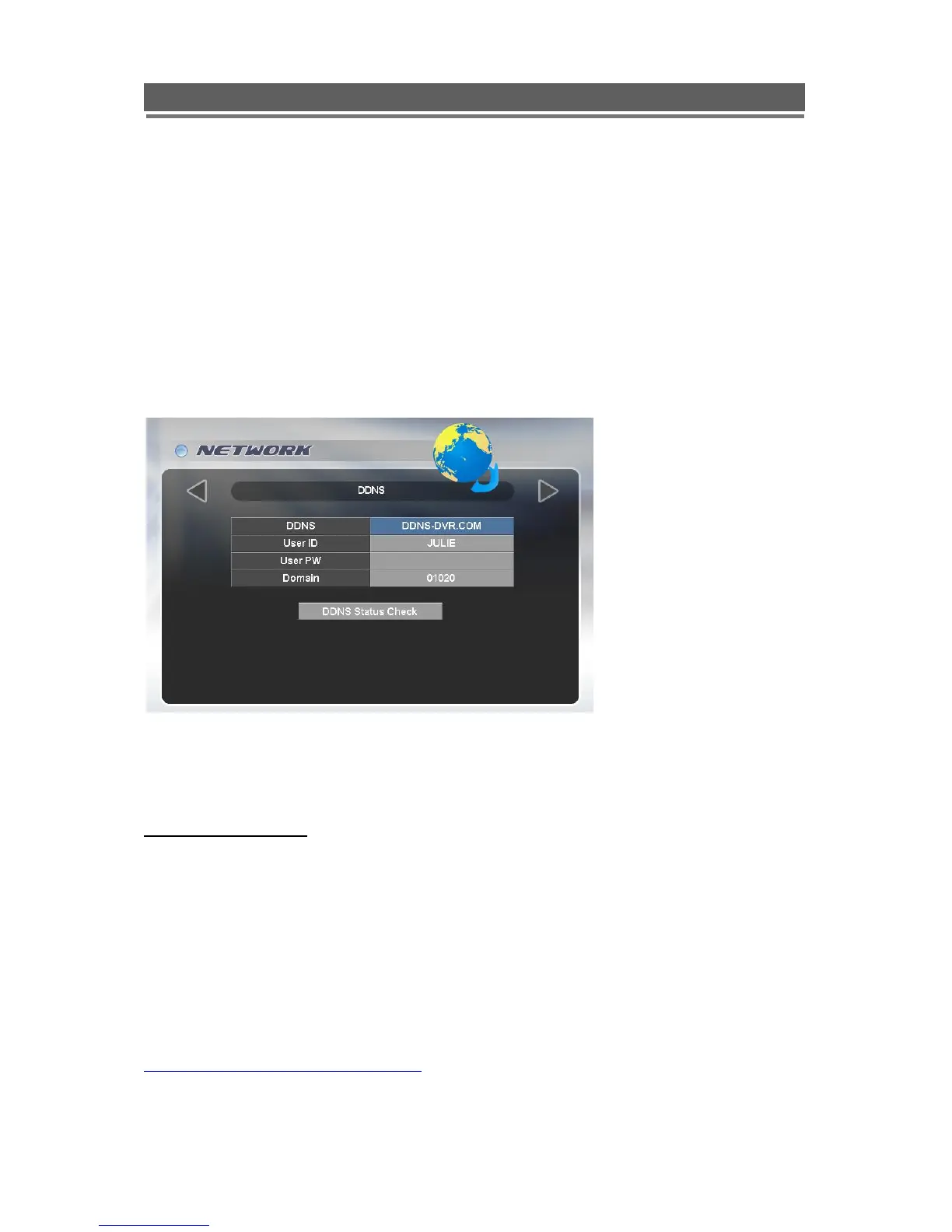
DDNS
What is DDNS?
DDNS is a service that maps Internet domain names to IP addresses. DDNS serves a similar
purpose to DNS: DDNS allows anyone hosting a Web or FTP server to advertise a public
name to prospective users.
Unlike DNS that only works with static IP addresses, DDNS works with dynamic IP
addresses, such as those assigned by an ISP or other DHCP server.
What this means is that the DVR does not need a Static IP address to be available for
viewing remotely over the World Wide Web.
Please refer to Appendixes 4 on how to set up the DDNS service.
Using factory configured DDNS setup
To make using the DDNS service easier each DVR has been pre configured in the factory with it‟s own
individual DDNS set-up, this uses the DDNS-DVR.COM service. To access this feature select:
DDNS-DVR.COM (Auto)
The Domain section of the menu will display the MAC address of the unit ( 16 digit number).
Note:
1. DYNAMIC IP must be set to: YES
2. Port forwarding has to be set-up in the router using the dynamically assigned IP address and the
DVR Port set in the IP set section
3. When connecting to the unit from the client software, the address to enter will have to be in the
following format:
http://(16digitMACaddress)@ddns-dvr.com



 To Next Page