should be set logically to identify the specific DVR. e.g. QUANTUMPLUS@NORBAIN.CO.UK
The report period is used to set how often e-mails are sent: Immediately on and event, Daily
or Weekly
SEND TEST MAIL sends a test E-mail to the addresses so allowing the installer to verify if
the setup is correct.
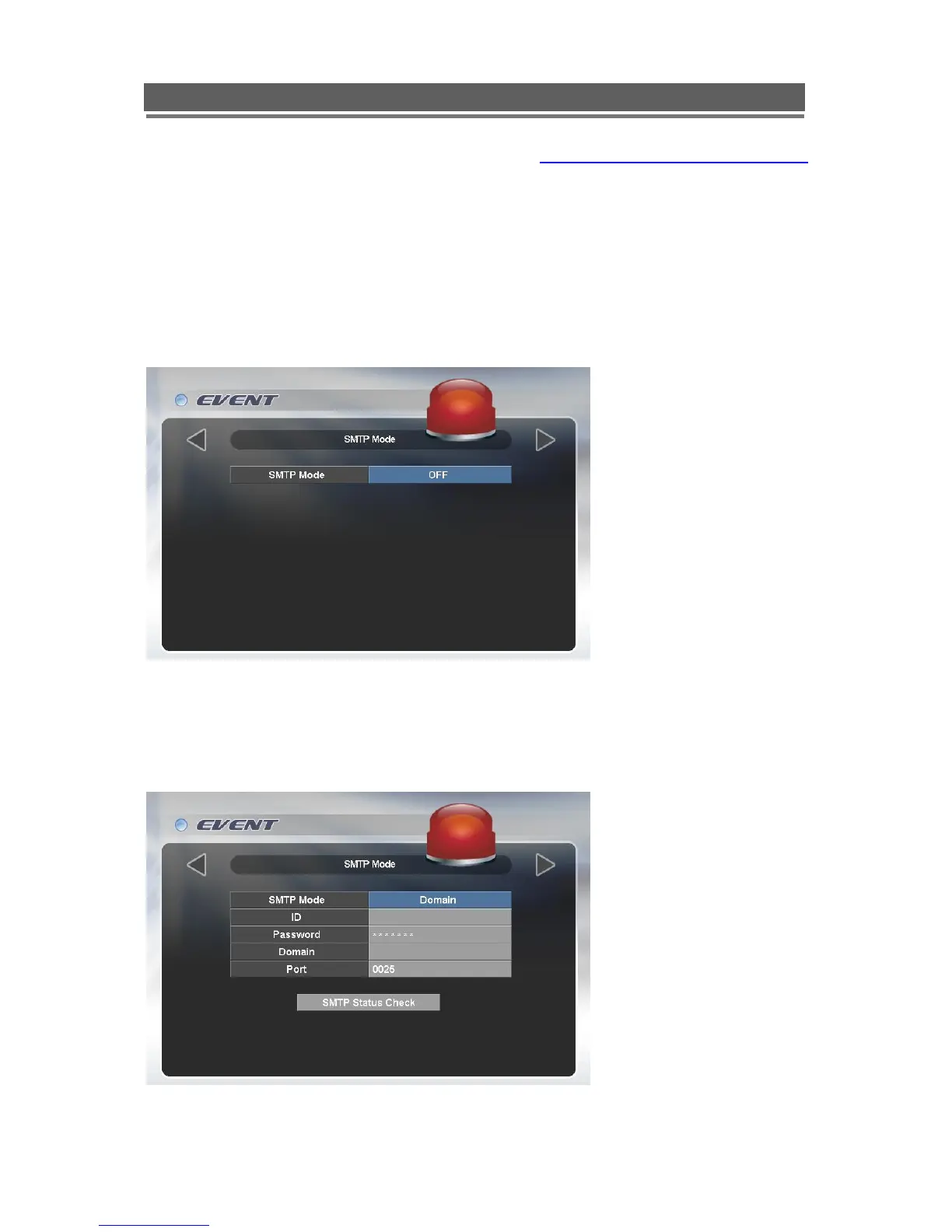
SMTP Mode
The SMTP (Simple Mail Transfer Protocol) function allows e-mails to be sent over a LAN
The default is SMTP Mode “OFF”.
In order to activate SMTP Mode, choose SMTP Mode either IP or Domain first.
Then, put ID, Password, IP address, and port.
Finally press “SMTP Status Check” to test.
Please see the screen shots that follow:



 To Next Page