3. operation
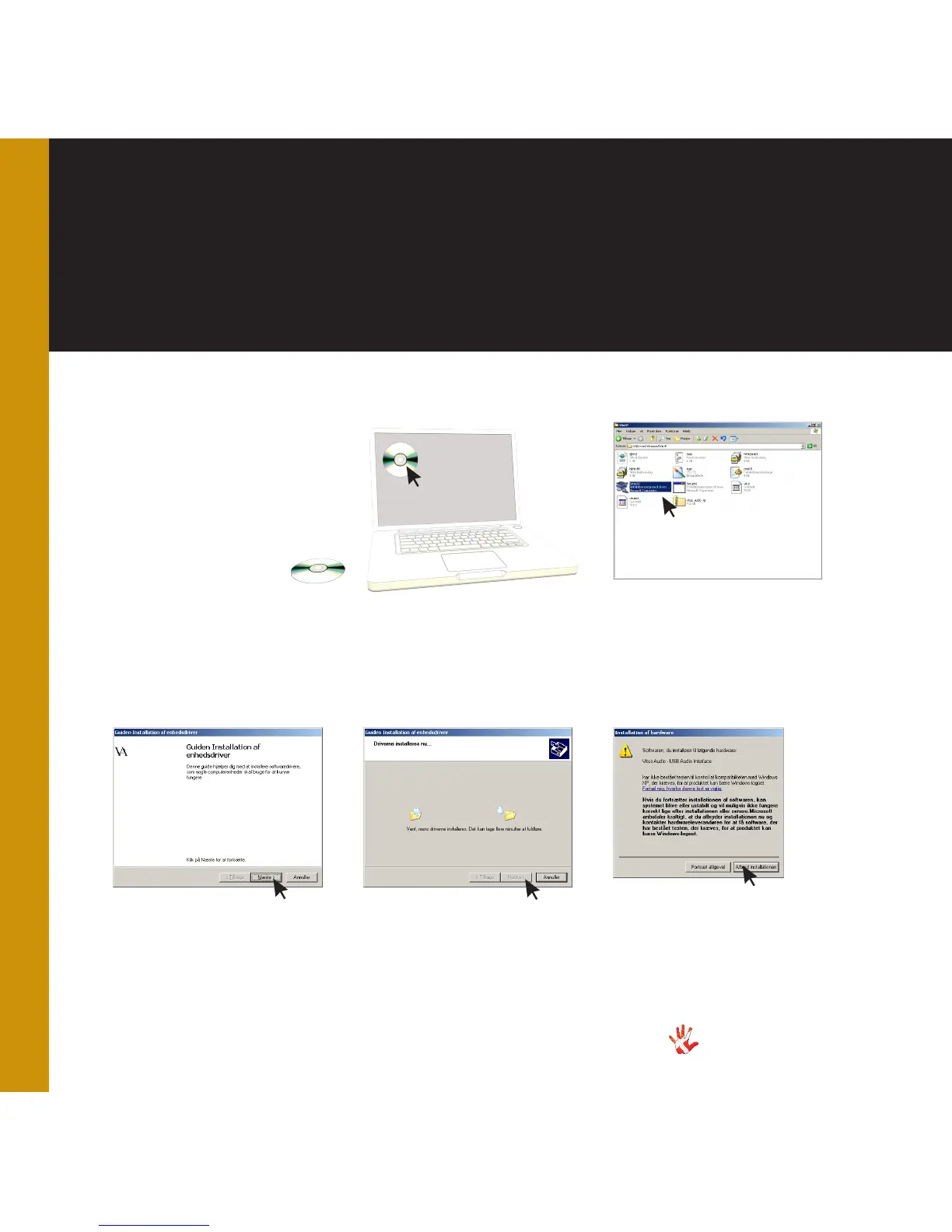
2 WinXP.
On the cd enter the folder
named WinXP and doubleclick
the file named Setup 32.
1 Put the CD in your computer
and double click on the CD
icon.
3 Software installation.
Press Next.
5 Hardware installation.
Press Continue Anyway when
the following warning appears.
4 Software installation.
Press next when the driver has
been installed.
Installing the
USB driver on
windows XP



 To Next Page