VITUS
PRODUCT
1. Press and hold button 2 for 3
seconds to enter menu mode.
MP-L201
VITUS
LEAVE MENU
2. Navigate to the edit product
sub-menu
MP-L201
VITUS
EDIT PRODUCT
3. Enter the edit product
sub-menu
MP-L201
VITUS
LEAVE MENU
6. Leave the menu.
MP-L201
VITUS
PRODUCTMP-T201 MP-P201
7. Hotkey 1 is now set to MP-T201
and hotkey 2 is set to MP-P201.
MP-L201
SS-101
4. Scroll to MP-DT01 in the
list under hotkey 1 and scroll
to MP-P201 in the list under
hotkey 2
VITUS
PRODUCTMP-T201 MP-P201
ENABLE DISABLE
5. Press select
VITUS
PRODUCTMP-T201 MP-P201
MP-L201
ENABLE DISABLE
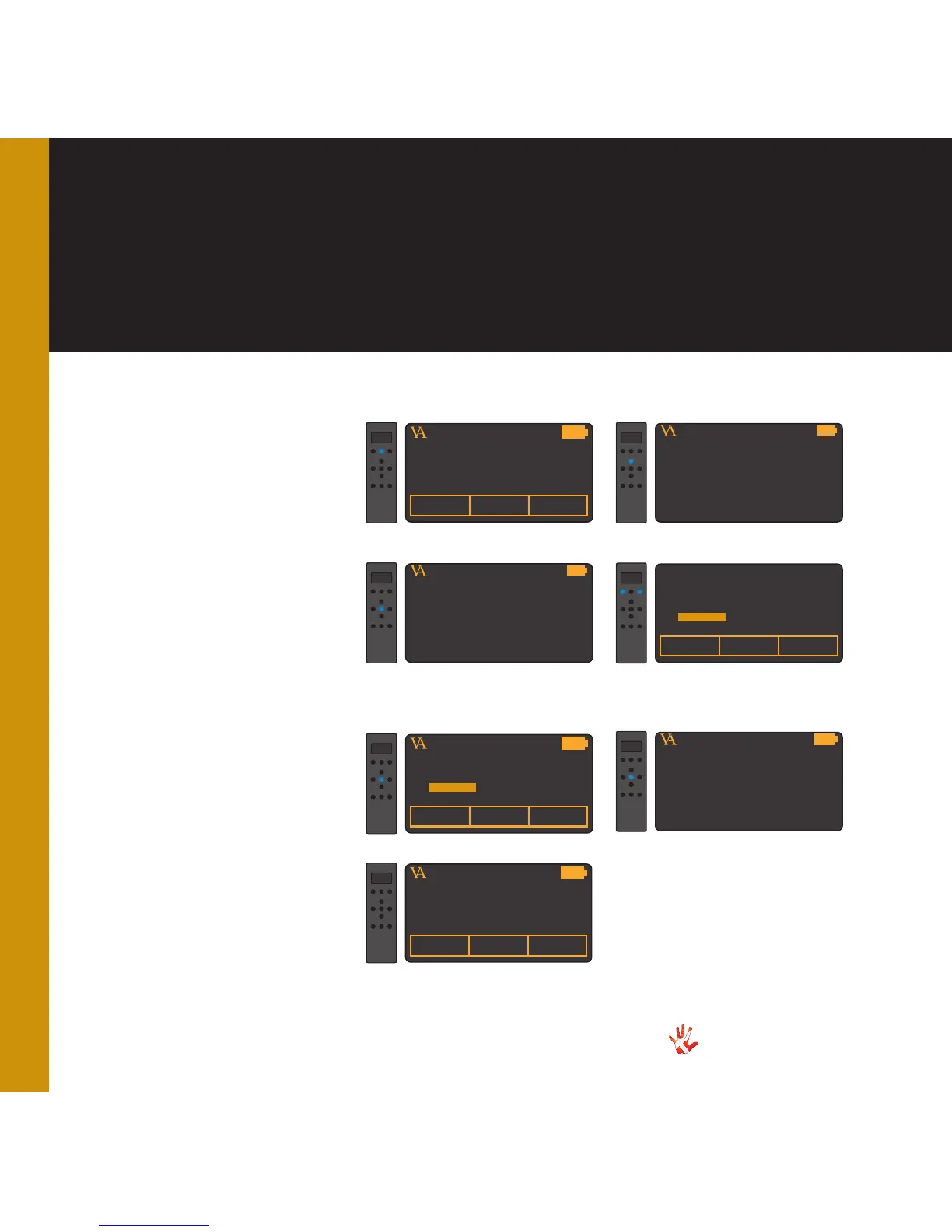
Example 2.5
Setting the hotkeys
with MP-L201 selected.
With the MP-L201 selected,
we will show how you can set
hotkey 1 to be MP-T201 and
hotkey 2 to be MP-P201.
MP-L201



 To Next Page