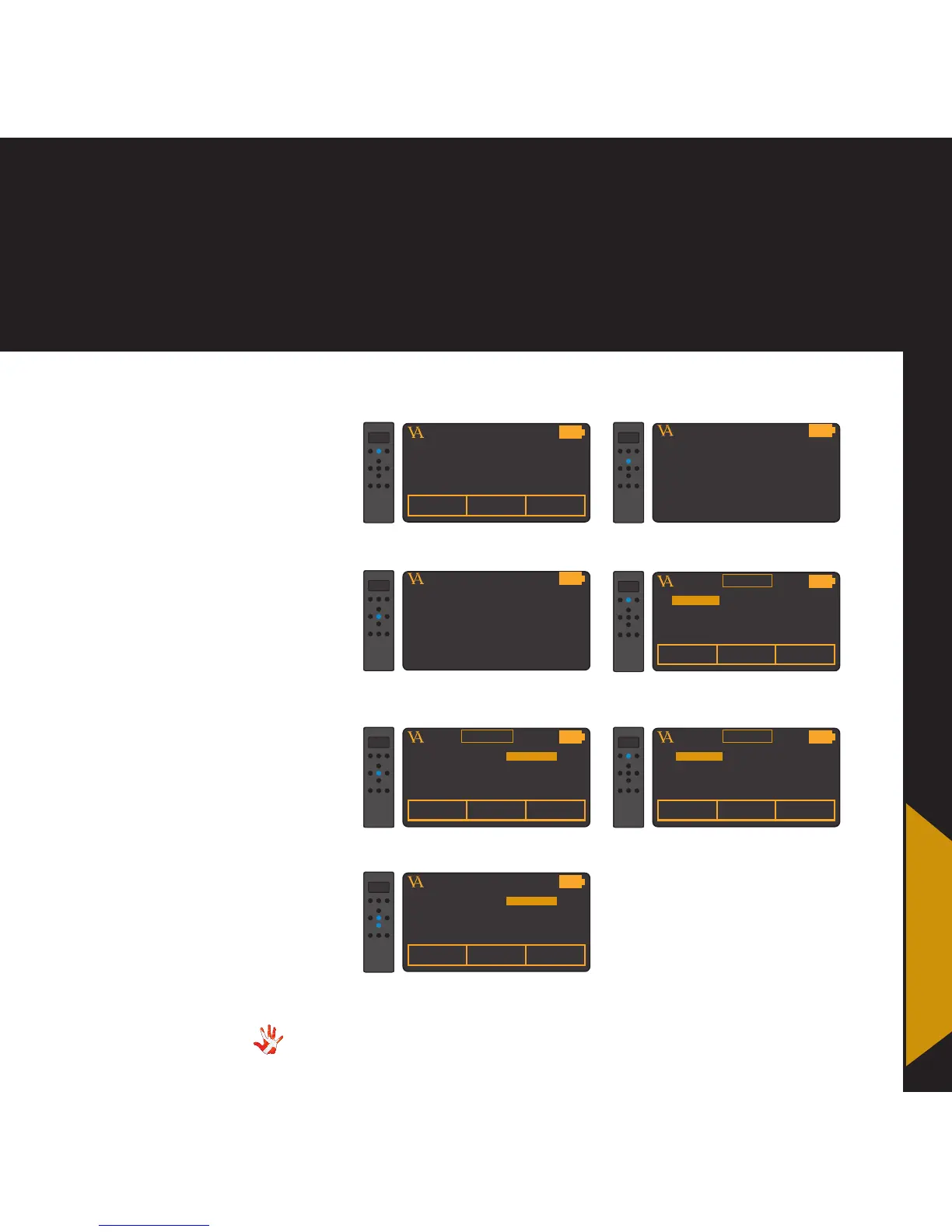
8. RC-010 examples
Continue doing this until you
disabled all the products that
you are not using .
VITUS
PRODUCTSCD-025 INPUT 2
ENABLE DISABLE
5. Disable the SCD-025.
VITUS
PRODUCTSCD-025 INPUT 2
ENABLE DISABLE
SS-101
7. Disable the SS-101.
4. Switch to the first -not used-
product in the list (SCD-025).
VITUS
EDIT PRODUCT
3. Enter the edit product sub-
menu
VITUS
LEAVE MENU
2. Navigate to the edit product
sub-menu
VITUS
PRODUCTOUTPUT
1. Press and hold button 2 for 3
seconds to enter menu mode.
VITUS
PRODUCTSCD-025 INPUT 2
SM-101
6. Switch to the next product
(SS-010).
MP-D201
MP-D201
VITUS
PRODUCTSCD-025 INPUT 2
ENABLE DISABLE
SM-010
SM-010
ENABLE DISABLE
Example 1
Disabling products
The RC-010 has all the Vitus
Audio products installed as a
standard.
It is convenient to disable
(make invisible) the products
that you are not going to use.
We will show you how to
disable these products. After
disabling these products,
the remote only displays the
products that you are using.
8. RC-010
examples



 To Next Page