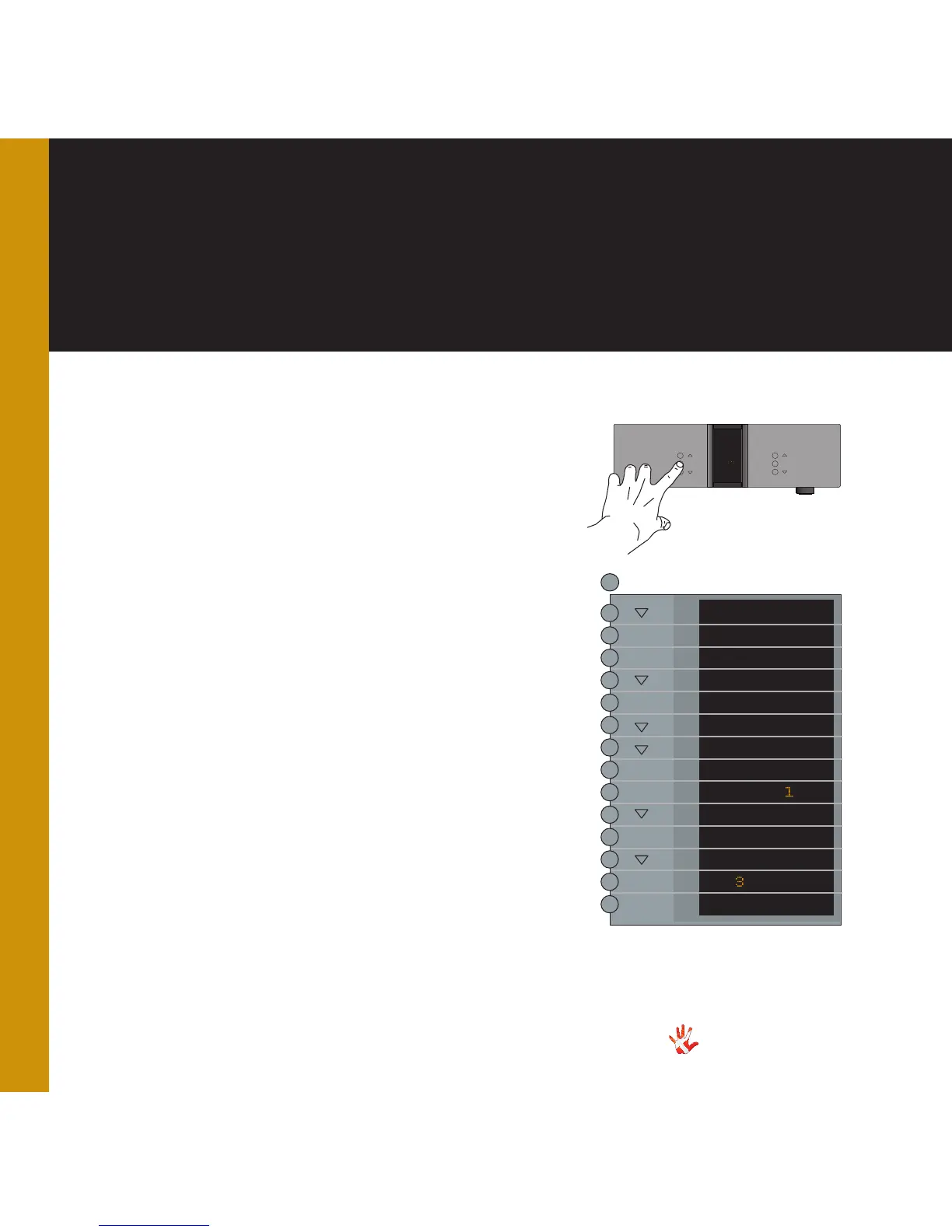
7. examples operation
Example 6
Changing the offset-
gain of input 2.
You can set different offset-
values for the different inputs.
You actually adjust the gain
of one individual input. This
reduces the differences in
output volume, when you
switch from one input to
another. The offset-value can
be set from -12 dB to +12 dB.
You cannot change the offset
gain with FIX ON selected.
The following example
illustrates how to change the
offset-values: The signal on the
source using input 2 is 3 dB
higher than the signal on the
source using input 1.
We will reduce the differences
in volume between input 1 and
input 2 by lowering the offset
gain of line 2 with 3 dB.
MP-D201 Left front panel.
INPUT
MENU
SELECT
STANDBY
MUTE
MP-D
*The menu item DAC VOL
becomes invisible when the
optional Volume Board is
installed.
LEAVE
SETUP
DAC VOL
DATA
RESET
V.INIT
BRIGHT
INPUTS
INPUT
FIXED
OFFSET
O.O DB
.O DB
OFFSET
SELECT
SELECT
SELECT
SELECT
MENU
Press the“MENU”button to
enter Menu Mode.
Navigate to the INPUT sub-
menu, using the function
buttons on the left front
1. Scroll forward in the
menu.
2. MENU/ Enter & Exit
SELECT submenus and
selectsettings.
3. Scroll backward in
the menu.
The amplifier now automatically
turns the volume up or down
when you change between inputs.
*



 To Next Page