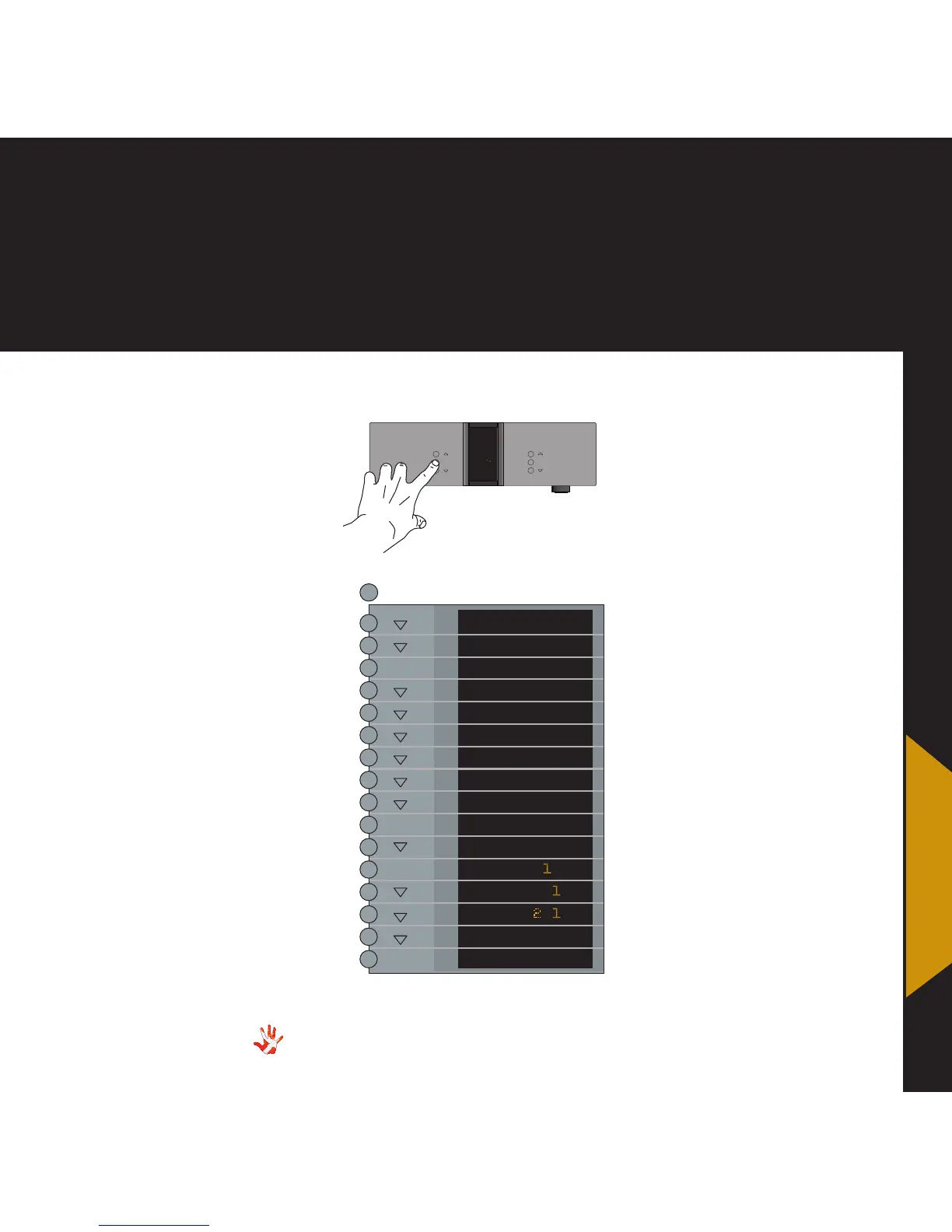
7. examples operation
7. examples
Example 7
Changing the name of
INPUT 1 to MP-T201.
Press the“MENU”button to
enter Menu Mode.
Navigate to the TEXT
submenu, using the function
buttons on the left front
1. Scroll forward in the
menu.
2. MENU/ Enter & Exit
SELECT submenus and
selectsettings.
3. Scroll backward in
the menu.
MP-D201 Left front panel.
INPUT
MENU
SELECT
STANDBY
MUTE
MP-D
*The menu item DAC VOL
becomes invisible when the
optional Volume Board is
installed.
LEAVE
SETUP
DAC VOL
DATA
RESET
V.INIT
BRIGHT
INPUTS
INPUT
FIXED
OFFSET
TEXT
INPUT
MP-T O
TEXT
BACK
SELECT
SELECT
SELECT
SELECT
MENU
In the TEXT submenu you will
find a list of predefined names,
that you can choose from.
Scroll through the list using the
and the buttons.
Select the name MP-T201
using the SELECT button.
The name of INPUT1 has now
been changed from LINE 1 to
MP-T201.
Leave the TEXT submenu.
When you leave the Menu
Mode the display will show
MP-T201.
*



 To Next Page