4. operation &
service
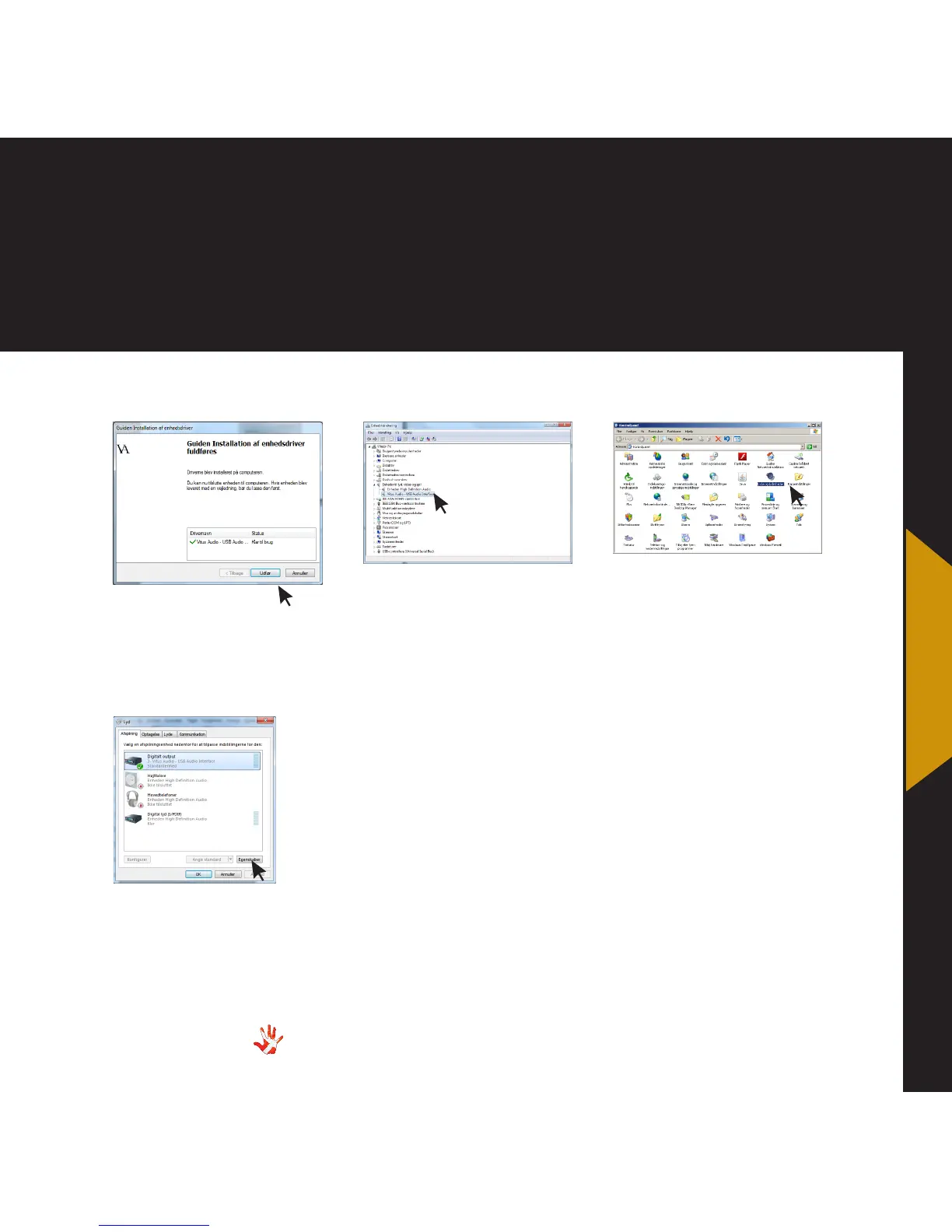
6 Software installation.
The drive has been installed
correctly when this window is
shown. Press Finish
8 Control panel.
The driver has been installed
and it can be used as a sound
card that can send sound
through the USB-port. To edit
the settings go to Control
Panel > Sounds and Audio
Devices
7 Device manager.
You can check if the driver has
been installed correctly. Go
to Kontrolpanel > System >
Hardware > Device manager.
The driver can now be found
under Sound, video and game
controllers
9 Sounds and Audio Devices
properties.
Here you can change the
settings for every Audio
Device.



 To Next Page