8. RC-010 examples
8. RC-010
examples
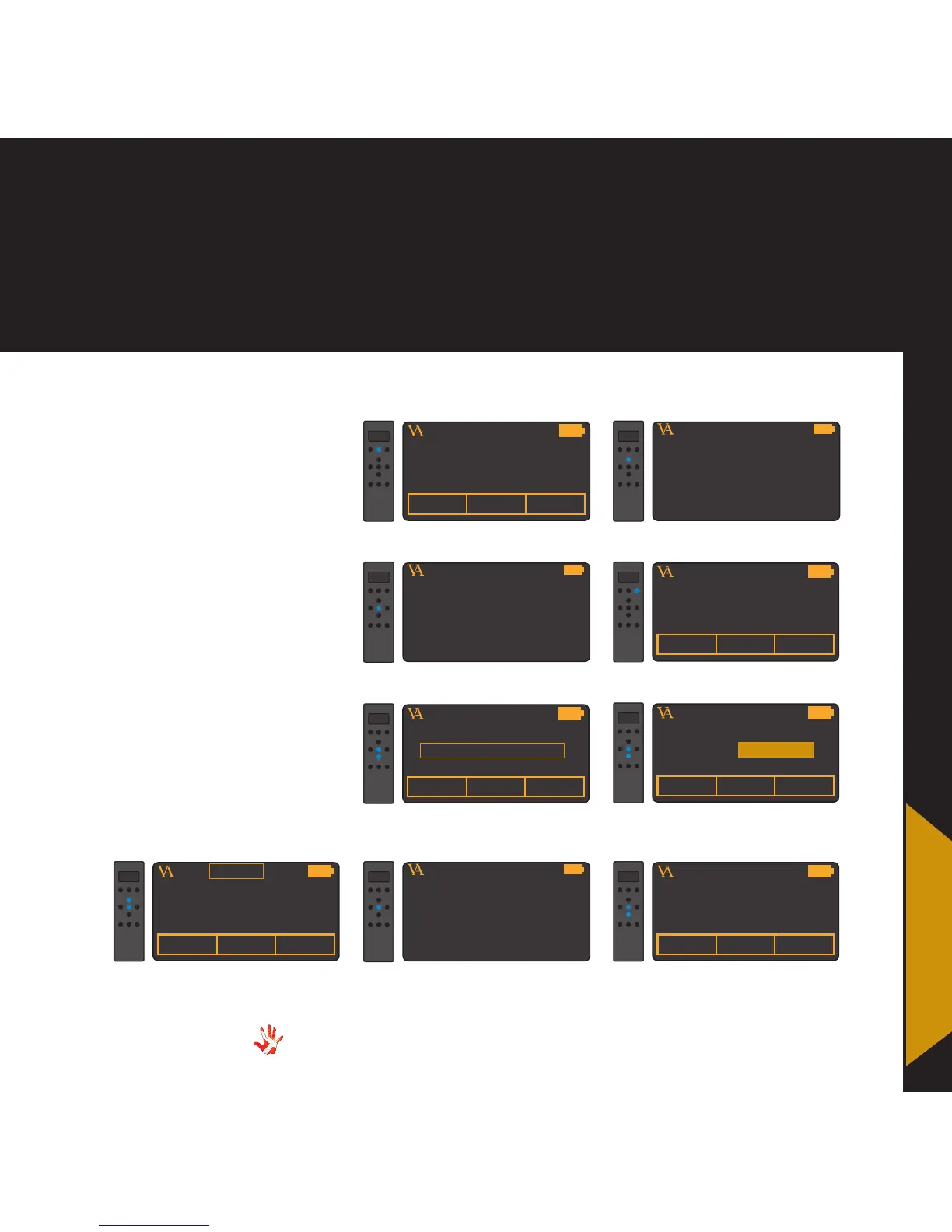
Example 5
Setting hotkey 1 to
INPUT 3.
Only applies to MP-L201
As a standard hotkey 1
(button1) is set to SCD-025.
In the following steps we will
show how you can change
hotkey 1 from SCD-025 to
INPUT 3.
VITUS
PRODUCTSCD-025 MP-P201
1. Press and hold button 2 for 3
seconds to enter menu mode.
MP-L201
VITUS
LEAVE MENU
2. Navigate to the edit product
sub-menu
MP-L201
VITUS
LEAVE MENU
8. Leave the menu
MP-L201
VITUS
EDIT PRODUCT
3. Enter the edit product
sub-menu
MP-L201
4. Scroll to INPUT 1 in the list
under hotkey 1
6. Set KEY 1 to INPUT 3. The item
under hotkey 1 has now automatically
been updated to INPUT 3
VITUS
PRODUCTINPUT 3 SP-102
9. The item under hotkey 1 is
now set to INPUT 3.
VITUS
PRODUCTINPUT 3 SP-102
ENABLE
KEY 1 : INPUT 3
KEY 3 : INPUT 2
7. Select MP-D201 and press
select.
MP-L201
VITUS
PRODUCTINPUT 1 SP-102
ENABLE
KEY 1 : INPUT 1
KEY 3 : INPUT 2
5. Select KEY 1.
MP-L201
VITUS
PRODUCTSCD-025 INPUT 1
ENABLE
KEY 1 : INPUT 1
KEY 3 : INPUT 2
MP-L201
VITUS
PRODUCTINPUT 3 INPUT 3
ENABLE
KEY 1 : INPUT 3
KEY 3 : INPUT 2
INPUT 3
MP-L201
MP-L201



 To Next Page