SUPREMA - OPERATION & SERVICE MANUAL
Suprema - Operation & Service 02-2012 Page 57 of 58
COIN CHANGER INSTALLATION
Installing the Coin Changer
To operate this equipment in “COIN” mode, an optional Coinco 9300-series changer must be
installed. This changer can be purchased from your local Coinco retailer.
1. Switch the coffee maker "OFF" and open the inner door.
2. Loosen the three changer mounting screws on the inside of the front door.
a) Using a Phillips screwdriver, loosen (but do not remove) the three mounting
screws.
3. Remove the ‘Acceptor’ unit from the coin changer.
a) Lift the two locking tabs on top of the coin changer.
b) Pull the acceptor towards you. It will pivot, with the base portion remaining in
place.
c) Disconnect the ribbon cable and remove the acceptor.
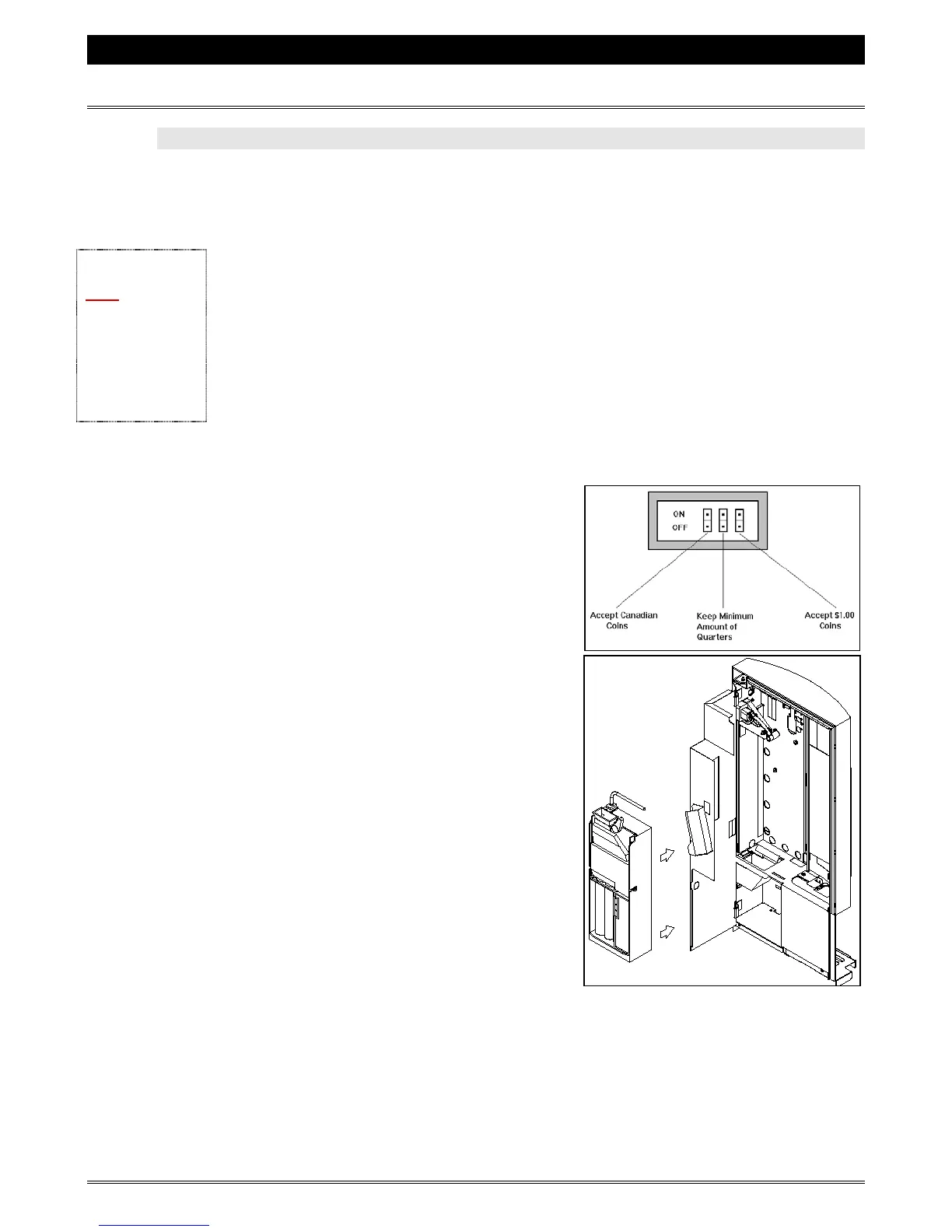
4. Set the changer to accept and reject certain
currencies and denominations of coins.
a) Locate the DIP switches on the inside of
the coin changer and adjust them
accordingly. Consult the diagram below
for the function of each switch.
5. Slide the ‘key-hole’ slots of the changer onto
the mounting screws.
a) Having removed the acceptor, you will
see three ‘key-hole’ slots on the rear
wall of the changer. Align these slots
with the three mounting screws on the
inside of the door. It may be necessary to
hold the coin reject assembly (on inside
top of coffee maker) up and out of the
way.
b) Slide the changer down until the three
screws line up with the narrow part of
the ‘key-hole’ slots.
c) Tighten the three screws enough to
secure the changer. Do not over-tighten.
6. Partially fill the pay-out tubes with an appropriate amount of coins.
7. Reconnect the ribbon cable and re-install the ‘Acceptor’ unit.
8. Plug the changer into the receptacle on the inside top of the door.
9. Switch the coffee maker "ON".
Note:
The machine power
MUST be switched
OFF when
connecting or
disconnecting the
coin changer. Failure
to do so will damage
the coin changer and
the electronics in the
machine.



 To Next Page