WINDOWS, GLASS AND MIRRORS
* Option/accessory.
152
•
Storing memory function in power operated
front seat* (p. 168)
•
Activating and deactivating the heated rear
window and door mirrors (p. 199)
Adjusting rearview mirror dimming
Bright light from behind could be reflected in the
rearview mirrors and dazzle the driver. Use dim-
ming when disturbed by light from behind.
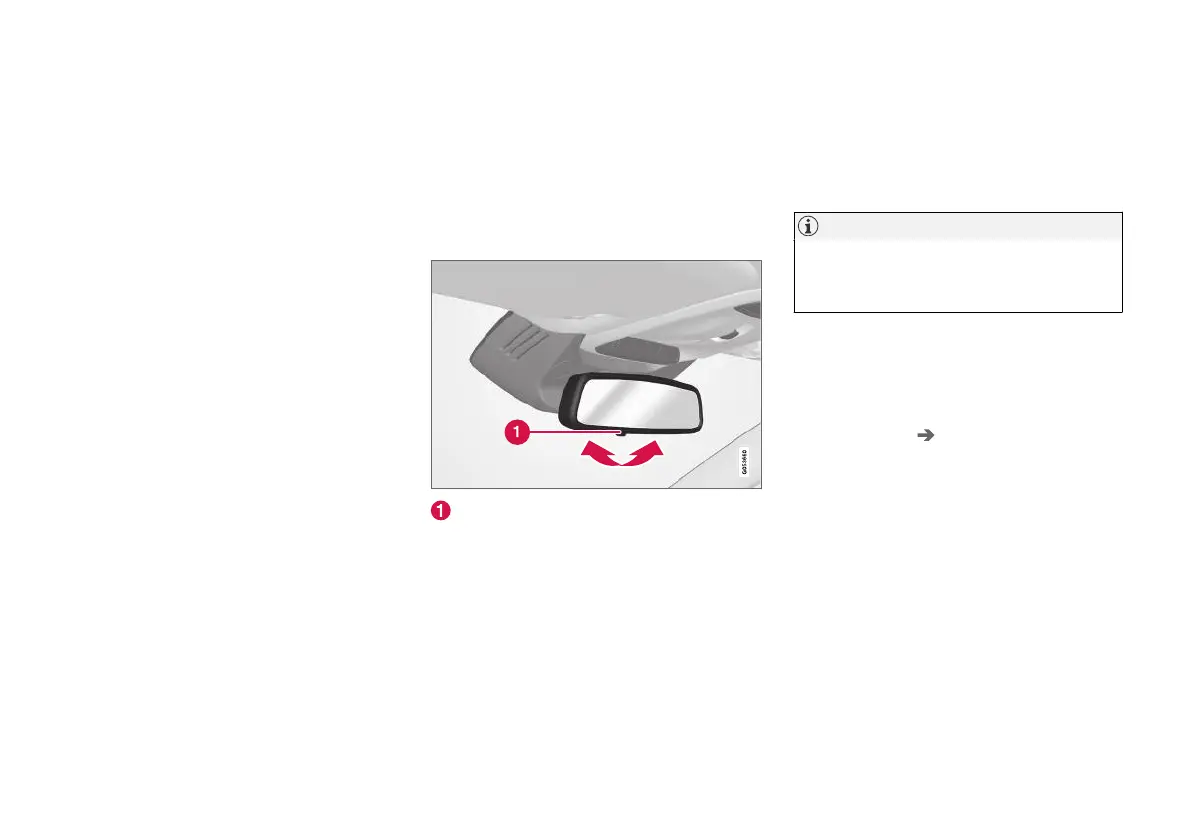
Manual dimming
The interior rearview mirror can be dimmed with a
control in the mirror's lower edge.
Control for manual dimming.
1. Use dimming by moving the control in
towards the passenger compartment.
2. Return to normal mode by moving the control
towards the windscreen.
The control for manual dimming is not available
on mirrors with automatic dimming.
Automatic dimming*
Bright light from behind is automatically dimmed
by the interior rearview and door mirrors. Auto-
matic dimming is always active while driving, apart
from when gearbox reverse position is selected.
NOTE
When sensitivity is changed there is no imme-
diately noticeable change in dimming, but the
change will be complete after a while.
Dimming sensitivity will affect both the interior
rearview mirror and the door mirrors.
1.
Press
Settings in the top view in the centre
display.
2. Press
My Car Mirrors and Convenience.
3.
Under
Rearview Mirror Auto Dimming,
select Normal, Dark or Light.
The interior rearview mirror contains two sensors
- one forward facing and one rearward facing -
that work together to identify and eliminate daz-
zling light. The forward facing sensor detects
ambient light, while the rearward facing sensor
detects the light from vehicle headlights behind.
For the door mirrors to be equipped with auto-
matic dimming, the interior rearview mirror must
also be equipped with automatic dimming.



 To Next Page