||
STARTING AND DRIVING
420
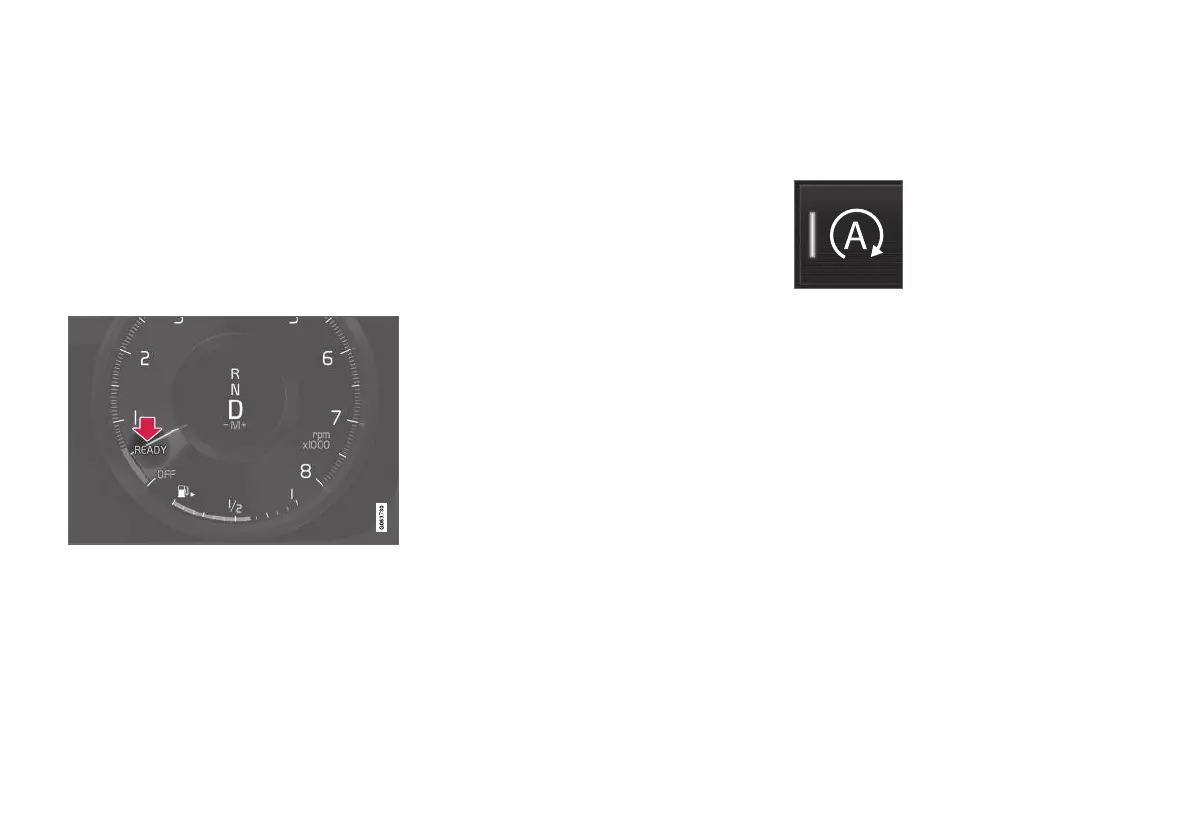
Symbols in the driver display
•
The text READY is shown in the tachometer
when the function is available.
•
A pointer in the tachometer points to READY
when the function is active and the engine is
auto-stopped.
•
The text READY is greyed out when the
function is not available.
•
No text is shown when the function is deacti-
vated.
The function is active and the engine is auto-stopped.
Related information
•
Deactivating the Start/Stop function tempo-
rarily (p. 420)
•
Conditions for the Start/Stop function
(p. 421)
•
Start/Stop function (p. 419)
•
Help when starting on a hill (p. 408)
•
Automatic braking when stationary (p. 407)
Deactivating the Start/Stop function
temporarily
In certain situations it may be desirable to tem-
porarily deactivate the start/stop function.
Deactivate using the Start/
Stop function button in the
centre display's function view.
The indication in the button is
switched off when the function
is deactivated.
The function is deactivated until
•
it is reactivated
•
the drive mode is changed to Eco or Comfort
•
the next time the car is started.
Related information
•
Driving with start/stop function (p. 419)
•
Conditions for the Start/Stop function
(p. 421)



 To Next Page