CLIMATE
}}
* Option/accessory.
205
The passenger compartment can also be precon-
ditioned with the car remote start function
(Engine Remote Start - ERS)
19
via the Volvo On
Call* app.
Related information
•
Parking climate* (p. 203)
•
Preconditioning* (p. 204)
•
Preconditioning time setting* (p. 205)
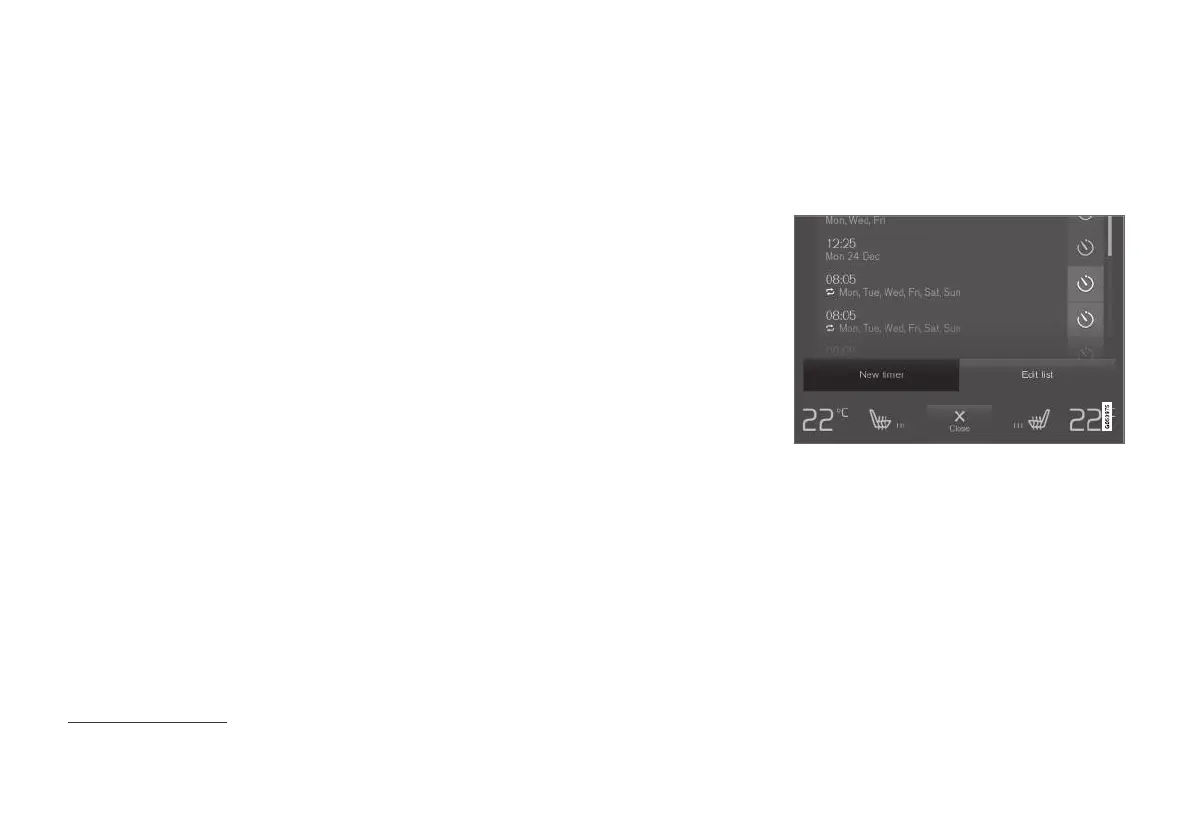
Preconditioning time setting*
The timer can be set so that the preconditioning
is finished at a predetermined time.
The timer can handle up to 8 different settings
for:
•
A time on a single date
•
A time on one or more days of the week, with
or without repetition.
Related information
•
Preconditioning* (p. 204)
•
Adding and editing time setting for precondi-
tioning* (p. 205)
•
Activating and deactivating time setting for
preconditioning* (p. 207)
•
Removing time setting for preconditioning*
(p. 207)
Adding and editing time setting for
preconditioning*
The timer for preconditioning can manage up to
8 time settings.
Adding a time setting
The button to add a time setting in the Parking climate
tab in the climate view.
1. Open the climate view in the centre display.
2.
Select the
Parking climate tab.
19
Certain markets.


 To Next Page