||
STARTING AND DRIVING
458
1. Aim the remote control towards the
HomeLink
®
button to be programmed and
hold it approx. 2-8 cm (approx. 1-3 inches)
from the button. Do not obstruct the indicator
lamp on HomeLink
®
.
Note: The ability of some remote controls to
program HomeLink
®
is improved at a dis-
tance of approx. 15-20 cm (approx. 6-12
inches). Bear this in mind if you encounter
problems during programming.
2. Press and hold depressed both the button
on the remote control and the button to be
reprogrammed on HomeLink
®
.
3. Do not release the buttons until the indicator
lamp has switched from flashing slowly
(approx. once per second) to either flashing
quickly (approx. 10 times per second) or illu-
minating with a constant glow.
>
If it illuminates with a constant glow:
Indication that the programming has fin-
ished. Press the programmed button
twice to activate.
If it flashes quickly: The device to be
programmed to HomeLink
®
may have a
security function that requires extra steps.
Test by pressing the programmed button
twice to see whether the programming is
working. Otherwise, continue with the fol-
lowing steps.
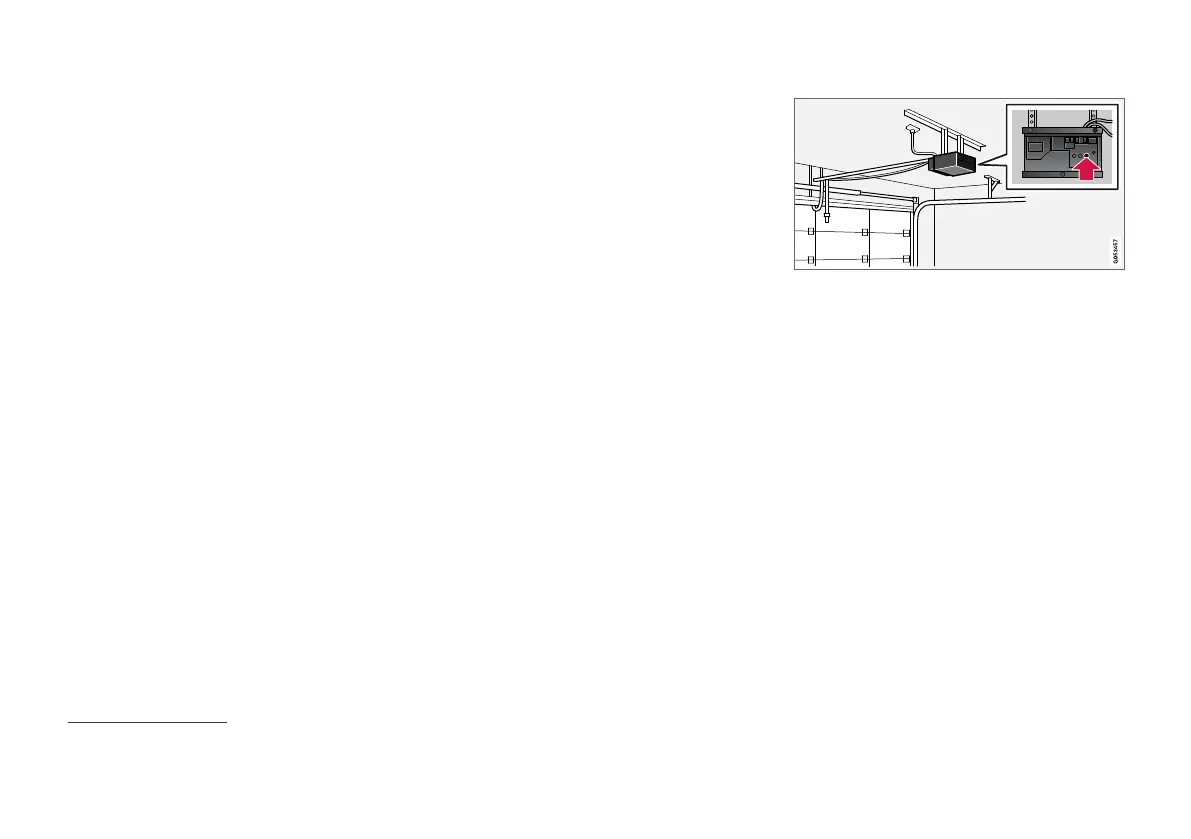
4. Locate programming button
21
on the
receiver for the garage door or similar. It is
normally located close to the antenna's
bracket on the receiver.
5. Depress and release the receiver's program-
ming button once. The programming must be
completed within 30 seconds of the button
being depressed.
6.
Press and release the button on HomeLink
®
that you want to program. Repeat the
sequence of pressing/holding/releasing a
second time and, depending on the receiver
model, even a third time.
> Programming is now be complete and the
garage door, gate or similar should now
be activated when the programmed but-
ton is depressed.
In the event of programming problems, contact
HomeLink
®
at www.HomeLink.com,
21
Button designation and colour varies between manufacturers.



 To Next Page