Operator Manual / 4. Interface
42
l Flip controls allow you to control the direction of the scanned item image. You can flip the image either
horizontally or vertically.
l
Contrast control adjusts the contrast of the scanned item image. Clicking the control on the dark or light
side changes the contrast of the displayed image between -5 and +5.
l
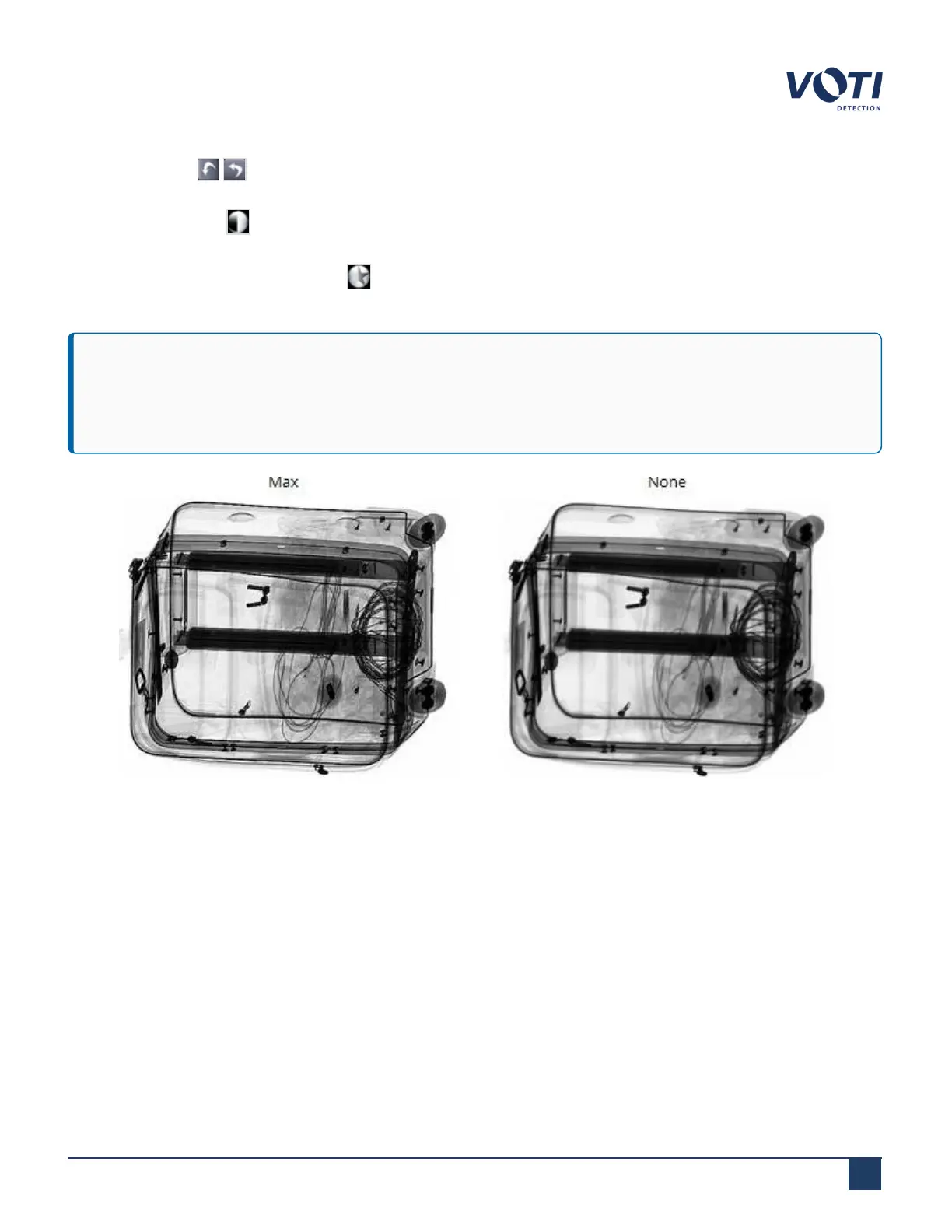
Image Edge Enhancement control adjusts the image edge display, such as to Max, Superior, High, Low,
Inferior, and None. In some scans, for example, wire is easier to see at a Max setting, as shown in Figure 22.
IMPORTANT
If the belt is no longer properly aligned, do not operate the scanner, and immediately contact VOTI Support
or a qualified VOTI-trained technician.
Figure 22 - Image Edge Enhancement - Examples of MAX and NONE
© VOTI2020 / 900116-001



 To Next Page