Operator Manual / 6. Administration module
65
6. Administration module
BioSans™ provides supervisors and administrators with an integrated management tool. The administration module
is used to create users, set access rights, and track operator access. Individual users are provided security access to
the system based on their roles in the security operation: operator, supervisor, or administrator. The module
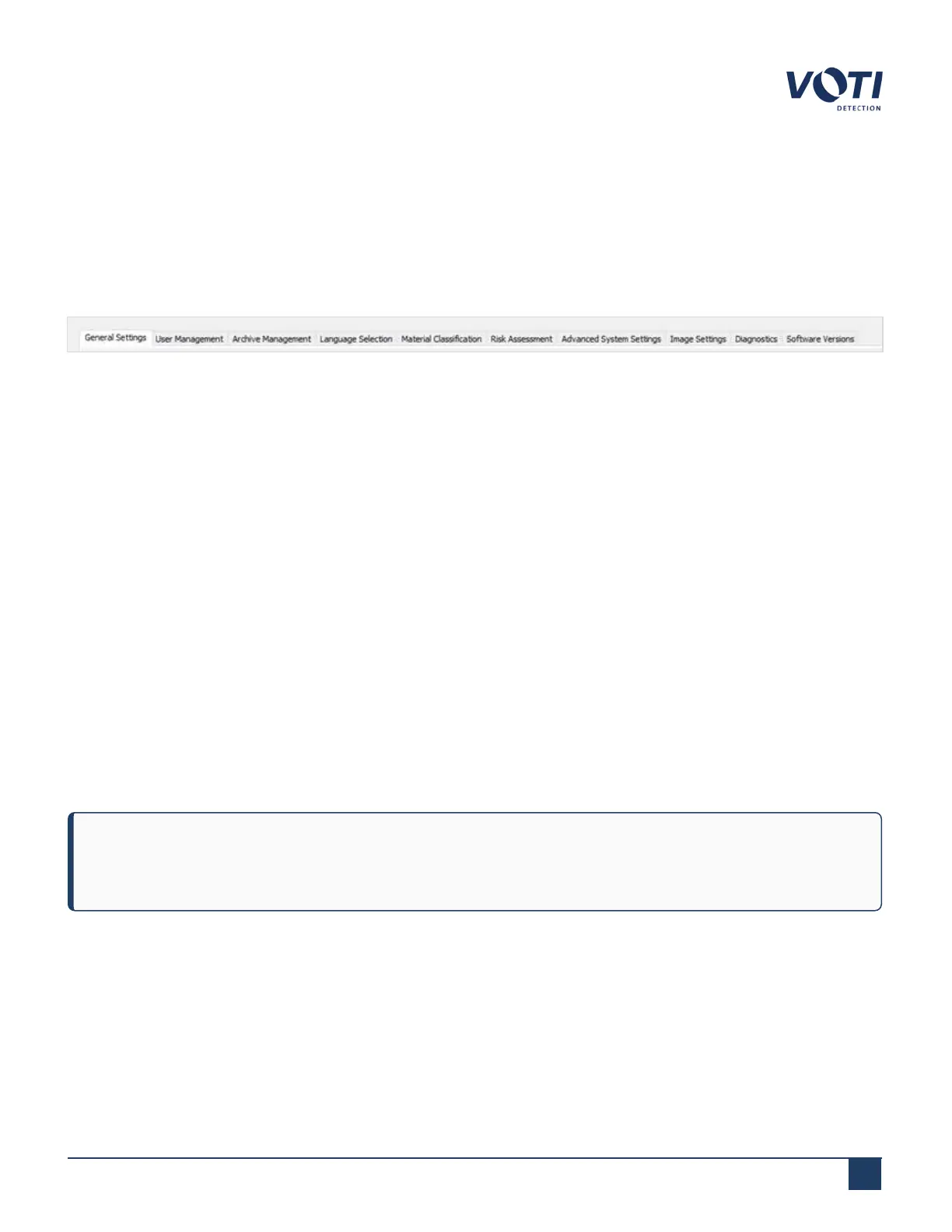
contains the following tabs:
Figure 56 - Administration Module Tabs
l
General Settings – Sets the default state of the scanner for an operator
l
User Management – Creates operators, supervisors, and administrators
l
Archive Management – Sets the parameters of how the system processes scanned item’s images and archive
XR3D data
l
Language Selection – Sets the default and second display language
l
Material Classification (option) – Sets specific material to detect
l
Risk Assessment (option) – Sets the levels of security risk. Depending on the level chosen, the operational
parameters of the scanner provide a more accurate security inspection
l
Advanced System Settings – BioSans™ maintenance applications which are used by a technician and can be
triggered by an administrator or supervisor
l
Image Settings – Sets the default image display parameters
l
Diagnostics – Contains FDRS (Field Data Reporting System) logs, which can be exported using the Export FDRS
Logs button
l
Software Versions – Contains lists of all the applications with their version numbers and changesets
NOTE
To enter information, you can use either the touchscreen or an external keyboard.
© VOTI2020 / 900116-001



 To Next Page