Operator Manual / 6. Administration module
93
6.9 Image Settings
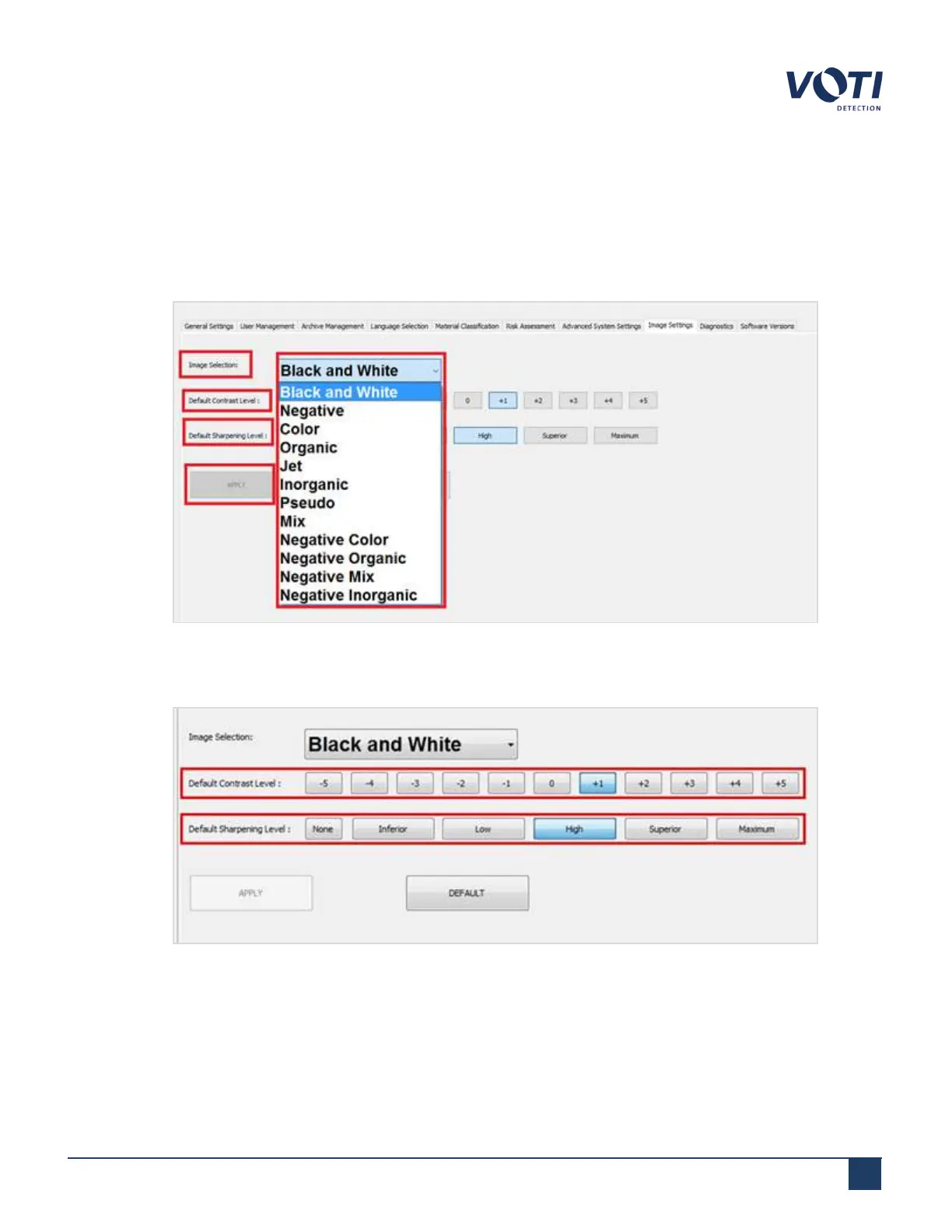
The Image Settings tab sets the default contrast and sharpening levels for the different image types. To edit these
image settings:
1. Select the desired image type from the Image Selection drop-down menu.
Figure 87 - Admin Menu - Image Settings
2. Choose the desired Default Contrast Level and Default Sharpening Level.
Figure 88 - Image Settings - Contrast Level
3. Click APPLY.
© VOTI2020 / 900116-001



 To Next Page