Operator Manual / 6. Administration module
80
6.4 Archive Management
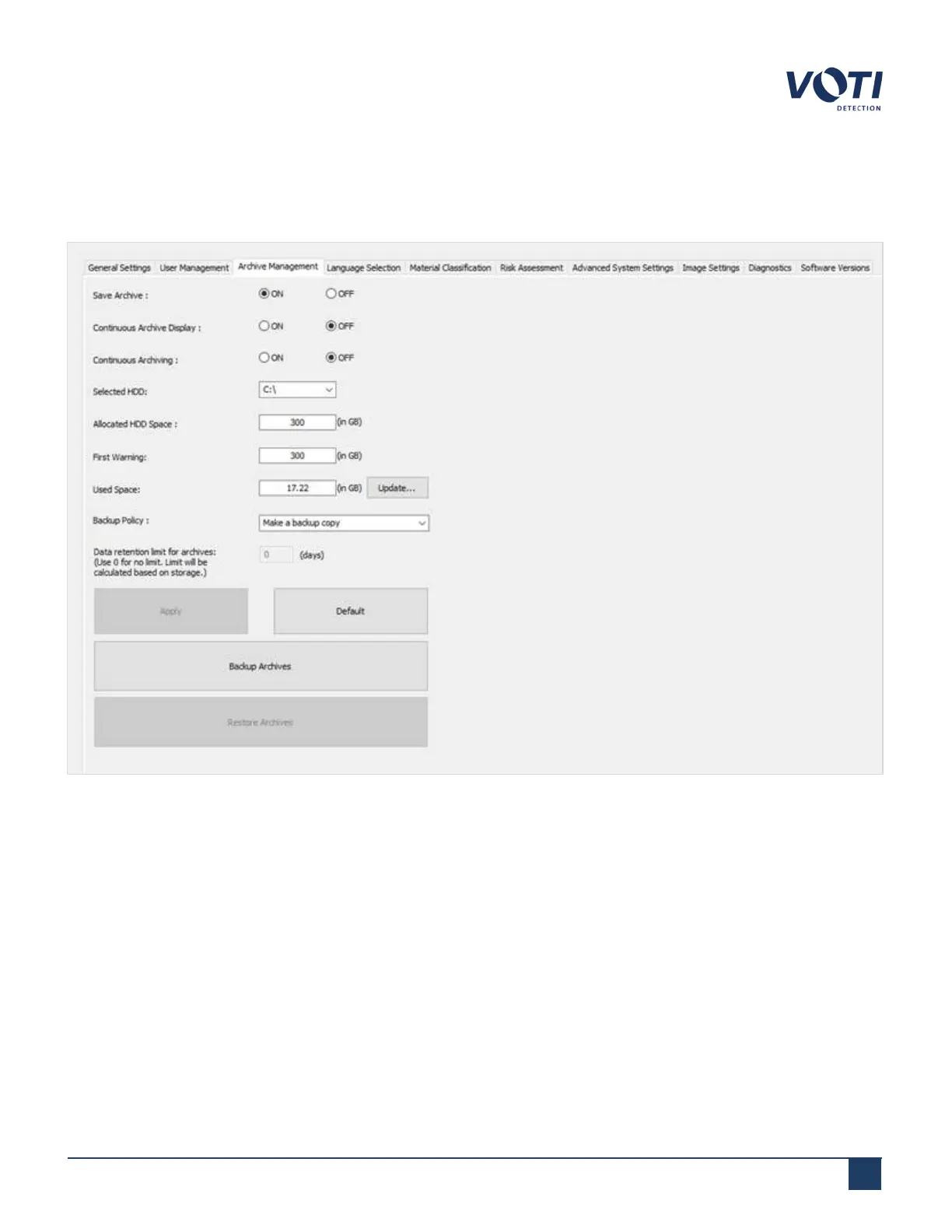
The Archive Management tab sets the parameters determining how the system processes scanned item images.
Figure 71 - Admin Menu - Archive Management
l
Save Archive – The default is ON, meaning the scanner saves all scanned item images. If Save Archive is set
to OFF, the scanner does not save any scanned item image.
l
Continuous Archive Display – When ON, all the archived images are displayed continuously in archive mode.
Clicking on only the left arrow in this mode displays a tape of the archive.
l
Continuous Archiving – Used in conjunction with continuous screening mode, this saves images as separate
files instead of multiple objects scanned simultaneously in a single image.
l
Selected HDD – Used to select where the archive will be saved on the computer or network).
© VOTI2020 / 900116-001



 To Next Page