Operator Manual / 5. Conducting a scan
59
5.3 Switching X-ray views
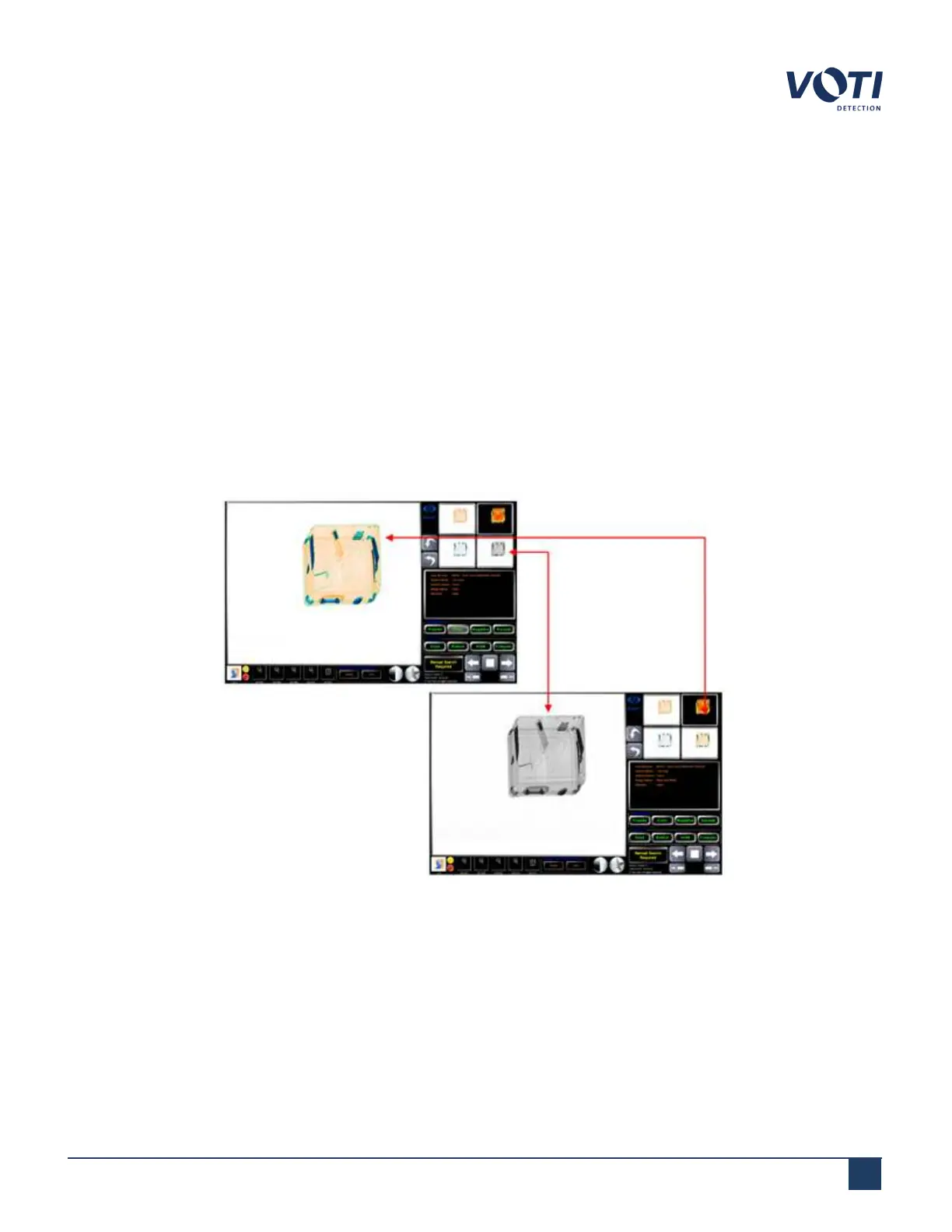
Alternate view thumbnails of the same scan appear in the alternate views area. By clicking a thumbnail of the scan
view, you can view a large version of the scan view in the main viewing screen. The image that was previously in the
main viewing screen then displays as a thumbnail in the alternate views area. The default "main view" image is set in
the General Settings section of the administrator module.
l
Black and White image: Based on the attenuation of materials (density and thickness).
l
Color image: Based on the atomic number of materials, three different colors.
l
Organic elimination: This technique is used to remove the presence of organic materials to facilitate the
observation of very dense areas like metal.
l
Inorganic elimination: This technique is used to remove the presence of inorganic objects to facilitate the
observation of organic matter like explosives.
Figure 50 - Switching X-Ray Views on Screen 1
If the scanner is dual-source with two screens, then the X-ray view can be switched on the second screen as well:
© VOTI2020 / 900116-001



 To Next Page