Operator Manual / 5. Conducting a scan
61
5.4 Retrieving an archived image
5.4.1 Operator permission
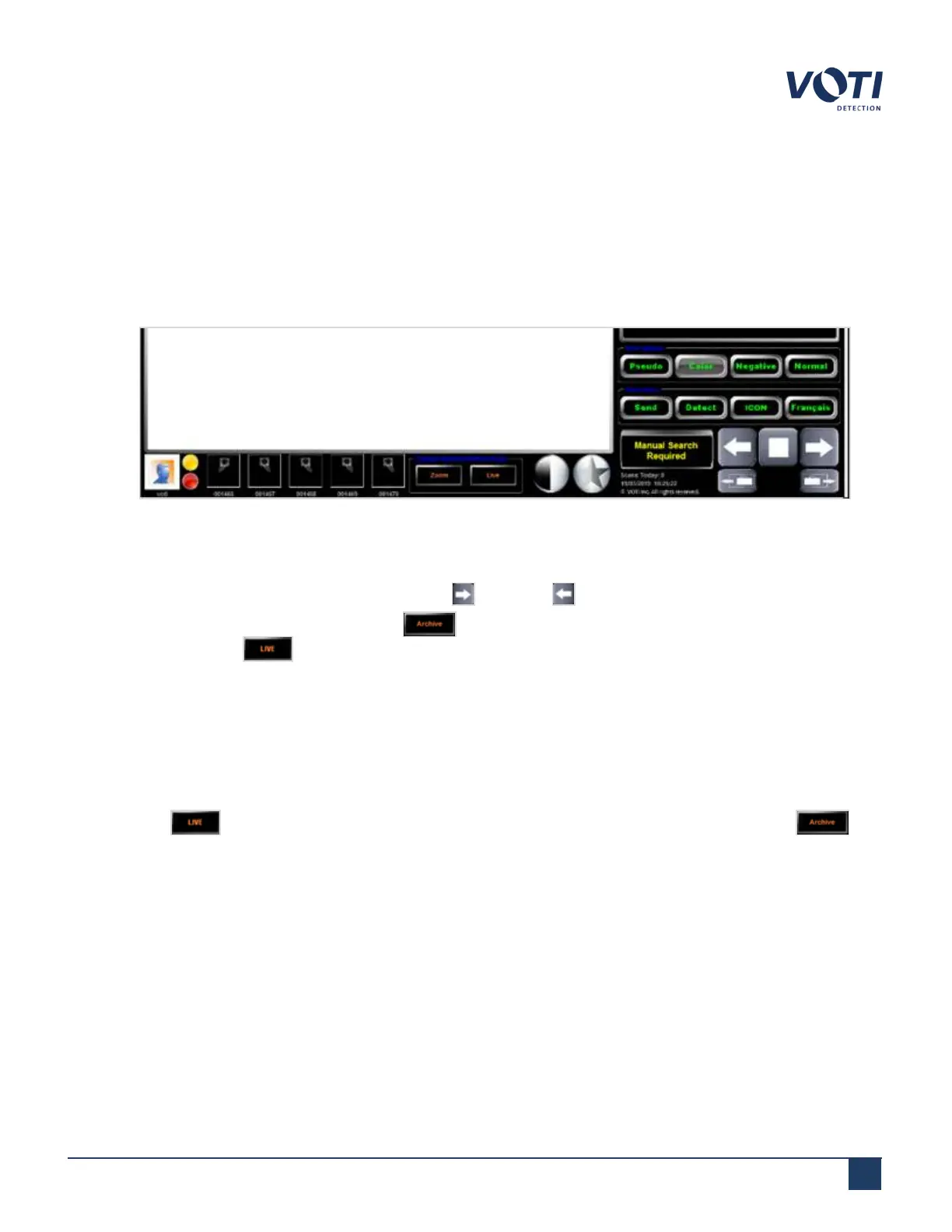
Operators can only access the scanned image archive of their shift. To retrieve and display an archived image:
1.
Click one of the five thumbnails available at the bottom of the screen.
Figure 52 - Archive Scan Thumbnails
2.
The image corresponding to the thumbnail appears in the Main Viewing Area.
3.
To move to another scan record, use the forward or reverse arrow to cycle through the archives.
4.
To return to Live mode, click the Archive button in the Change System Status/Mode pane. The
button switches to .
Supervisor and administrator permission
Operators with supervisor rights can access the Archive module. The Archive module allows supervisors and
administrators to view all the archives currently in the database. To retrieve an archived scanned item’s image and
display it on the monitor:
1.
Click the button in the Change System Status/Mode pane. The message box switches to . The
BioSans™ Archive window appears, displaying information on all the scans that were automatically archived.
© VOTI2020 / 900116-001



 To Next Page