Operator Manual / 6. Administration module
78
6.3.4 Deleting a user
To delete an existing user:
1. In the User Management tab, highlight an existing user in the list of current users.
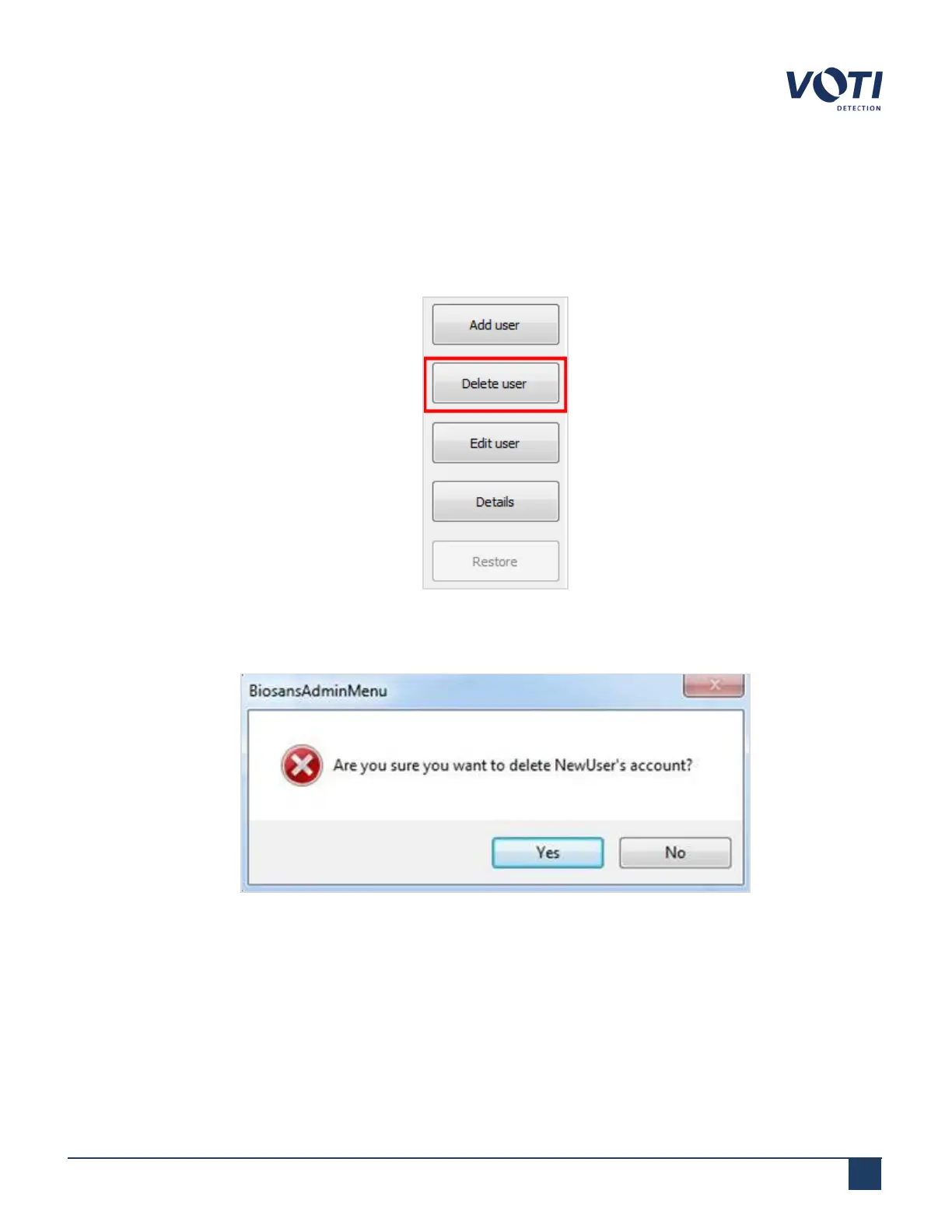
2. Click Delete user.
Figure 68 - Delete a User
3. A dialog box will appear. Click Yes to delete the selected user and close the dialog box.
Figure 69 - Warning Message - Delete a User
4. The selected user is removed from the Current users list. If you click Deleted users, the name of the recently
deleted user appears in the Deleted users list.
© VOTI2020 / 900116-001


 To Next Page