32
(2)
(1)
(5)
(6)
(8)
(1)
Serie 1100
Serie 1100
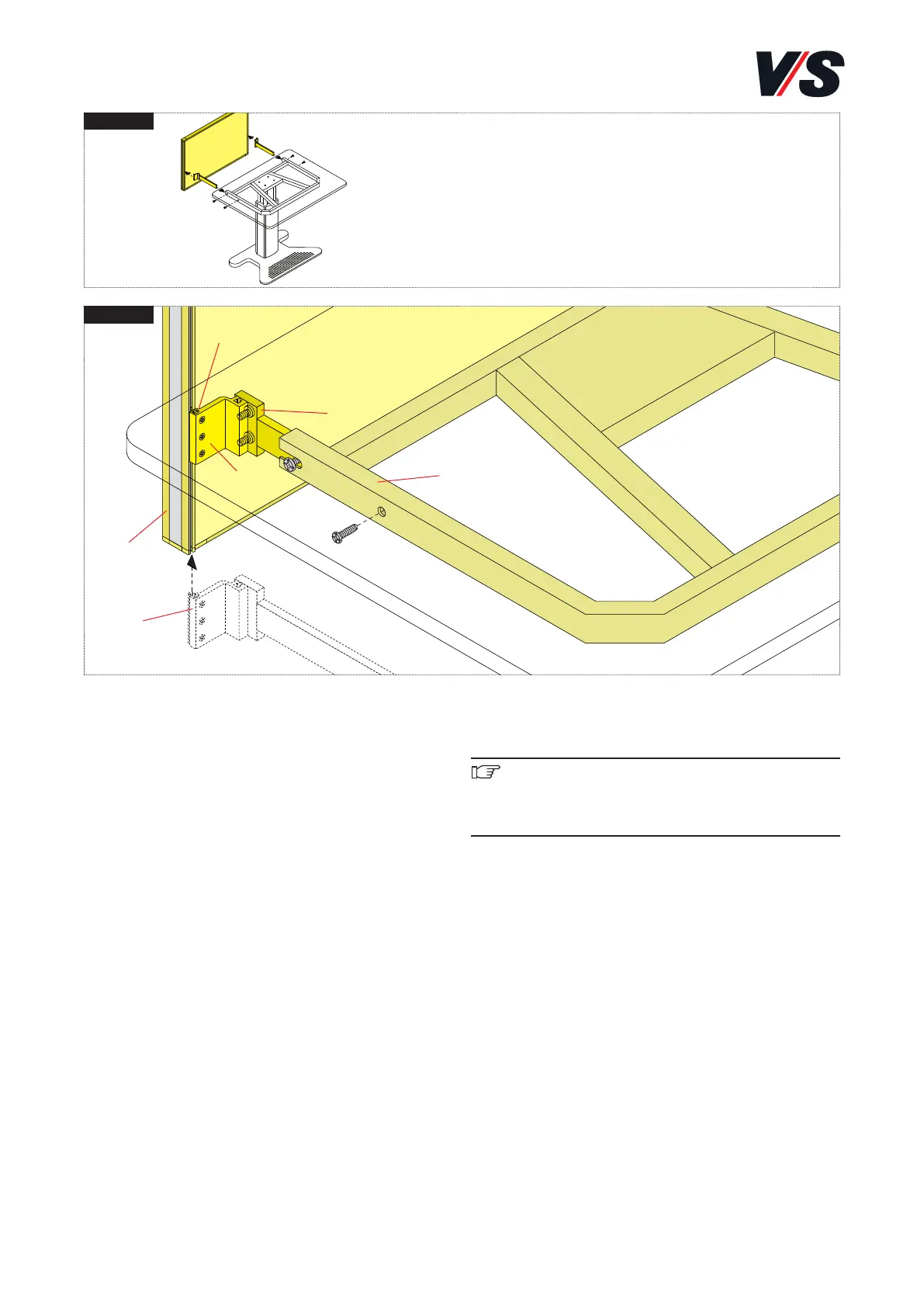
11. System connection Serie 1100.
Connecting screens to Serie 1100. Models 05903,
05908. Only possible with table models 21101 and
21111.
Slide the table connection with clamping block (1) on both
sides into the function groove in frame profile (8) of the
screen. Position at the desired height. Tighten the 3 M5 x 12
mm screws (2) on both sides in the clamping block. Screw
the panel at the side to frame (6) (on both sides with M8 x
20 cheese-head screws).
Alignment: Horizontal and right-angled alignment is perfor-
med as described above for Serie 901.
Important! Serie 1100 workstations exclusively with
screens is permitted.
The maximum load is:
Screens 20 kg


 To Next Page