2787-2146 (/0000-00x0)Configuration
46 Product manual | Version: 1.2.2
Power Supply Pro 2
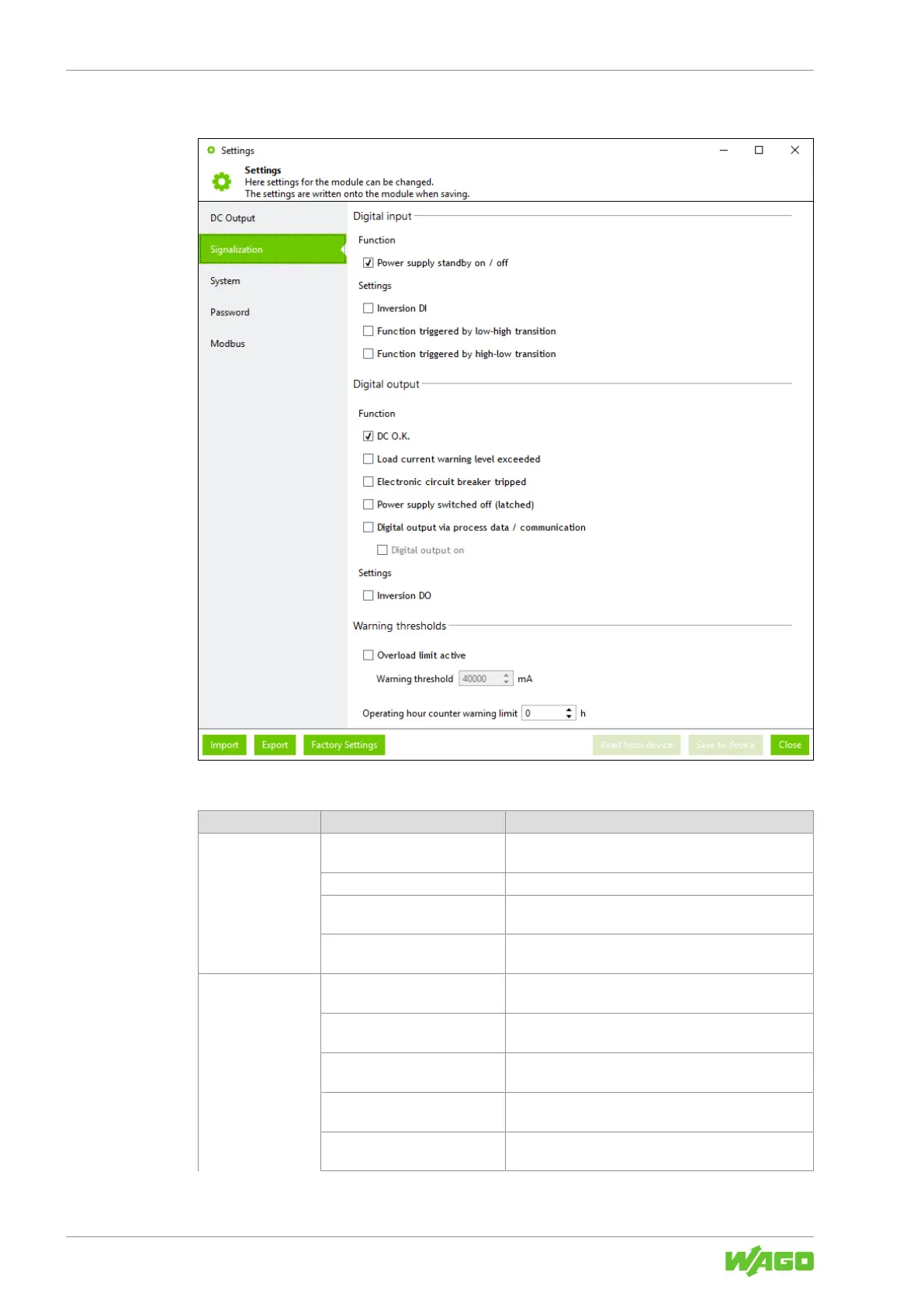
Signalization
Figure27: Dialog: Settings – Signalization
Table56: Dialog: Settings – Signalization
Section Parameters Description
Digital input Power supply standby on/off If this checkbox is selected, the product can be
switched on and off via the digital input.
Inversion DI If this checkbox is selected, the digital input is inverted.
Function triggered by low-
high transition
If this checkbox is selected, the digital input is acti-
vated in the event of an edge change from 0 to 1.
Function triggered by high-
low transition
If this checkbox is selected, the digital input is acti-
vated in the event of an edge change from 1 to 0.
Digital output DC O.K.
1)
If this checkbox is selected, the digital output is set if
the DC output voltage is OK.
Load current warning level ex-
ceeded
1)
If this checkbox is selected, the digital output is set if
the overload warning threshold is exceeded.
Electronic circuit breaker
tripped
1)
If this checkbox is selected, the digital output is set if
the electronic circuit breaker has tripped.
Power supply switched off
(latched)
1)
If this checkbox is selected, the digital output is set if
latching shutdown occurs.
Digital output via process
data/communication
1)
If this checkbox is selected, the digital output can be
controlled via the process data.



 To Next Page