41
1
2
3
4
5
SURFOX 306
USER MANUAL
8. MARKING/ETCHING (OPTIONAL)
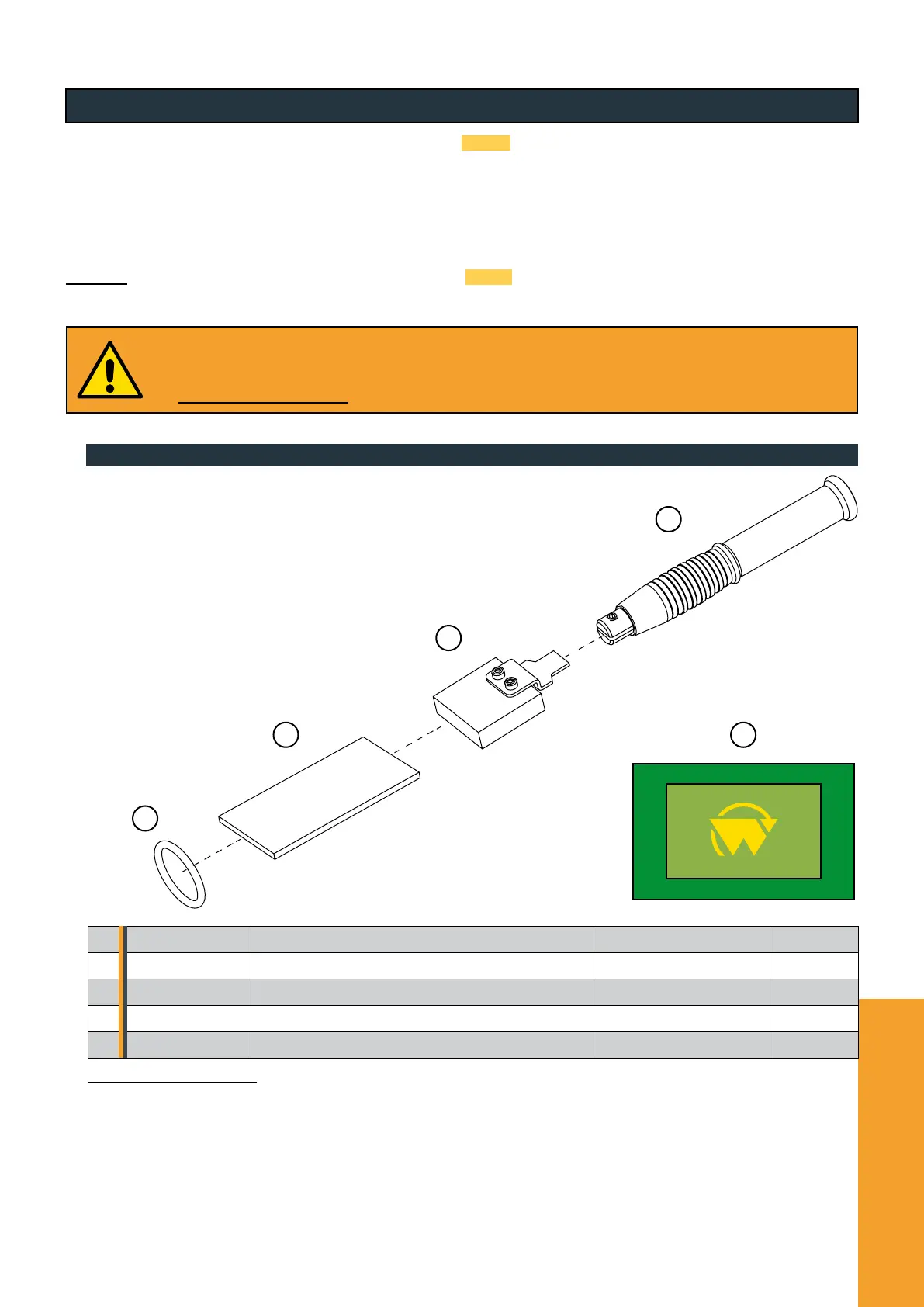
8.1. Overview of marking/etching wand accessories
Thanks to the electrochemical marking/etching Standard Kit 54-B 080 and the screen printing stencils (both optional), the
SURFOX 306 can be used to mark stainless steel; with this function you can instantly print any logo on stainless steel.
Electrochemical marking/etching uses the principle of electrolysis by neutral liquids which are neither irritating nor corrosive.
The standard dimensions of a screen-printing stencils range from a minimum of 25x15 mm to a maximum of 257x170 mm. If used
correctly, the screen can be used for about 500 markings without having to replace it. However, the duration of the stencils also
depends on other important factors such as its size or the density of the background that makes up the graphics.
WALTER also gives you the option of buying the Pro Marking Kit 54-B 081 (compatible only for PC) for making disposable stencils
that are particularly suitable for marking serial numbers, logos and CE plates
Only use original marking kits and screens. Uncertied products, such as unsuitable electrolyte solutions or
marking inserts and pads not specically designed for this function, could cause permanent damage to both the
device and the workpiece. To purchase the marking kits, custom screen-printing screens or printer, please contact
the WALTER Graphics Division (walter.com).
1 54-B 200 Marking/etching wand optional p. 41
2 54-B 088 Marking graphite insert | 35 x 10 mm optional p. 42
3 54-B 083 Marking pad for graphite insert 35 x 10 mm optional p. 42
4 54-B 089 O-ring for graphite insert 35 x 10 mm optional p. 42
5 - Screen-printing stencil optional p. 41
WALTER Customer Service (walter.com) is available for any additional information.


 To Next Page