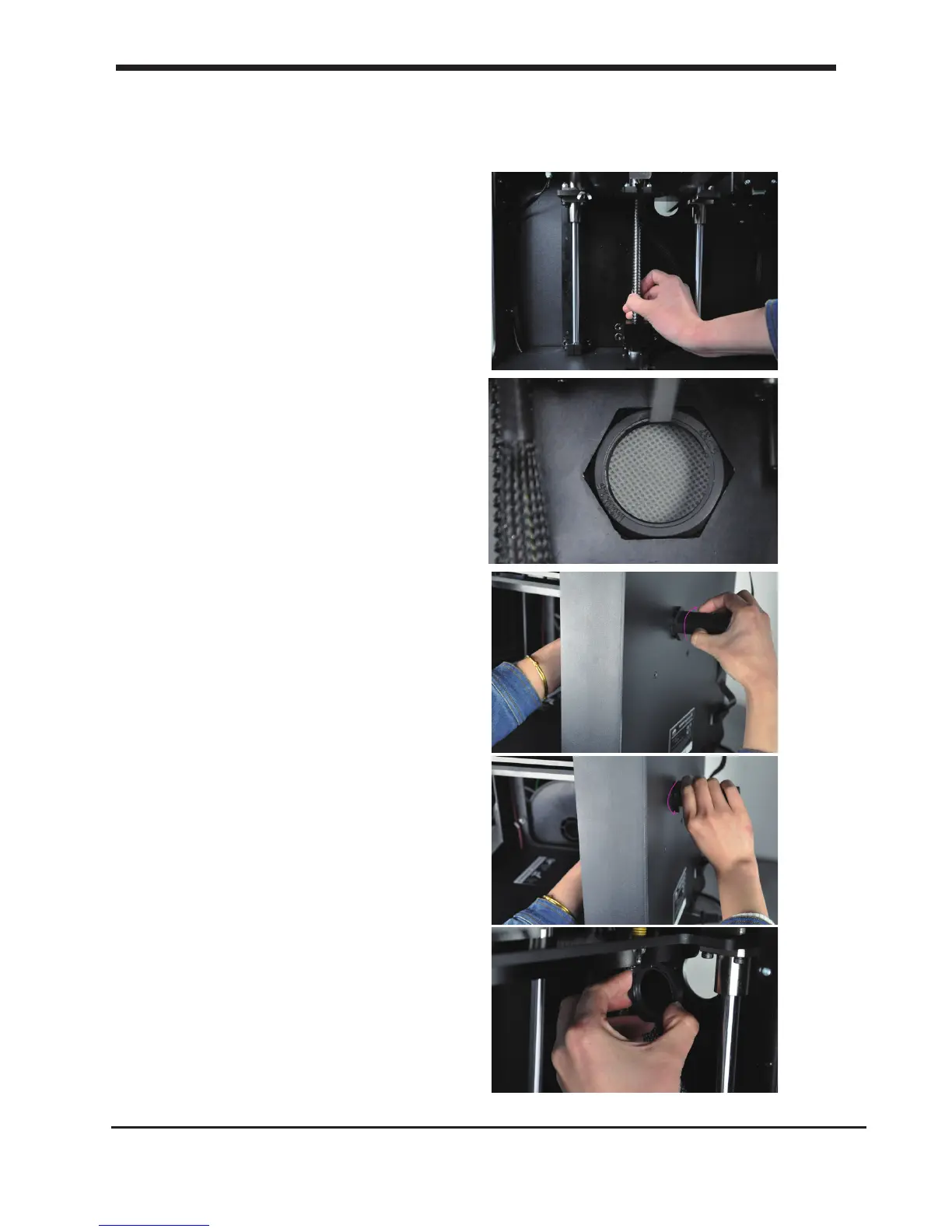
C2.Installing lament: spool holder
Attaching the spool holder
1. Turn the Z axis screw clockwise to
raise the platform.
2. Install the spool holder. Insert the
M30 nut from the printing chamber
into the Hex cave.
3. One hand hold the nut and the other
hand Insert the holder from outside into
the nut and turn the holder clockwise
until it’s tight.
Detaching the spool holder
4.Turn the spool holder anti-clockwise
to get holder detached from the printer.
5.Get the M30 nut detached from the
inside of printer.
15
C2. Installing lament spool holder Installing parts on your D6 plus
Note: the wrench mark on the nut
toward 2 clock direction.













 To Next Page