D4. Make your rst 3D print
It is important to tell your D6 Plus which
type of material it will be using. D6 Plus will
adjust its settings to match with speci c
materials.
[CONTINUE] to go to the next step
Now that the D6 Plus has leveled its build
plate and has material lament loaded, it can
now begin to 3D print.
[ARE YOU READY] to go to the next step!
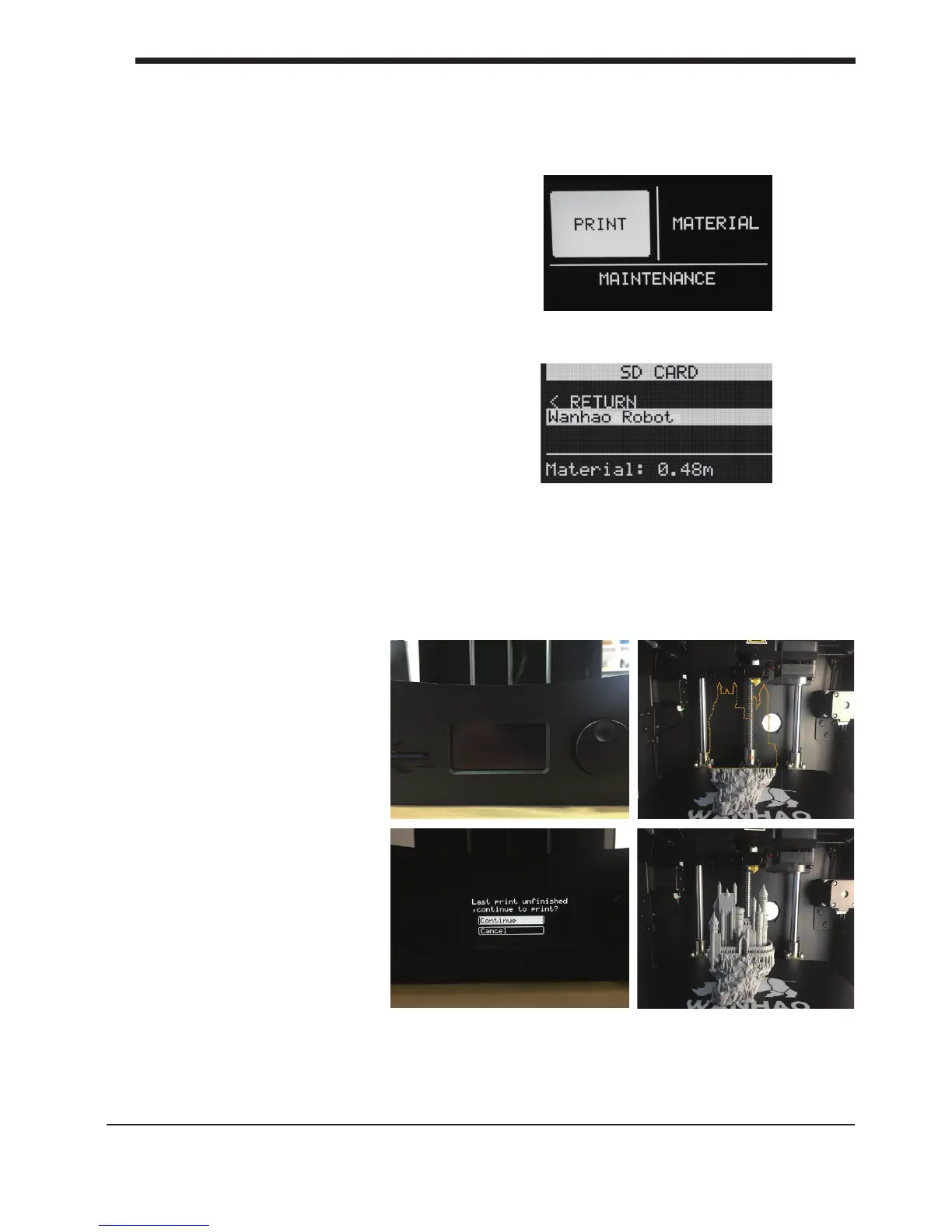
[LET’S PRINT] to start 3D printing!
Your SD-card comes with the le
[wanhao Robot] click the button if you would
like to print this le.
23
D4. Make your rst 3D print First use of your D6 Plus
If you encounter a power
failure, for any reason
such as power interruption
or
accidentally cut the power
cord during printing. Don't
worry, D6 PLUS comes with
printing resume feature.
After power interruption
you
can power on the printer
and select [Continue] and
you can proceed with the
un nished model.
NOTE: For resuming printing Don't move the extruder until the printer nish printing,
Otherwise the resume printing position would not be as accurate as it should be. Wait
for the Extruder to be heated, and do not touch the nozzle with your hand which may
cause burning.
D5. Resume Printing after
power failture













 To Next Page