D3. Loading lament material
(continued)
You can [CONTINUE] this step, when the
material is loaded until it reaches the Mk11
extruder nozzle.
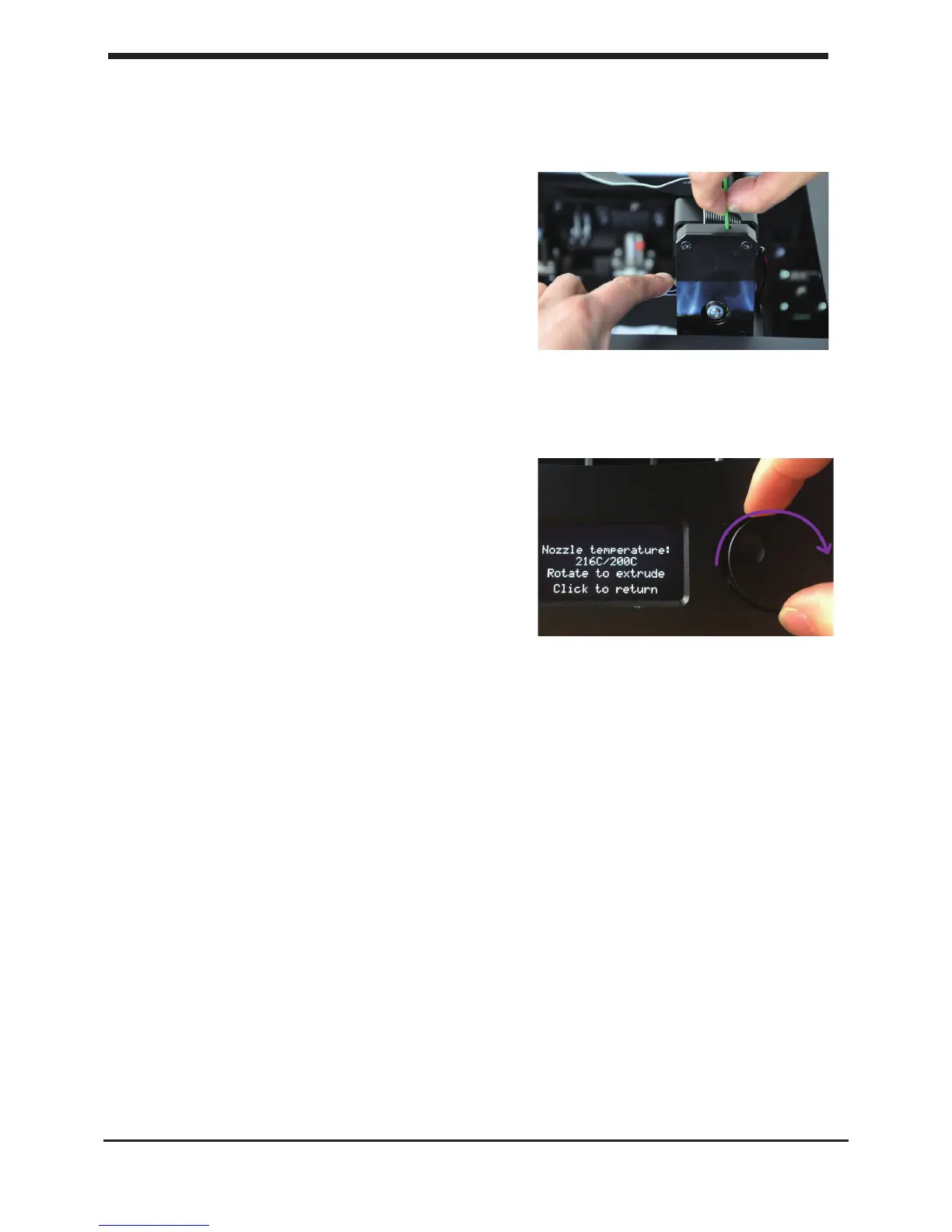
The filament is being pulled through the MK11
extruder quickly. Once you see the lament getting
out of nozzle, push the button to stop extruding.
Follow the instruction on the display. When the
lament material exits from the nozzle, click the
button to [CONTINUE].
WARNING: Do not touch the extruder while it is
heating, it is heating up to 220° C.
NOTE: Don’t be surprised if the material that initially comes out of the nozzle is not the color
you expected. There’s probably some lament left inside the nozzle. This is caused by testing
the your D6 Plus before packing. Wait until you see the color that you loaded comes out of
the nozzle before you [CONTINUE].
Follow the display instruction .
Make sure you choose the right material, this material type is usually indicated on the lament
spool.
Press the [READY] to choose the material.
Conrm the selection by choosing [YES] or [NO]
22
D3. Loading lament material First use of your D6 Plus













 To Next Page