D6. 3D printing and print removal
After you have chosen your [wanhao Robot]
to print your D6 will prepare itself and
heat its print head nozzle and build plate. (This
can take up to 5 minutes)
WARNING: Do not touch the extruder while it
is heating and in use. Temperatures can vary
between 220° C and 260° C
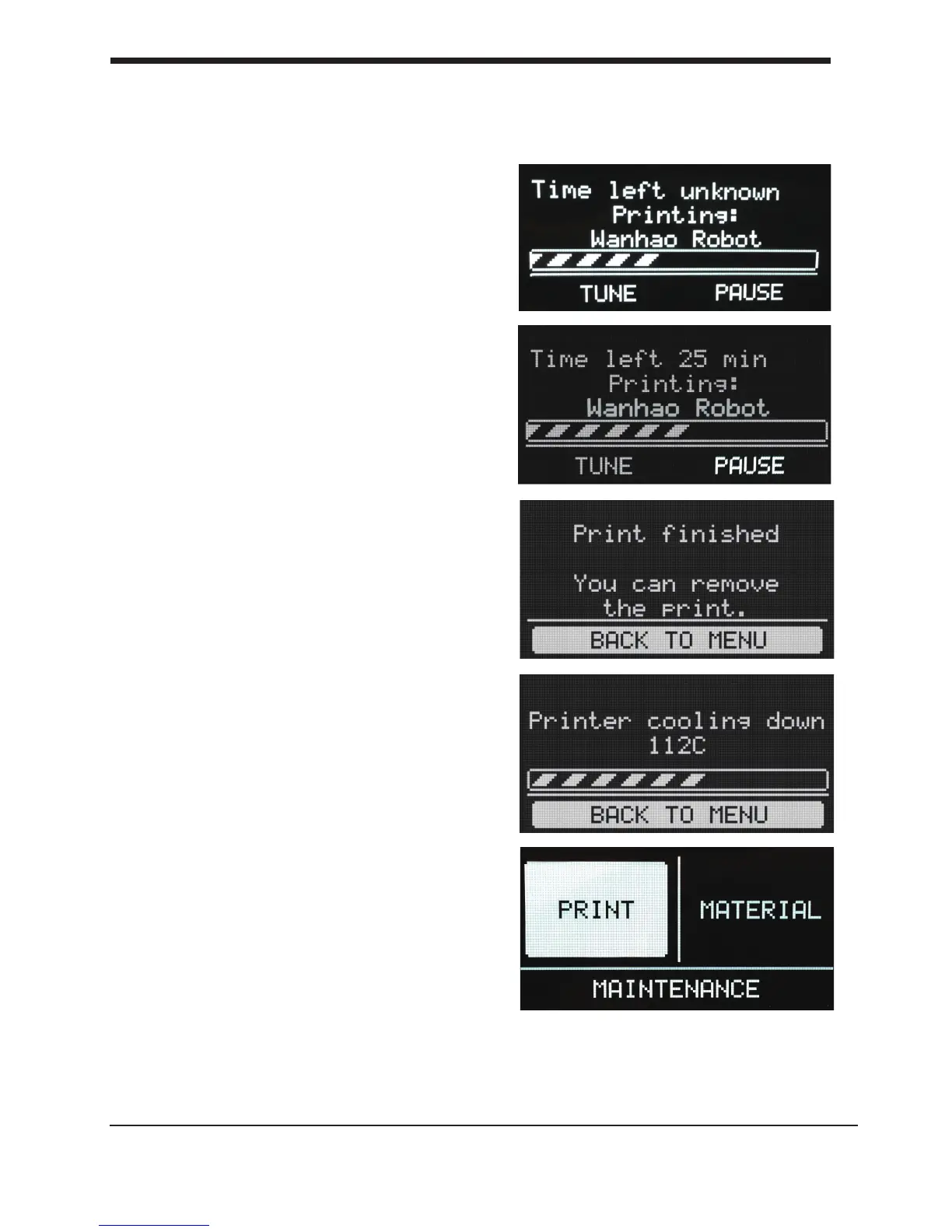
While printing, the LCD display will indicate the
progress of your print and the remaining time to
completion. There is also on screen, the
options [TUNE] and [ABORT].
When your 3D print is nished, the display will
indicate that the D6 Plus is cooling down.The
progress bar indicates when it is safe to take out
your print.
WARNING: Do not touch the print inside the
D6 while it is still cooling down. Wait until the
display tells you “Print Finished. You can remove
the
print”. Some parts are cooling
down from a temperature
of max. 260° C
and might be still very hot.
Now your print and your D6 Plus is at a safe
temprature. You can remove the print.
Select the [BACK TO MENU] to start the next
print. Also on this screen, you have the options
to [CHANGE MATERIAL] and [MAINTENANCE].
Because you have completed the “First run
wizard” this is now your home menu every time
you start up your D6 Plus.
24
D5. 3D printing and print removal First use of your D6 Plus













 To Next Page