E2. Cura software interface (continued)
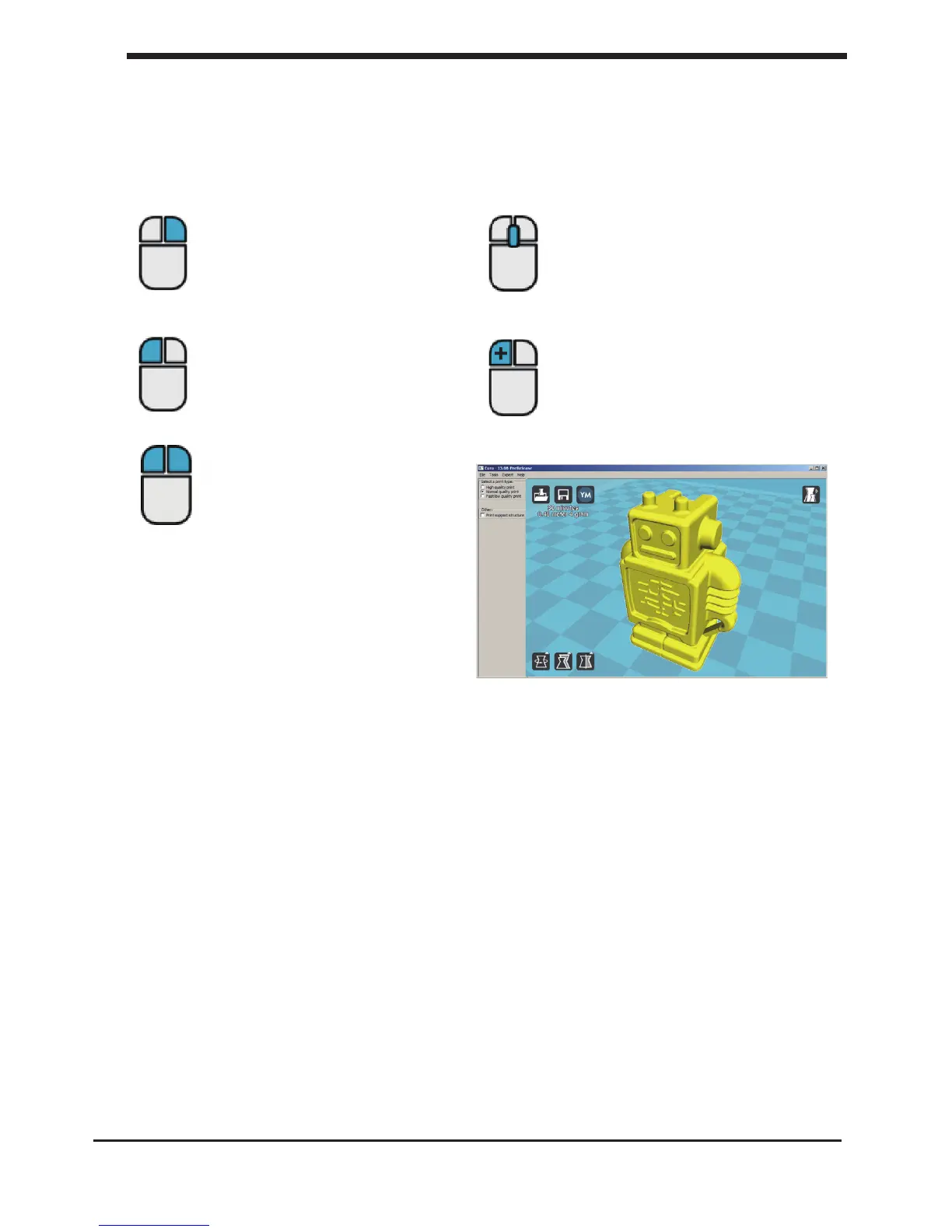
The following mouse actions are used to work, navigate and view the 3D model:
Leftmouse button
Select objects. Hold and move
the mouse to drag
object on the 3D print area.
Scrollwheel button
Use the scroll wheel to zoom
in or out.
Rightmouse button
Hold and move the mouse to
rotate the viewpoint around
the 3D model.
Rightmouse button +
Shift
Hold and move the mouse to
pan the 3D view.
Right and left mouse
button
Hold and move the mouse to
zoom.
28
E2. Cura software interface Make a printle with cura software


 To Next Page